The dashboard is the browser client for Aether. A workspace is one repository and base branch; a run is one agent working on its own branch in its own container. The dashboard shows a member's runs, lets them launch, watch, message and review them, and holds the pages for agents, files, templates, members and settings.
It is one static bundle served through either dashboard gateway: aether gui
on the user's machine, or aether-server --web-port over HTTPS on the
server's tailnet addresses. Next.js 16.3.4 produces the static export, React
19 + TypeScript render the client runtime, Tailwind v4 and the Radix-based
primitives in src/components/ui/ provide the components, and Zustand holds
the state. Both gateways use the shared internal/webgate API and WebSocket
surfaces; the server gateway authenticates each request with Tailscale WhoIs
and no browser token.
The visual contract is a dense developer workbench on graphite surfaces with
one teal accent: flat panes and compact controls. docs/styles.md defines the
tokens, type and motion.
The gateways and their transport boundaries are documented in
docs/local-gateway.md. The same bundle serves both, gating machine-local
surfaces on the capabilities descriptor while keeping shared Files,
configuration, runs and terminal surfaces available through either transport.
This guide describes the dashboard's routes, store and components.
Runtime boundary and commands
src/app/page.tsx is a minimal Next App Router page. It loads
src/app/client-runtime.tsx, which is a client component that dynamically
imports src/App.tsx with ssr: false. This boundary keeps the browser-only
store, WebSocket, xterm and Electron bridge out of static prerendering. Next
still emits the document, CSS, fonts and JavaScript assets; the existing
client-side registry and in-memory navigate() state remain the dashboard's
navigation model. Next does not run in production.
make dashboard   # Bun install, then Node 22+ and next build (from repo root)
make build       # dashboard export, then the Go binaries
cd web && bun run dev -- --port 3000 --hostname 127.0.0.1
cd web && bun run test       # vitest
cd web && bun run typecheck  # tsc --noEmit
bun run dev starts dev-server.mjs, the development-only Node loopback
server. It defaults to 127.0.0.1:3000, accepts --port/-p and
--hostname/-H, and uses AETHER_DASHBOARD as its gateway target. The
target may be a local aether gui URL or a server-hosted HTTPS dashboard;
local targets also proxy /local, while both targets proxy /api and /ws
with WebSocket support. The proxy preserves the browser Host and Origin
headers so the shared gateway remains the WebSocket origin boundary. Other
requests and Next HMR upgrades go to Next's development handler. The Next
Node inspector attach endpoint is unavailable through this server.
For a local gateway, run it and start the dev server in separate terminals.
The local gateway prints a tokened URL; copy its token query value onto the
dev URL:
# terminal 1
aether gui --port 8080 --url

# terminal 2
cd web && AETHER_DASHBOARD=http://127.0.0.1:8080 \
  bun run dev -- --port 3000 --hostname 127.0.0.1
# open http://127.0.0.1:3000/?token=<token-from-aether-gui>
The client moves ?token= into sessionStorage under aether.token, removes
only that query parameter from the address bar, and sends the value as a
Bearer token on HTTP or a token query parameter on WebSockets. The token is
minted per aether gui process and stops working when that process exits.
When AETHER_DASHBOARD points at the server gateway instead, the browser
sends no token: Tailscale WhoIs identifies the phone or development browser
on every request.
The address carries the route (see URL state and local-gateway.md).
Node 22+ is required for a hand-run dashboard build. The complete contributor toolchain and the optional desktop installer workflow are in CONTRIBUTING.md.
Testing on a phone
The shipped phone path is the server-hosted gateway, checked by hand as Testing on a real phone describes.
For a contributor's loop against a dashboard build that is not embedded in a
server yet, use the development server as a LAN-facing proxy to a local
aether gui:
# terminal 1, on the computer the phone will reach
aether gui --port 8080 --url

# terminal 2, with <lan-ip> that computer's address on the phone's network
cd web && AETHER_DASHBOARD=http://127.0.0.1:8080 \
  bun run dev -- --port 3000 --hostname <lan-ip>
# on the phone: http://<lan-ip>:3000/?token=<token-from-aether-gui>- Binding the LAN address gives up the loopback boundary for as long as the dev server runs. Every device on that network can reach a proxy in front of a gateway with the member's authority on the linked server, and the local bearer token is the authentication: it travels in clear over HTTP, sits in the URL and stays in the phone's history. Use a network you trust, and stop the dev server when the session ends. The shipped boundary is the loopback rule in security.md; this is a development-time exception a contributor opts into by hand.
--hostnamehas to be the address typed on the phone. Next's development server permits only localhost and the hostname it was started on; any other origin needsallowedDevOriginsinweb/next.config.ts.- The token is minted per
aether guiprocess, and the phone needs that one. Nothing else authenticates the local development proxy. - A tunnel or proxy in front of this must preserve
HostandOrigin. One that rewritesHostbreaks every WebSocket - the terminal, the event feed and the attach stream - while plain HTTP keeps working, which makes for a confusing half-broken dashboard. - This serves the Next development build over plain HTTP, not the static export the binary embeds, and it needs the computer awake and on the same network. It is a contributor's loop, not the shipped phone path.
Automated phone coverage is the mobile Playwright project, described in
testing.md.
Build pipeline and the embed
web/next.config.ts sets output: 'export' and distDir: 'dist' outside
development. next build therefore writes a static web/dist artifact:
HTML, _next assets, CSS and copied public files. There is no production Next
server or Node process in the shipped dashboard.
web/embed.go embeds web/dist with //go:embed all:dist, which fails to
compile against an empty directory. The build output is not committed, so the
invariant is kept by two placeholder files:
web/dist/.gitkeepis committed so a clean checkout compiles the Go server before anyone has run the web build.web/public/.gitkeepis copied intodistby every Next build, so emptying the output directory never breaks the next Go build.
.gitignore ignores generated web/dist and Next metadata while retaining
web/dist/.gitkeep. A binary built without running the web build serves the
gateway's "dashboard not built" response rather than a blank page.
The web app manifest
web/src/app/manifest.ts is a Next metadata file, so the export writes
/manifest.webmanifest and links it from the page. A static export refuses to
collect a metadata route that has not declared itself static, which is what the
export const dynamic = 'force-static' in it is for.
It declares display: standalone and start_url: '/', and names four icons
from web/public/icons/: 192px and 512px in both any and maskable. 192
and 512 are the pair Chrome and MDN document; what the installability check
enforces is lower - one any icon of at least 144px - so shipping both
documented sizes is belt and braces. Installing does not depend on a service
worker: Chromium's installability check no longer looks for one, and the post
announcing the removal
(update-install-criteria)
scopes it to installing "from the menu, since version 108 on mobile and 112 on
Desktop". The one that ships, web/public/sw.js, exists for
push notifications and has no fetch handler: the
dashboard is never cached, because it lives inside the server binary and has
to change with it.
Both mobile browsers read the manifest. Safari has since iOS 11.3
(display, name, short_name, start_url, scope), with theme_color
since 15 and icons since 15.4, so an iPhone's standalone window comes from
the manifest, not from the layout's Apple meta tags. Those tags cover what a
manifest cannot say: the status bar style, which needs
apple-mobile-web-app-capable spelled out by hand because Next 16 emits only
the unprefixed mobile-web-app-capable. web/public/icons/apple-touch-icon.png
stays because Safari prefers it over the manifest icons.
A manifest carries one theme_color where the layout's viewport export carries
one per colour scheme, so both read web/src/app/theme-color.ts and the
manifest takes the dark value. background_color is the separate
iconBackground from that module, #0a0a0a: an installed app's splash centres
an icon on it, and any other value would leave the icon's tile showing as a
square. That hex is deliberately darker than the dashboard's own dark
--canvas, #141516 - a launcher icon has to read as an object against a
wallpaper - so the splash lightens slightly as the SPA paints over it.
Every icon is generated from web/public/aether-mark.png by python3 scripts/make-icons.py, the same script that writes the desktop app's, and the
output is committed. Maskable icons and the iOS icon are square and full-bleed
because the platform applies its own mask; the rest carry the rounded tile.
CI installs Bun with oven-sh/setup-bun (version pinned in
web/.bun-version) in jobs that run make build or make release-binaries,
plus a dashboard job that typechecks and tests the SPA on its own.
The three extension seams
Views and state are added without editing the shell.
Route registry (src/routes/registry.ts). A route file calls
registerRoute('board', Board) at module scope; src/routes/index.ts imports
it once for that side effect. The center view looks the current route up by
name and renders it with route.params. Navigation is a store action -
navigate('run', { runId, view: 'terminal' }) - rather than a URL router:
Next supplies the document and static assets, while the dashboard remains one
client screen and every surface uses the same action. The route is mirrored
in the address bar (see URL state).
Store slices (src/store/). One Zustand store composed of slice creators,
one file each (server, agent-models, workspaces, runs, members, env-terminal,
terminal, board, palette, approvals, presence, cost, timeline,
diff, files, collaboration, local, missions, messages,
sessions, ui). A new feature adds a slice file and one spread in
createRootStore. Slices are typed against the whole root state, so a slice
may read another's data. Only view preferences and local progress (theme,
text size, sidebar width and collapse state, dock height, Details open,
terminal zoom, single-key shortcuts, diff wrap, activeWorkspace, the
Mine toggle, launch defaults, dismissed update versions, onboarding
progress) are persisted under the aether.ui key; persistedUi in
store/index.ts is the list that decides. Server data is always re-fetched.
Selectors return primitives or stable references. A selector that builds a
new array or object on every call re-renders its component on every store
write, and under React 19 can loop. Lists of IDs go through useShallow
(useRunIDs(workspace) in src/store/hooks.ts); one entity is read by ID
(useRun(id)); a row asks for a boolean (selected) or its own state
(useRunPresentation(run)) rather than the whole route or run map. Derived
maps live in the reducer that changes their inputs: setInbox rebuilds
approvalsByRun (each run's pending requests, oldest first), so a row's
approval count is one lookup. Run rows and board cards are React.memo
components; reducers replace only the record of the run that changed, so an
event about one run re-renders that run's row and card and leaves the rest
alone.
Relative times tick on one shared clock. <RelativeTime at>
(src/components/ui/relative-time.tsx) renders a <time> whose text comes
from timeAgo and subscribes to useClock() in src/lib/clock.ts: one
30-second interval for the whole app, running only while something
subscribes. Only the <time> re-renders on a tick, so "2 minutes ago" on a
board card, a run list row, a feed entry, an approval, the members and
devices views or the Changes Compare menu keeps moving without re-rendering
the row. compact renders compactAge instead: the same steps as timeAgo
in a few characters ("now" under a minute, then "15m", "3h", "2d", "1w",
"2mo", "1y"). A sidebar run row reads the clock itself as well, because its
accessible name carries the age. A per-second countdown, such as a queued
message's delivery (DeliveryCountdown), is its own small component and
re-renders only its text.
The messages slice holds agent mail (coord.messages.list) per workspace,
swarm, or run scope, merged by message ID. A scope's list is held only while
a view that shows it is mounted (useMessageList); the last one to unmount
drops it and the messages no other list holds. Messages list oldest first;
those created at the same instant keep the order the server inserted them,
which it reports newest first. A coord.message event
carries no body, so every held scope the message belongs to re-reads its
newest page; a scope whose first read failed is held empty so it re-reads too.
coord.message.acked stamps the row. Both re-read the recipient run for its
unacked_messages.
activeWorkspace is the scope workspace surfaces read. It lives on the ui
slice and names the workspace the sidebar's run list, the board, launches,
templates, budget dialogs and the activity feed all act on. Empty means "all",
which is what the board falls back to before hydration has named one.
setActiveWorkspace carries an open workspace route along with it, so the
switcher can never say one workspace while the view beside it acts on another,
and navigate('workspace', ...) makes the workspace it opens the active scope
for the same reason.
Member configuration is account-scoped and does not require a workspace.
The last selected workspace survives reopening. Browser and server-hosted
dashboards use the aether.ui local-storage preference. The local gateway also
stores it through workspace.selection, keyed by server address and member,
because the desktop app's ephemeral port changes the browser origin on each
launch. Startup restores this value before choosing a fallback; a selection
made while startup is loading takes precedence. A failed preference read shows
the gateway's original error in a toast without blocking workspace and run
data: the current valid selection or normal fallback still applies.
Derived data (the run groups, the flat run list, the Needs you counts) lives
in src/store/selectors.ts as pure functions over a StateContext
(stateContextOf in the same file), wrapped by memoizing hooks in
src/store/hooks.ts. Selectors that build new arrays must not be passed to
useStore directly. A view that owns its own derived shape keeps it beside
the view instead (src/routes/board/selectors.ts). useRunInput combines
structured native requests, pending Aether approvals and unanswered teammate
questions for the request indicator; the run's state comes from
Run state.
Slots (src/components/slots.tsx). Where a route registry is too coarse -
something belongs inside a surface another ticket owns - the surface renders
<Slot name="..." /> and contributors call
registerSlot(name, id, Component) at module scope. Registration order is
render order, id keys the render and makes a double registration an error.
The slots that exist:
| Slot | Props | Where it renders |
|---|---|---|
card:meta |
{ run } |
the run card's meta line, after the agent, owner and diff counts |
Its contributors are the file-overlap chips (routes/diff/conflict-chips.tsx),
the sync badge (routes/run-sync) and a swarm's scope diagnostics
(routes/missions/conflicts.tsx). card:meta content renders inside
CardControls, above the card's open target, so its links and buttons stay
interactive. Keep it to one short item per contributor: a count or a word,
with details behind a popover.
Shell
src/components/shell/ is the shell: a branded navigation header above one
sidebar and one content area, with the desktop window bar above them in the
desktop app. AppShell (app-shell.tsx) mounts it once, together
with the shell-wide hosts: the command palette, the dialogs the store opens
(components/palette/dialogs.tsx: launch, message, forward, close, archive
and free), the shortcuts dialog, the updates dialog (UpdateCenter), the
connection announcer, the shell keys (useNavShortcuts) and the team
refresh (useTeamRefresh).
Sidebar
The sidebar (sidebar.tsx) is a nav named "Aether", 260px wide by default and
resizable from 220px to 400px; older saved widths are clamped. Mod+B, the
Hide sidebar button in its header and Enter on its splitter hide it
completely; the content view's header then shows Open sidebar at its left
edge. Hiding or showing it hands focus to the control that reverses it. From
top to bottom:
- Workspace switcher and search. The switcher
(
workspace-switcher.tsx) shows the active workspace's name and base branch, and the total Needs you count across every workspace. Its menu lists each workspace with its own count, All workspaces (theoverviewroute), Manage workspaces, Repository (the workspace page) and Environment (the same page, scrolled to that section). With one workspace and noworkspace.listmethod it is a plain label. The search button opens the command palette. - New run, the only filled button in the shell (
n), for a member who may launch. - Runs (
sidebar-runs.tsx), aregionwith three groups, Needs you, Working and Finished (see Run state), each anh2holding anaria-expandeddisclosure button and its count. Every group starts expanded and lists all of its runs; a group closes only when its header is pressed. Needs you lists every workspace; a row outside the selected workspace leads with that workspace's name. Working and Finished list the selected workspace, and only the viewer's own runs while Mine (mineOnly, persisted) in the Working header is pressed. The region scrolls on its own, and while more rows sit below the fold its bottom edge fades out. The sidebar never collapses on its own at narrow widths; the splitter and⌘Bstay the reader's call. - Members (admins only) and Settings. Board through Templates live
in the header instead, leaving the sidebar's height for runs. The current
destination carries
aria-current="page". Gates come fromsrc/lib/surfaces.ts, which also feeds the palette's Navigate group; itspaletteentries (Members › Devices, Manage workspaces, and Members for a non-admin) are reached from the palette only, and itslinkentries (Approvals, the board's Needs you; Onboarding, opened from Settings › Onboarding) only from a link. - One update notice row when a server, CLI or desktop update exists, for example "Server 0.5.3 is available · Update"; see Update prompts.
- Footer: the member's avatar (a neutral glyph before the computer is linked) and name and a connection dot, whose word ("Live", "Reconnecting", "Offline") is in the button's name and tooltip. Its menu holds Profile (a dialog: display name, colour, git identity and agent account sharing; see Members, devices and Profile), Keyboard shortcuts, Theme, Check for updates…, and a Team line with who is online and the spend against workspace budgets.
A run row is a 28px ListRow (44px on a coarse pointer). From the left: a
static StatusDot; the owner mark, a 6px right-pointing triangle filled
with the colour of the run's owner (member_id, not the agent account and
not the controller); the title; the row's age; the agent's monochrome glyph;
and the avatars of whoever is on the run. The age is the compact form
("15m", "3h", "2d") of the time the explorer sorts by: when a Needs you row
began waiting on the viewer, else the run's last status change (since on
the row, src/store/selectors.ts). Only a snapshot without
status_changed_at (see Run state) leaves an estimate of that
change, which counts a live run's age from its start until its next status
event. The title truncates before anything to its right does. Paused, finished and other
members' working rows recede: their title is in the muted colour.
Who is on a run is every member with a terminal or an Enhanced session
attached to it, the viewer included: the watching lists of
presence.roster, which covers every workspace (runWatchers and
runPeople in src/store/presence.ts). Their avatars stack at the row's
right edge and the age, the glyph and a swarm's button move left to make
room; a run nobody is on reserves none. The first avatar sits whole at the
edge and each one after shows from behind it, to its left. First is the
run's controller. While nobody holds control it is the last controller, if
they are still on the run. The rest follow by name. A row draws three
avatars at most: a fourth person turns the stack into two avatars and +2.
While a Needs you row shows its action the stack steps aside for it, so the
title keeps its room.
Run details. Resting a mouse on a row for 400ms opens a box docked to
the row's right edge (run-details.tsx): the whole title, the state's
reason, the workspace, the agent and mode, the branch, a swarm parent's
worker counts, when the run started, when it last changed if that is later,
its owner, and the people on it with the controller marked Controlling.
A live run nobody controls says so above them and names who had control
last, when the server knows. Moving to another row swaps the box without
the delay or the animation. The box takes no pointer events, closes when the
row is pressed, scrolled or left, and gives way to the hint of a button
inside the row. It does not open on keyboard focus, on a coarse pointer, or
under 768px, where the sidebar is a sheet. It replaces the row's native
tooltip.
The title is whole up to 120 characters, where the task fallback and the
server's provisional title stop; an agent's own longer title is cut there
(clipLabel in src/lib/status.ts). The box cannot scroll, so it lists
seven lines of people at most and ends the list with a count of the rest
("and 16 more"). Under a 120-character title, with every other part at its
tallest, that fits a 600px-tall window at the Default and Large text sizes;
Larger keeps six lines. A box still too tall for its window gives way in
order: people, a line at a time down to a bare count ("22 people"); then
the reason, to one line; then the title, to three.
The row's accessible name starts with the state word, then the workspace when it is another one, the title, the reason, the age in words, whose run it is, who controls it and who else is watching ("Working · rewrite the checkout flow · Agent working · 15 minutes ago · Bob's run · Vera controls · you watching"). Its description is the exact time the age counts from.
A Needs you row offers the condition's primary action on hover, focus and a
coarse pointer, the same one its board card shows (see Board):
Approve resolves in place, Reply opens the run's Session view with
the composer focused, and every other action and non-swarm rows go to the
view the condition names. Run rows share one tab stop (roving tabindex);
Arrow keys, Home and End move within them. Swarm-control buttons are
separate tab stops. j and k move from anywhere (starting at the open
run), and u opens the next run that needs you, oldest first.
A Finished or Failed row does not recede while no member has opened its run
since it finished (finish_unopened, see Run state): its title
keeps the text colour and its accessible name says "Not opened yet" before
the age. A finished worker nested under a swarm follows the same rule. Once
any member opens the run, the row recedes in every member's dashboard.
A swarm's integrator row uses the agent's title, not the swarm objective.
Every unarchived worker and previous integrator is indented beneath the current
integrator and joined to it by tree connectors: a vertical trunk under the
integrator's status dot and a horizontal wire into each child row
(Styles). Mine also filters
these children under Working and Finished; Needs you keeps the whole tree
visible. Selecting a run row opens that run, from anywhere on the row
outside its buttons. The graph-node button to the right of the title, before
the age and the agent glyph, opens the swarm control page; its tooltip
includes the workers' counts. The same Waypoints icon marks Swarms in
navigation and New swarm in the command palette. Unread integrator mail
still appears in the row's name and its details. The whole tree sits in
Needs you while any member needs the viewer, but only those waiting runs
contribute to that group's count.
A swarm whose integrator is missing or archived is rooted at its oldest
worker (swarmRoot in src/store/selectors.ts). The Board still aggregates a
swarm into one card. Relationships come from the run snapshot's mission_id,
mission_role and integrator_run_id,
not task text. mission.changed coalesces background refreshes of those
fields without blocking run-status events or overwriting newer run state;
reconnect hydration supersedes pending relationship requests. Older servers
that omit the fields get a flat list.
App header
top-bar.tsx is a banner at every window width, padded by --safe-top.
Its first row shows the Aether mark and lowercase aether wordmark on the left, then Board,
Swarms, Activity, Insights, Files, Environment, Agents and
Templates in nav "Main navigation". These use the sidebar's ListRow
styling and current-page selection. A ResizeObserver measures the row and
its buttons, including font and text-size changes. Destinations that do not
fit move into More navigation, a click-to-open menu; Board and Swarms
never move into it. Gateway capability gates still apply. Hidden buttons
are inert and excluded from the accessibility tree.
Under 768px a second, 48px toolbar holds Open sidebar with an amber dot
while anything needs you, the view's title, Search and New run. On a
run page the title is "Run", because the run header under it already shows
the run's title. A connection problem is one line under the toolbar. On a
phone the view's own header keeps only its actions, and its h1 stays for
screen readers. The header's measured bottom edge sets
--app-header-bottom for the command palette's position and height limit.
A phone screen has one filled button. A page whose own action is filled calls
useHeaderPrimary(shown) (src/store/hooks.ts) while that action shows; the
ui slice counts the holders in headerPrimaries, and while the count is
above zero the top bar draws New run as an icon button with the same
accessible name. A run page always gets the icon, with or without a primary
action. The holders are a run header with a primary action, a swarm with an
open question the viewer may answer, Environment's Open or Save
environment, onboarding, Files with a file open and the Changes view's
Publish…. The board, lists and settings keep the filled New run.
The sidebar opens as a left side sheet, a dialog named "Aether" with the
same contents and Close sidebar in place of Hide sidebar; a tap
outside, Escape or any navigation closes it, and navigation moves focus to the
new view's heading. Mod+B closes it too, because it is the key that opened
it; every other shell key stands down while it is open.
Assistant panel
The assistant is a persistent conversation with an agent running in the
member's own environment; the server side is
the assistant plan. AssistantPanel
(components/assistant/panel.tsx) is mounted by AppShell as a flex sibling
after main, so it is available on every route, onboarding included. It
renders nothing unless the server lists assistant.status and the member can
launch runs (useAssistantAvailable); the same check gates every entry point.
- Desktop, docked: an
asidenamed "Assistant", 400px by default and resizable from 320px to 640px by aseparatoron its left edge (same keys as the sidebar's, mirrored: Left grows). Close assistant returns focus to the Assistant button. The saved width is a preference: the rendered width is capped to what the window leaves after the sidebar andminReadableWidth(560px,lib/breakpoints.ts) ofmain. - Desktop, floating: below 320px of that room, the same
asidefloats over the right edge ofmain, raised by a shadow. Its width is the saved width, capped so at least 240px ofmain(uncoveredWidth) stays uncovered on its left, but never below 320px. It has no backdrop, no focus trap and no resize handle, so the run keeps its full width, and the part the panel does not cover stays interactive.Escinside it, outside an IME composition, closes it and returns focus to the Assistant button, unless something inside it, such as the New conversation confirmation, handled the key first; so doesMod+Shift+Spacefrom anywhere. Crossing between docked and floating restyles the oneasiderather than remounting it, so the draft, the focused composer and the transcript's scroll survive. - Phone: a right side sheet, a
dialognamed "Assistant". - Header: an
h2, because the view beside it owns the page'sh1. It takes the run header's height on a run and the view header's elsewhere, so the two seams line up. It holds the agent and state, New conversation (confirms, thenassistant.reset) and Close assistant. Whileauto_approveis on, a line under it says the assistant acts without asking, with Change in Settings. - Body: by
assistant.statusstate.setuplists each agent with its reason and opensAgentSetupin place;needs_restartis a callout with a button that callsassistant.start {restart_environment: true};failedshows the server's error above the transcript with Retry (assistant.start). Otherwise the transcript (role="log"), which reuses the run Session'sTimelineRowandflattenRowswith the constant row context idassistant, and the composer (Enter sends, Shift+Enter inserts a newline,Mod+Enteralso sends; Stop replaces Send while a turn runs). An empty conversation offers four example prompts that fill the composer. Harness permission and question prompts render as request cards answered withassistant.answer; each pending confirmation renders as a card with the summary, the method and exact params, a relative deadline, Approve and Decline (assistant.confirm). A card leaves only when aconfirmationsframe stops listing it. Whileauto_approveis off a card links Skip these cards… to Settings > Assistant; a card withother_membersays that member (other_owner) owns the run, so it asks even with auto-approval on. - Auto-approval suggestion (
components/assistant/suggestion.tsx): when the status hassuggest_auto_approve, the state isidle, no turn runs, no confirmation or harness prompt waits and the conversation has items, a notice between the transcript and the composer asks Skip approval cards for the assistant? It says what auto-approval passes, that each action is still noted, that read text could steer the assistant, and that messaging or stopping another member's run still asks. It scrolls past 40% of the viewport height, so the composer stays visible. Its three equal buttons callassistant.settings: Turn on auto-approval (auto_approve: true, no second dialog: the notice is the warning), Not now (suggestion: "later") and Don't suggest again (suggestion: "never"). Each leaves a one-line answer, focused, with a Settings → Assistant link; a Not now answered withsuggestion_offsays it won't be suggested again. The line clears at the next turn or a new conversation, and is dropped if another member signed in before the answer arrived. A refusal stays in the notice, focused. The server decides when the suggestion is due; see assistant.md. These links, Skip these cards… and the Acts without asking line's Change in Settings close the panel when it is a sheet, and leave a docked panel open.
State lives in store/assistant.ts. The transcript is the AcpSession under
acpSessions.assistant, built by the run reducers and kept out of runs, so
it never reaches the board, sidebar or palette. The slice holds the status,
the confirmation set, the composer draft and the generation a new
conversation bumps; assistantOpen and assistantWidth persist.
store/assistant-stream.ts connects /ws/assistant through
connectSessionStream with the assistant endpoint. AssistantPanel reads
assistant.status once on load and on each open, then connects unless the
state is setup or needs_restart. It stays connected with the panel closed
only while the state is running or starting, or a confirmation or a
harness prompt is pending. After that, status frames carry the state and the
whole confirmation set, so the UI makes no further status calls. A truncated
item in the transcript is read with assistant.item. Each pending
confirmation or prompt puts a dot on the Assistant button, named "Assistant, N
requests waiting". A confirmation card lists its params as labelled rows
(workspace_id reads "Workspace"; task and message text stay whole), and its
buttons stay disabled once answered until a status frame removes the card. Only
A prompt being sent and its idempotency key live in the slice next to the
draft, so reopening the panel retries under the same key; a changed draft, a
success or a new conversation clears them. assistantOpen on desktop persists; a phone never reopens the sheet on load.
Closing the panel unmounts it. The transcript keeps where the reader left it,
including virtua's measured row sizes, in a module-level record keyed by
member, conversation generation, epoch, history generation and first row,
and reopening the same conversation returns there. Earlier messages loaded
while the panel was closed change the first row, so the transcript starts at
the bottom instead of at a stale offset. A transcript pinned to the bottom stays
pinned, so it follows output that arrived while the panel was closed. A
different conversation starts at the bottom.
store/view-context.ts builds the view context each prompt carries (see
assistant.md): the route's ids, the run view
RunFrame reports through setShownRunView, the active file only on the
Files page or its own run's Files view, and viewHistory, the last 8 pages,
recorded only while sharing is on and never persisted. The prompt's context is kept in the retry attempt with its
key. While the panel is open and sharing is on, syncViewContext sends
assistant.view at most once a second when the context changed, one call at a
time, retrying a failed one with backoff and sending it again after each
prompt. ContextChip (components/assistant/context-chip.tsx)
above the composer shows it and turns sharing off with
assistant.settings {share_view}; assistantShareChoice holds the choice
until the server saves it, sending one save at a time so an older choice
never lands after a newer one, retrying with backoff from 3 seconds up to a
minute, stopping on -32004 or -32602, or once another member signs in
(resetAssistant drops the choice). status.share_view carries it to other
tabs and devices.
When the assistant launches or messages a run for the member, the server
follows it and publishes assistant.notice on /ws/events as the run
finishes or needs input, approval or attention. Only the member named by
member_id reacts. applyAssistantNotice (store/assistant-notice.ts) raises
a toast with an Open run action (warning style for needs_*, plain for
finished) and adds one to assistantNotices. The Assistant button counts
those updates beside the waiting requests, named "Assistant, 1 request
waiting, 2 updates", and opening the panel clears them. The stream does not
mark replayed events, so a notice older than 30 seconds on the server's clock (the offset read from server.info) counts toward the
badge but raises no toast. The desktop app shows the same notice as an OS
notification that opens the run on click (desktop/notify.js), and skips a needs_attention one
when a needs-you notification for the same run fired within five
seconds. A phone gets the web push the server sends for the same notice.
Entry points: the Assistant button (components/assistant/button.tsx, one
component mounted in one place at a time: the sidebar's New run row (a secondary
icon button to its right, which keeps the workspace switcher's room), the top bar's first row while the sidebar is hidden, or
the phone toolbar under 768px; keeping it out of the top bar's row leaves that
row to the header destinations), Mod+Shift+Space, the palette's Ask Aether, a secondary
Ask Aether in the board's empty states, and Stuck? Ask Aether under
each onboarding step.
Landmarks and headers
Landmarks. The skip link "Skip to content" is the first tab stop; the
header navigation is nav "Main navigation"; the sidebar is nav "Aether"
containing region "Runs"; the content is the one main, with one h1 per
view from PaneHeader (tabIndex=-1). After a route
change focus moves to that h1, unless the view took focus for itself. Unit
and end-to-end tests select by these names.
Headers. Every non-run view draws ViewHeader
(src/components/view-header.tsx), a PaneHeader with the title in
text-title, an optional one-line subtitle, the view's actions, the sidebar
opener while the sidebar is hidden, and on desktop the connection problem in
place of the subtitle. While link.status reports no server configured there
is no connection to report, so neither header shows one.
Window bar
In the desktop app, the navigation row is also the window's drag area; there
is no separate title-bar strip. On Windows and Linux,
src/components/shell/window-bar.tsx adds minimize, maximize/restore and close
at the right edge, wired to window.aetherDesktop.controls. Their callbacks
take no arguments: forwarding React's pointer event through Electron's
context bridge fails with An object could not be cloned. Those platforms
have no application menu, so a right-click on the row opens the shell's
native menu - Check for Updates…, Minimize, Maximize or Restore, Close -
from the window's system-context-menu event on a drag region and from
controls.showMenu(x, y) elsewhere on the row.
On macOS, the shell keeps the native traffic lights, centers them in the
44px navigation row and reserves 80px before the logo. The row uses
-webkit-app-region: drag; navigation buttons and window controls use
no-drag. The logo and unused row space remain draggable at narrow widths.
On an initial connection failure, App.tsx renders the same header without
navigation, so the window can still move and close. A browser tab has no
desktop bridge, so its header has neither drag regions nor window controls.
The bridge carries one more thing the SPA cannot do for itself:
window.aetherDesktop.chooseFolder() opens the shell's native directory
dialog and resolves to the chosen absolute path, or "" when it was
cancelled. On macOS the dialog is a sheet on the asking window; on Windows it
is modal to it. On Linux Electron asks xdg-desktop-portal when the portal
offers a file chooser of version 4 or newer, kdialog on KDE when it is
installed, and GTK otherwise. A portal or kdialog chooser runs out of process,
which is why the caller disables its button while one is open; the GTK
fallback runs in process. On KDE under Wayland (WAYLAND_DISPLAY set and
KDE in XDG_CURRENT_DESKTOP) the shell asks without a parent window:
Electron draws on X11 there unless the user sets an ozone platform, and KDE's
portal backend shows nothing for an x11: handle. On Linux Electron reports a
failed portal as a cancel and a hung one never answers, so the shell takes the
window losing focus as the sign a chooser opened. A 10s timer runs only while
the window has focus: from the call if the window is focused then, and from
every regained focus; it stops when the window loses focus. When it fires the
call rejects with a message starting the window held focus for the last 10s.
A dialog that closes cancelled while the window had focus at the call and
never lost it rejects with one starting
the folder chooser closed without opening:. A folder picked after the 10s
rejection arrives through window.aetherDesktop.onFolderChosen; the
Repository step applies the first such pick, unless the field was edited,
Use a different repository was clicked, the step was left or reset, a
link is in flight or a clone is connected. A window the shell cannot resolve
rejects with no window asked for the folder dialog.
Both properties are optional on the type for the same reason shellVersion
exists: a shell built by an older aether gui build lacks them.
Launch splash
App.tsx mounts src/components/launch-splash.tsx over the shell at desktop
startup. It intentionally preserves the original animated night sky, logo
and pixel wordmark, not the workbench's visual language
(Styles).
The splash requires window.aetherDesktop and plays once per shell session,
recorded by aether.launchSplashShown in sessionStorage. Browser tabs,
reloads in the same shell session and prefers-reduced-motion: reduce skip
it. A reduced-motion launch still marks the session. If storage cannot be
read, the splash is skipped; a failed write never prevents startup. The
session is marked in an effect rather than during rendering so React
StrictMode does not suppress its own first launch.
It stays for at least 600ms, then fades when hydration succeeds or fails. A hung connection starts the fade at 2500ms even without a result. The fade lasts 260ms, releases pointer input as it begins and unmounts the splash at its end, exposing the shell or the raw connection error and window controls.
URL state
src/lib/url-state.ts keeps the route in the query string. A run view is
?run=<id>, with &view=session|terminal|changes|files|browser (an old
&view=diff reads as changes); any other
view is ?page=<name>, plus &id=<id> for a swarm or workspace page;
the name is the route's, so Activity is ?page=timeline, and Devices is
?page=devices, a tab of the Members view (pageOf in
src/lib/surfaces.ts). The board is the bare address. The store starts on
the route the address names
(initialRoute()), bindRouteToUrl pushes a history entry per navigation,
and back and forward navigate to the entry's route, so reload, back, Esc
and a shared link agree. Other query parameters and the hash are kept; the
token is removed on first load as before.
Both shells deliver aether://run/<id> as <dashboard>?run=<id>. The
desktop shell alone delivers aether://join?…#<secret> and
aether://claim?…#<secret>, as <dashboard>#join=<link> and
#claim=<link> with the whole link URL-encoded in the fragment, which
never reaches the server (local-gateway.md).
handedLink() in src/lib/url-state.ts takes join and claim off the
address on first load, onHandedLink does the same on hashchange for a
page already open, and the link is held in memory for the Connect step.
?run=<id> opens the run's default view (see Run view). When the first
hydration does not find the run, the dashboard opens the board instead, or
onboarding for a member who has not finished it. A ?page= name with no
view, or a page the gates in src/lib/surfaces.ts do not offer this gateway
or member, opens the board once the first hydration has the capabilities.
These redirects replace the history entry (redirectRoute), so back does not
return to the dead link. A ?page=missions&id= link to a swarm the server
does not know stays on the Swarms page and shows the server's error.
Window size and overflow
The shell is a fixed row - the sidebar and the content view - under the desktop window bar or the phone top bar, and nothing in its own chrome scrolls sideways. A control pushed past an edge is unreachable, not merely off screen, so every row states what gives way first.
desktop/main.js sets minWidth: 960 and minHeight: 600. That is the size
the desktop rules are designed against; a browser tab has no such floor, so
the same rules degrade below it rather than break. A phone is the far end of
that: src/app/layout.tsx exports the viewport the shell needs there.
width=device-width, initial-scale=1- the page is laid out at the device's own width rather than a desktop-sized canvas scaled down.viewport-fit=cover- the shell paints under the notch and the home indicator, and the chrome that touches those edges pads itself back out withenv(safe-area-inset-*): the phone top bar sideways and downwards, the sidebar sheet on all three edges it reaches, the sidebar on the left and the content view on the right and bottom. The top inset is the one a surface away from that edge also has to read, because an installed iOS app asks for ablack-translucentstatus bar and gets the whole screen: it is--safe-topinsrc/index.css, and the top bar's height, the palette's drop and the side sheets' top padding all count it. A surface that pads itself keeps painting to the edge and insets only what it holds, so the notch shows the bar's own colour rather than a gap. Every inset is 0 where there is none, so nothing guards them. Toasts sit 8px above the bottom inset, and the offset is given tosonnertwice, asoffsetand asmobileOffset, becausesonnerswaps to the second below 600px and otherwise falls back to its own default.interactive-widget=resizes-content- on a browser that honours it (Chrome and the Android WebView; iOS Safari does not), the soft keyboard shrinks the layout viewport instead of sliding the page under itself. That is what everydvhin the app - dialogs, the palette, selects, menus - is already sized against, so they all shorten when the keyboard opens. Nothing in the shell usesvh.themeColorperprefers-color-scheme- the browser reads it before the SPA has applied the member's stored theme, so it follows the OS scheme rather than the app setting.
A layout that only changes size belongs in CSS. Layouts that mount different
elements for a finger than for a mouse, or for a narrow window, ask
useMediaQuery in src/lib/hooks.ts; named constants there are
coarsePointer, belowSm, belowLg (the board's stacked columns) and
phoneScreen. The md edge is MOBILE_MAX_WIDTH and useIsMobile() in
src/lib/breakpoints.ts. The shell has one breakpoint: under 768px
(useIsMobile(), Tailwind max-md:) the top bar and the sidebar sheet
replace the sidebar.
A panel docked beside other content decides from room, not from the
viewport. minReadableWidth (560px, src/lib/breakpoints.ts) is the width
a run's content keeps beside one. The assistant docks only while main keeps
it, and otherwise floats over main (Assistant panel).
The run's Details and Subagent inspectors dock only while the run's row,
measured with useElementSize and with the inspector inside it, holds the
inspector plus that width; otherwise they open as overlays
(Details). Measuring the row with the inspector inside it means
opening one never flips the answer, so the layout cannot oscillate. A
narrower run also narrows its terminal, and the shared PTY with it, for every
viewer, which is why the run keeps a readable width rather than giving way to
whatever opens beside it. At the desktop shell's 960px floor with the default
260px sidebar, the assistant floats; it docks from 1140px.
Touch density is one variant, defined once. src/index.css declares
@custom-variant coarse (@media (pointer: coarse)), and a control that a
finger has to hit carries its touch size beside its desktop one - for example
size-7 coarse:size-11. It answers for the primary pointer, so a touch
laptop with a trackpad keeps the desktop density. Under it the Button
sizes, Input, CommandItem, MenuItem, the CollapsibleTrigger,
the Select trigger and its options, the dialog close, the palette input,
the top bar, the sidebar run and navigation rows and the sidebar's own
buttons, the run-list title, the files tree rows and the approvals controls
grow to 40-44px, and the terminal toolbar row grows with the buttons in it.
Desktop density is untouched.
Use this variant rather than a new breakpoint or a per-component pixel value.
Header offsets follow the rendered layout. --top-bar-height (48px,
border included) in src/index.css sets the phone toolbar's height.
The app header reports its measured bottom edge through --app-header-bottom
for the command palette. Desktop dragging uses the navigation row, not a
separate height token.
--safe-top is the top safe-area inset under a name, so that
a surface measuring from the top bar can add the same amount the bar itself
grew by. It carries a 0px fallback because a bare env() in a browser
without it would void every calc() height that reads it.
Below md every centred dialog opens as a bottom sheet, full width and at
most 85dvh, and scrolls inside itself, so its footer stays in reach of a thumb
and the soft keyboard shortens it from the top. iOS Safari does not resize the
layout viewport for the keyboard, so useKeyboardInset()
(web/src/lib/keyboard-inset.ts) sets --keyboard-inset from
visualViewport and the sheet sits that far above the bottom edge; it is 0 on
browsers that resize. md is a width breakpoint, so a desktop window
narrower than 768px is treated as a phone here too. A menu with more than six
items also opens as a bottom sheet below md. On a phone (phoneScreen)
the New run sheet's agent list shows only the chosen agent with Change,
so Mode sits above the fold; picking an agent collapses the list again.
What gives way first:
- Update prompts live in the updates dialog, which scrolls inside itself; the sidebar carries one notice row. Technical output is bounded, and every prompt's actions sit on their own row so long diagnostics never hide them.
- The sidebar keeps the run list scrollable between its fixed header and its navigation rows and footer, from 220px wide up.
- The run header truncates its title to one line; the state line drops the branch, then the owner, then the agent's name, keeping its glyph and the mode, and below 16rem the mode word as well. The view switch always sits on its own row (see Header).
- The board stacks its three columns into one list on narrow screens and
places them side by side from the
lg/1024px breakpoint (see Board).
Data flow
connect() in src/store/sync.ts owns the whole lifecycle. One round of HTTP
fetches hydrates the store (server.info, workspace.list, member.list,
run.list, run.overlaps, and GET /api/v1/capabilities), then /ws/events
is the only thing that changes it. setWorkspaces keeps a valid selection;
an unset selection or a workspace that has been deleted falls back to the
first by ID, or clears the selection when none remain. An open deleted
workspace route moves to the replacement workspace or Manage workspaces;
an open run in a deleted workspace returns to the board. A gateway that
answers the capabilities fetch with an error status or a body that is not
JSON is a legacy gateway: hydration succeeds and the store holds null. A
fetch that gets no answer at all, such as Chromium's
net::ERR_NETWORK_CHANGED after the host gains a network interface, keeps
the capabilities the connect probe loaded; with none loaded, hydration fails
and retries.
The snapshot also seeds the board's paused map from each run's wire paused
field, skipping runs that do not carry it.
removeWorkspace records deleted IDs for the lifetime of the in-memory store.
Every workspace snapshot and upsert excludes those IDs, so an older route or
hydration response cannot resurrect a deletion received from another member.
Removal also repairs the selection and open route before any refresh awaits.
- The subscription is established first. Hydration starts only once the
server acknowledges it (
{"ok":true}), which is also when the client calls itself live. Otherwise a change between the snapshot and the subscription would fall in the gap and never be delivered or replayed. - Events arriving during a fetch wait in the queue, and are applied once the snapshot lands, so an older snapshot never overwrites a newer event.
- Events are applied one at a time, in sequence order, each fully resolved before the next begins. The cursor is a single number, so it must never move past an event still waiting on a fetch.
- Listeners hear one change per frame. The queue drains inside
batchNotifications(src/store/batch.ts): everyset()applies at once, sogetState()and the cursor rules above are unchanged, but subscribers - React included - are notified on the next animation frame (a 16 ms timer in a hidden tab). The hold outlives an emptied queue, because each socket message arrives in its own task and drains before the next one lands; a burst of 200 events spread over a few milliseconds renders once. A write outside the drain, such as a click, notifies at once. - The stream subscribes live on the first connect (the fetch behind it
provides the current state) and replays from the highest applied
seqon reconnect, with jittered backoff. An event at the cursor is ignored, so a replay is idempotent; one strictly below it means the server's event log restarted (a recreated or restored data dir), and the client zeroes its cursor and takes a fresh snapshot rather than silently dropping everything the new log sends. - A reconnect with no cursor cannot replay - on a quiet server nothing has
advanced
seq- so the client re-fetches the snapshot instead of subscribing live and silently missing the outage. - Server-gateway reconnects also refresh the snapshot when replay is possible: Tailscale may identify the new connection as a different member. Only a local gateway's fixed identity can reuse replay without that refresh.
- A failed hydration retries on the same backoff, and the affected panes say the server is unreachable rather than animating skeletons forever. That generic copy never overwrites a more precise error already recorded.
- The latest request to the server decides the connection state. The
failure class lives in
unreachable, which every failed server read sets and a successful hydration clears. A subscription the server acknowledged also clears it, including a replay reconnect that skips hydration, unless a hydration retry is pending: then the retry runs at once and its result decides, because a live stream does not prove reads reach the server. A failure recorded by a connection that was torn down (a retry, or a switch to another server) is dropped. Whileunreachableis set the footer saysUnreachablerather thanLive, and the connection line names the layer that failed - client to edge, authorization, server registration, or end-to-end - with the server id and the next command. When the gateway's error carriesdata.edge_path, itslayer,server_idandedgeare used as given, and itsonlinelist, sent on a server-registration failure, is named as the servers the edge does see online beside the server id the dashboard is linked to. Each failure is stored with the server id it was measured on. A failure measured on another server than the linked one means the gateway followed a re-link (aether link --from-edge): the dashboard re-reads the link status, resets the connection as for any server switch, and shows the failure under the new server's id. An offline computer is the client-to-edge layer on a link through an edge and client-to-server on a direct SSH link. - A total failure replaces the shell with one error page. When nothing has
hydrated and an error is recorded,
ConnectionErrortakes the window instead of an empty sidebar and an empty board behind a toast. Which hop failed picks the copy:networksays this machine has no network at all and names wifi and a VPN,serversays the server did not answer through the selected transport,gatewaysays the localaether guiprocess stopped answering,tailnetsays the phone got no answer from the server that serves it the page, and an access refusal preserves the gateway's own reason. A fetch that got no answer at all isgatewayonly on the desktop origin, where that process can be restarted; on the server gateway it istailnet, because the page came over the tailnet and there is no local process to blame and no wifi advice to give. A refusal on the edge path arrives asdata.refusalon the gateway's503, andrefusalHopinsrc/store/sync.tsmaps itskindto a class, never its wording:edge-server(the edge holds no live registration for the server id;aether-server edge statuson that host reports the server's side of the same connection and can disagree),edge-not-claimed(the edge recorded the server's owner, and the server has not applied the claim to its live connection yet; says to retry),edge-refused(the edge's other refusals),signed-out(no valid device token; gives theaether login --edgecommand),not-member,device-revoked,device-pending, andserver-refusedfor the server's other refusals. Thedevice-pendingpage says an admin approves the device from Needs you, or the member from an approved device, and showssudo aether-server device approve <code>only when the refusal carriesapproval_code. A failure without a refusal on a link through an edge isedgewhen the error names the edge's host: the edge did not answer, so it refused nothing.src/store/edge-sync.test.tspins the class of each kind. The capabilities probe records which gateway serves the page before hydration runs, so the first failure is classified too. The gateway's message appears in an initially open "Technical details" disclosure, and the page suppresses the toast that would otherwise repeat it. Retry clears connection state and remounts the subscribe-and-hydrate cycle rather than reloading the page. - A local token refusal is reported as access failure, not an unreachable
server.
connectreadsGET /api/v1/capabilitiesbefore it opens the stream, and a401there means the local gateway refused its token. The store records that refusal verbatim, stops retrying and tells the member to open a fresh URL fromaether gui. The token is minted per process and held in the tab's session storage, so a bookmarked URL, a second tab or a restartedaether guineeds a newly printed URL. On the server gateway there is no token check: WhoIs identifies the source address on every request, while a tagged node is denied and an unavailable identity service reports its own403or503refusal. - The sockets reopen on a foreground or network return. Both
connectEventsandconnectAttachsubscribe tovisibilitychange(visible) andonlinethroughonWakeinsrc/lib/stream.ts. A phone freezes a background tab's timers and drops its sockets, so a tab coming back from the pocket would otherwise sit out the remainder of a wait that caps at 30 seconds. Either event clears the pending retry timer and resets the backoff unconditionally - a tab that was away cannot know how long the failure lasted - and reopens when there is no socket. The two differ on a socket that is still there: a foreground return leaves it, since tearing a working subscription down would replay the log for nothing and the tab being hidden said nothing about the network.onlinedid, so it replaces the socket whatever state it reached, an acknowledged one included. A wifi-to-cellular switch leaves exactly that socket half open: the browser goes on reporting it as connected, the store goes on saying Live, and no close ever arrives, because the server's end sees the FIN and the phone does not. If an attach is still inside its replay boundary,onlinefirst cancels its serial parser and drain with an explicit cancellation signal, clears the partial operations, and drops the socket while keeping the terminal hidden. The replacement attach starts one fresh hidden replay, so no incomplete prefix can become visible and a stale completion cannot reveal the old host. A final replacement refusal settles the gate before showing the server's error. The event is rare enough that one resubscribe fromlastSeqand one re-attach with its replay are the cheaper mistake. The 30 second cap stays for genuine outages, and an attach the gateway refused - or one parked on asession endedclose, whose transcript cannot change again - is an answer rather than a failure, so neither event re-asks it. - The hydration retry wakes as well. A re-hydration that fails after the first good one leaves a cursor to replay from, so the reopened stream goes live without re-fetching and nothing else would restart that timer. A wake with a retry pending clears it, resets its backoff and re-fetches at once; a wake with none re-fetches nothing.
- A
run.statusevent for a run the client has never seen fetches that run before the event is applied, which is what keeps two quick transitions of a brand new run in order. If the fetch fails the event is unresolved: the cursor stays put and a fresh snapshot is taken to repair the store. Arun.deletedevent removes the run from every connected dashboard; arun.statusevent that raced a local deletion treats a404re-fetch as resolved instead of forcing a redundant hydration. An event naming an unknown workspace re-fetchesworkspace.list, because workspaces arrive only by fetch and a run under an unknown one would render nowhere. An event whose actor is not in the members map re-fetchesmember.listfor the same reason: nomember.*event exists, so a teammate who joined after hydration would otherwise render as a raw ID forever. Aworkspace.timelineentry of kindhandoffre-reads its run the same way, because a handoff publishes norun.statusevent to carry the new owner.run.title,run.model,run.protectedandrun.archivedfollow the same fetch-first rule on a run the client has never seen;run.controllerskips an unknown run, whose snapshot carries the holder.run.accountlikewise skips an unknown run, and on a known one replacesaccount_member_idandrequested_account_member_idwith the payload's, so the header names the new account at once.run.retentionalso fetches an unknown run, then replaces only its runtime deadline and cleanup metadata. It does not re-fetch known runs or changefinished_at,stateChangedAt, the business status,outcome_unseenorfinish_unopened. Aserver.updateevent lands in theserverslice, which feeds the update prompts. run.agentevents set a run'stoolActivity({verb, target, at}on the run record,src/store/activity.ts), so a state line can say "Reading src/auth.ts" without opening a socket to the run. A tool call sets the present tense with the call's detail (file, command, task) or the tool name as the target; the tool result that follows turns it past tense ("Read", "Ran", "Edited") orFailed; a subagent reads "Delegating". An Enhanced run's event carriesverb, which the line shows as is. Calls in flight are kept bytool_use_id, so a result ends the call it names: while another call still runs, the line shows the newest one. Only runs whose agent has an adapter emit these events, sotoolActivityis optional everywhere. An event about a run the client has not loaded is dropped rather than fetched. A status change - a turn ending or starting, a reopen - clears the activity, so an earlier action never reads as current; a run re-read keeps it only while the status is unchanged, since no snapshot carries it.
The capabilities descriptor is the transport seam. The store holds the
GET /api/v1/capabilities answer (gateway, methods, ws, and local
where the gateway has local verbs - the server gateway omits it), and
useCapability() in src/store/hooks.ts wraps it as three predicates -
hasMethod, hasLocal, hasWS - with methods: ["*"] meaning everything
and a missing local meaning no local verb is available.
When the descriptor is null (a gateway that predates the endpoint), the
fallback is the read-and-message method set every gateway has always served,
events and attach sockets, and no local verbs, so an unknown gateway
degrades to monitoring rather than to "everything". Views gate on these
predicates rather than sniffing the URL, which is what lets the same SPA
render against a gateway with or without the local surfaces
(docs/local-gateway.md).
Capability is half the gate; the caller's role is the other half.
Transport capability answers what the gateway can carry, not what this member
may do. useSelfRole() and useIsAdmin() in the same hooks file read the
role off server.info's member record, and every admin affordance needs both
predicates: the gateway can carry the method and the caller holds the admin
role. Reads are gated on capability only, so the roster is reachable on the
server-hosted dashboard as well as through aether gui; the server remains
the authority and checks every call again. A non-admin cannot edit membership
or roles but can grant or revoke access to their own agent account.
Every request goes through src/lib/api.ts - the only module that knows route
shapes, gateway authentication and error decoding. It carries exactly the
methods the views call. Control calls use POST /api/v1/<method>. The diff
patch, disk gauge and capabilities descriptor are read through GET;
development and retained capture bytes also use an authenticated binary GET,
not base64 in control JSON. The shared browser's observation-only WebSocket is
/ws/dev/browser/{run_id}; actions stay on the typed HTTP control API.
aether gui sends its per-process token as Authorization: Bearer on HTTP
and as ?token= on WebSockets. The server-hosted gateway sends no token;
WhoIs authenticates each request.
The disk gauge in Settings > Server renders when server.info carries a
disk object (used_bytes, total_bytes). That field does not arrive with
server.info: protocol.ServerInfoResult is shared with the CLI and frozen,
so the gateway serves the number on GET /api/v1/disk and the team reads
write it onto the stored info, which is the gauge's only reader. The field
stays optional and the gauge stays hidden if the read fails. What statfs
answers is the whole filesystem holding the data directory, not the directory
itself, and the gauge is labelled as that: it is the number that says whether
the box is running out of room, and claiming it as Aether's own usage would be
an invention.
account.usage is the quota RPC used by Settings > Usage. Its params
are {account_member_id?: string, refresh?: boolean} and its result is
{account_member_id, providers} with independently decoded Claude/Codex
provider rows (status, windows, optional plan, updated_at, retry_at,
error, and checked_at). The provider endpoints are subscription services
whose response shapes can change; the server owns credentials, fixed provider
hosts, bounded fetches and cache policy. The dashboard does not refresh
tokens, run provider CLIs, or infer billing/history. The section reads on
open, on an account change, on reconnect and on its refresh button; nothing
polls. An older server that does not know this method is shown as needing an
update.
Actions
Every action the dashboard sends falls in one of two categories:
- The client can predict the result, such as adding a note: the change
renders at once and is confirmed or reverted when the server answers. A
refusal reverts it, puts back what the user typed, and shows the server's
error verbatim (
errorSentence, inlineCallout). - The server decides the result, such as approving a teammate's message: only the control that sent it shows a pending label, within one frame, and past the deadline it reads "Still waiting for the server…".
The deadline is optimisticDeadlineMs (store/optimistic.ts, 5 seconds).
The slowest run.room.post measured through the local gateway over SSH
under load took 57 ms (p99 42 ms); each gateway RPC also costs about three
edge round trips, which were not measured, and 5 seconds leaves room for
three 1.5-second round trips.
optimistic() there runs a predictable action: it calls apply, then
send, and either confirms the server's answer or reverts on a refusal
or at the deadline. The returned outcome carries the error and a retry
that resends the same request, so send must carry one idempotency key
across calls or be idempotent by nature. An answer that arrives after the
deadline is still confirmed, and the store dedupes it by id or idempotency
key, so a late success shows as saved once and clears the error. Once any
attempt of a mutation is answered, no attempt of it reverts, and a Retry
still pending resolves as that success. A late
refusal resolves the unanswered outcome's refused promise with the
server's error, which replaces the timeout failure and drops Retry,
unless an attempt of that mutation was answered first.
Only a JSON-RPC error from the server is a refusal; a failure that carries no
answer, such as Failed to fetch, a gateway 502 or 504, the local
gateway's server unreachable: or network unreachable:, or any error
whose data carries an edge-path refusal, is treated like the deadline,
with its own error text and Retry, because the server may have
committed.
A server-decided action locks only its own control, and the siblings a
second press would race with, such as the Deny beside a pressed Approve.
usePastDeadline (store/optimistic.ts) turns true once a pending flag has
held for the deadline; the label then reads "Still waiting for the server…".
Past the deadline, Cancel stops waiting and unlocks the control, only
where a resend is deduped or refused and the eventual result still shows:
| Control | Pending label | Cancel past the deadline |
|---|---|---|
| Question Reply (Details) | Replying… | Yes: a resend of the same text reuses the idempotency key, and the reply arrives as a room event |
| Teammate message and permission Approve / Deny (Details, Approvals) | Approving… / Denying… | No: a second decision would race the first, and its "already decided" refusal would sit beside the first's success |
| Board card Approve | Approving… | No, for the same reason |
| Composer Send and the Enhanced pill's Send, Steer and Queue | Sending… | Yes: the draft keeps its idempotency key, so a resend delivers once |
| Enhanced pill's Interrupt and Resume, and a session option | Sending… | No: these carry no key, so a late interrupt could stop the turn sent after it |
| Create workspace | Creating… | No: workspace.add carries no idempotency key |
| Workspace settings Save, budget Set / Clear budget | Saving… / Clearing… | The dialog's own Cancel closes it at any time; the call sets values, so a repeat is harmless |
| Save identity | Saving… | No: a second save could reach the server before the first and be overwritten by it |
| Needs you device card Approve / Deny | Approving… / Denying… | No: a second decision would race the first |
| Settings Connect my GitHub account | Connecting as account (provider) | No: each press asks the server for a new claim code |
| Device Approve / Revoke (confirm dialog) | Approving… / Revoking… | The dialog's Cancel turns into Close; it and Esc close the dialog while the request keeps going. A late success still refreshes the list and toasts but leaves the approval code field alone, since it may hold a code typed since; a late failure shows as a toast |
| Schedule Unschedule | Unscheduling… | No |
| Invite code Generate code | Generating… | No: each call mints a new code |
| Roster Remove (confirm dialog) | Removing… | Closes the dialog, as for Device Approve |
| Giving up your own admin role (confirm dialog) | Becoming role… | Closes the dialog, as for Device Approve |
| Invitation Invite | Inviting…, and the new row reads Creating… | No, and no Retry: the row stays until the server answers, and the answer carries the join link. The dialog's Cancel closes it while the request keeps going; the answer then shows as a toast. A refusal drops the row and shows the error; a failure with no answer re-reads member.invitation.list once and keeps the invitation if the server holds it, else drops the row |
Board
src/routes/board/ is the default center view and the triage surface,
reached through Board in the app header; the sidebar owns the run
explorer and primary New run action. The view's Board / Map choice switches
between triage columns and a run canvas. Board shows three columns,
Needs you, Working and Finished, each headed by its name and count.
board() in src/routes/board/selectors.ts reads runGroups, so the board
has the sidebar's scoping, ordering and Mine filter: Needs you spans every
workspace and sorts oldest wait first. Under the lg/1024px breakpoint the
columns stack into one list and Finished starts collapsed.
A card (run-card.tsx, on the Card primitive) has exactly three lines:
- the state line:
StatusDot, reason, and the wait or change time; - the title (
runLabel), two lines at most; - the meta line: agent glyph and name (
agent.listdisplay_name, else the run'sharnessvalue), owner avatar,+added −deletedfrom the newestrun.diffsnapshot (N fileswhen that snapshot istruncated, because its counts are only a floor), the workspace name for a run outside the active one, and thecard:metaslot (file overlaps, sync, and on a swarm card the swarm's conflict count).
A click anywhere on the card opens the run. In Board, a swarm is one
card: the objective, a phase word ("Swarm active") and its workers' counts; it opens
the swarm page, or acts for the root run when the root itself needs you, and
renders card:meta for its root run. Workers never appear as separate
Board cards, archived ones included; a swarm whose integrator is not
listed is rooted at its oldest worker. useBoard reuses a
card's previous object while it is unchanged (dequal), so the memoized
RunCard skips it.
A Needs you card shows its primary action on hover, on keyboard focus and
always on a touch screen (card-action.tsx). Each condition in
src/lib/needs-you.ts names one action, which the card and the sidebar row
both show:
| Condition | Action |
|---|---|
Approval request (approval.decide) |
Approve, resolved in place |
Enhanced turn interrupted or stopped short, or a needs input: question |
Reply: on the card a popover composer whose message goes through run.inject (Mod+Enter sends); in the sidebar it opens the run's Session view with the composer focused |
| Native permission or question on a Standard run; blocked, held, or an Enhanced failure | Open terminal |
| Native permission or question on an Enhanced run, teammate or swarm question | Answer |
| Usage limit with no account to move to | Open |
| Teammate's message waiting for the controller | Review message |
| Integrator down | Open swarm |
| Unreviewed finish | Review |
Every action but Approve and the card's Reply goes where the condition's
target points: the run (requests and questions), its Terminal view
(blocked, held, Enhanced failure), its Changes view for an unreviewed
finish, or the swarm page.
While a card has focus, a approves, r replies and o opens (the card
key scope, pushed only then and only for the actions that card offers, so
the keys stay free elsewhere). Closing the reply composer returns focus to
the card. A failed send keeps the draft and shows the server's error.
Finished footer. Archived (n) swaps Finished for archived runs in
scope (Mine applies); Back to Finished returns. Archived runs have no
automatic deletion countdown. More finished-run actions (…, in the Finished
heading, only when it has an item) holds Archive closed runs… and, for
admins, Free retained containers…. Both open the
store-hosted confirmations (src/components/palette/clear-done-dialog.tsx,
drawn by src/routes/board/clear-done-dialog.tsx) over a plan snapshotted
when they open: clearDonePlan() and releaseFinishedPlan() in
src/lib/commands.ts, over the whole active workspace whoever owns the run.
runClearDone() and runReleaseFinished() run at most six calls at once,
continue past failures and report the first real error; archive counts
CodeNotFound as done. Archiving hides a run whose status is final
(isArchivable) from every group without deleting its history; freeing removes
a retained container and keeps the run and its history.
Empty board. With no runs in scope the board names the first unmet requirement, with one sentence and one button:
- no workspace: Add your repository (onboarding, Repository step);
files.treeanswersCodeUnavailable(no repository yet): Push your base branch, with the server's error (onboarding, Repository step); any other failure shows as an error instead. The check repeats when the window regains focus;agent.listreports nothing installed: Set up an agent (Agents);- Mine hides every run in scope: Show everyone's runs;
- otherwise: "A run is one agent working on its own branch in its own container." and New run, for members who may launch.
Loading shows delayed skeletons; a hydrated empty column says "Nothing here.". An unreachable server shows its error in place of the columns.
Map
Map exposes every individual run, including each swarm integrator and
worker. mapRuns() reads the unaggregated runRows() presentation rather
than Board's swarm cards. Both views reuse RunCard, the five run states,
agent display names, owner avatars and card actions. A map card opens that
individual run; its primary action still targets the condition that needs
the viewer.
The Map workspace scope picker selects the active workspace or All workspaces, without changing the sidebar's selected workspace or Board's triage scope. Mine filters individual Working and Finished runs by their owner. As in Board, Needs you stays visible across workspaces and Mine. Cards from another workspace, and all cards in All workspaces, name their workspace. Archived (n) replaces Finished runs with individual archived runs while keeping Needs you and Working visible; Back to Finished returns. Archived runs obey workspace and Mine, and an all-archived scope keeps the toggle available.
Named owner boundaries keep workers with their actual owners. Relationships
require an explicit worker role, matching workspace_id and mission_id,
and an integrator_run_id identifying a visible integrator. Directed
connectors cross owner boundaries as dashed lines. A worker whose integrator
is filtered, archived or not listed remains reachable and is labelled
"integrator not visible". Task text never establishes a relationship.
map-layout.ts packs fixed 320×160 cards into deterministic owner shelves;
run state, timestamps and input ordering do not reposition nodes.
Title, timestamp and owner-profile updates reuse geometry. Changes to visible
run identities, ownership or swarm relationships repack it.
- Drag the canvas or a card to pan; releasing a drag never opens the card. A press released outside the canvas cannot pan on hover or consume the next deliberate card click.
- Scroll to pan; Shift-scroll pans horizontally. Ctrl/Cmd-scroll zooms around the pointer. Touch supports dragging and two-finger pinch zoom.
- With the canvas focused, arrow keys pan, Shift increases the step,
+/-zoom, andHome/0fit all runs. - Zoom out, the zoom percentage, Zoom in and Fit remain available in the wrapping Runs toolbar. Tab reaches every run and its actions, bringing an offscreen focused card into view.
aether.ui stores Board/Map per active workspace and the map camera per
workspace/all-workspaces, Mine and archive scope. These origin-local
preferences survive view switches, navigation and reloads. A new camera
fits once; live metadata, added or removed runs and viewport resizing never
reset a chosen camera. Use Fit to frame the changed set. Layout switches
are instant, like other workbench panels.
Run state
A run shows one state and one plain-words reason line, derived in
src/lib/status.ts (presentRun). A live run's state is the server's
state field: the scheduler derives it, so the dashboard never infers a wait
from a reason string. A live run or stored run.status event from before the
server derived one has no state, and a newer server may send a state
this dashboard does not know: a running one reads Running with a
neutral dot, never Working, and a needs-attention one reads Waiting.
The idle older servers wrote reads exactly as waiting; no surface says
Idle. The reason line is the server's status_reason (reason on the
wire) in plain words, such as an agent's waiting summary, "Turn ended
without a report" or "No update for 12m"; the dashboard never invents one.
Details lists the raw reason as Last reason.
stateLabel and stateTone in src/lib/status.ts are the one mapping from
state to label, dot colour and dot shape; the sidebar, board, run header,
run lists, swarm page, activity feed and palette all use it. Each state has
its own dot shape and a text or aria-label label, so no state is told by
colour alone. Only Working pulses, and not under prefers-reduced-motion.
Waiting states are a neutral, static glyph; Needs you is the only amber
state.
stateTitle builds the tooltip each surface puts on a state: "Label
since relative - reason. What happens next", for example "Waiting
since 5 minutes ago - Turn ended without a report. Send a message to
continue." A board card reads Label · reason outside Needs you, where
the reason alone leads. stateDetail drops a reason that only restates the
label. The run header's state line reads Label · elapsed · reason; its label sits in a role=status element, so a screen reader
hears only a change of state, and the elapsed time is the first part to go
on a narrow header. While a run waits for agents, the header counts the
Enhanced session's running subagents, "2 subagents running".
| State | Dot | Comes from | Group |
|---|---|---|---|
| Working | filled circle, pulses | state working (a turn is in progress), or queued / provisioning ("Queued", "Starting") |
Working |
| Waiting for agents | clock | waiting-agents: held background subagents or workflows, ACP Task agents, an integrator with live workers or unread worker mail, or a waiting --for agents report |
Working |
| Waiting for CI | clock | waiting-ci: a waiting --for ci report |
Working |
| Waiting for process | clock | waiting-tools: a background task the agent holds, such as Claude's Monitor, or a waiting --for process report |
Working |
| Waiting | dashed ring | waiting, legacy idle, or a parked run with no state: the turn ended without a verified reason, or a waiting report went stale |
Working |
| Needs you | amber ring | needs-you: a reported question or blocker, a pending permission, an unanswered question |
Needs you, for the member a condition below names |
| Ready for review | filled accent circle with a check | finished (a reported success on a live run), or a completed run whose review is ready or later |
Needs you for its owner while review is ready, else Ready for review |
| Completed / Merged | check | completed, merged |
Finished |
| Closed | ring with a bar | abandoned ("Closed without merging") |
Finished |
| Failed | cross | failed (an interactive failure parked for review, or a turn that failed), or failed |
Needs you for its owner while live and outcome_unseen, else Finished, sorted first |
| Interrupted | ring with an exclamation mark | interrupted |
Finished |
| Disconnected | broken ring, neutral | disconnected: the agent session or process ended while the run is open |
Needs you for its owner |
| Paused | bars | a live run paused by a member | Working |
The sidebar and run list show Ready for review as its own quiet group between Working and Finished; the board lists it at the head of Finished.
Live actions (stop, pause, message, Stop waiting) still gate on the wire
status (running, needs-attention), not on the state.
status_seq increments on every change of a run's status, state,
reason, outcome flags or review. applyRunStatus in src/store/runs.ts drops a
run.status event whose status_seq is not greater than the one it holds,
and toRecord keeps every field such an event set (status, reason, state,
status_seq, outcome_unseen, finish_unopened, review,
review_changed_at, finished_at) when a
snapshot is older, so an out-of-order event or a late run.get never moves a
run back. A snapshot at the same status_seq never sets outcome_unseen or
finish_unopened again once run.outcome_seen or opening the run cleared it.
A kill's prediction clears state with the status. applyRunReview applies
a run.review event under the same status_seq rule.
Review is the owner's answer to a reported success
(failure-handling.md). run.review with
action complete closes a live run as completed (or records it on a
completed run) and sets review to accepted; later sets it to later
and leaves the run where it is. Both return {"run": Run} and need the same
permission as run.close; a live swarm worker is refused.
The Needs you group, its counts and badges follow the run-state attention
rule push notifications, assistant follow and aether runs --needs-you
share (failure-handling.md): a live run (running or
needs-attention) that is not paused, with state needs-you,
disconnected, or failed while outcome_unseen, and a reported success,
live or completed and not a swarm worker's, whose review is ready. Waiting, every Waiting for
state, Working, a review of later or accepted, and a finished run
never count. The sidebar's Needs you count, the workspace badges and the
list's Needs you rows come from the same runRows, so they always agree. The request rows below need a live, unpaused run
too; only the two swarm rows, an open swarm question and a stopped
integrator, hold whatever the integrator run's status, paused included.
Needs you means the viewer can resolve it.
The queued message, teammate question, swarm question, stopped integrator
and control hold rows are the dashboard's own: they come from the room and
the swarm, which the run's state does not cover, so push and
aether runs --needs-you do not announce them.
src/lib/needs-you.ts holds the conditions as one table, checked in order;
needsYou(run, ctx) returns the first that applies:
| Condition | Who it needs | Reason line |
|---|---|---|
| Pending permission (approval or native) | owner or terminal controller | Permission: … (enhanced: Permission requested) |
| Pending native question | owner or terminal controller | Question: answer in the terminal (enhanced: Question from the agent) |
| Queued message from another member | terminal controller | Bob sent a message, approve to deliver |
| Teammate question to the owner | owner | Bob asked you: … |
| Open swarm question | accountable human or an admin | The integrator asks: … |
| Integrator exited or failed to launch | accountable human or an admin | Integrator stopped, replace it to continue / Integrator failed to launch, replace it to continue |
| Worker under a control hold | the member holding it | You hold control of worker 3 |
state disconnected (labelled Disconnected) |
owner | the reason: Agent disconnected: … / Enhanced could not start: … |
state needs-you with a blocked: <summary> reason |
owner; a worker's accountable human | Blocked: … / Worker blocked: … |
state needs-you with a needs input: <question> reason |
owner | Agent asks: …, with Reply |
state needs-you with a usage limit Aether will not resume |
owner | Usage limit reached on …, with Open |
state needs-you with an Enhanced turn interrupted or turn ended: <stop reason> reason |
owner | Turn interrupted · reply to continue / Stopped: the reply reached its token limit · reply to continue, with Reply |
state needs-you, any other reason: a permission or question not loaded yet |
owner | Open the run to see its request, with Open |
review ready on a live finished or a completed run (labelled Ready for review) |
owner | Your agent reports this task is finished |
state failed with outcome_unseen (labelled Failed) |
owner | Agent reported failure; review the result / the reason: Turn failed: … |
Failed and Disconnected rows show their reason in full-contrast text, as a Needs you row does.
A device waiting for approval is not a run, so deviceNeeds in the same
file turns it into a card for an admin, and a member's own pending device
into a card for that member. The store's devices come from
member.device.list, which names whom approving admits each waiting
device as. It is read at hydration, on each member.device event (published
under the workspace id server, so the event's unknown workspace does not
drop it), and whenever the tab returns to the foreground or the browser
comes back online, which catches a failed read and an approval made with
sudo aether-server device approve, which publishes no event:
| Device | Who it needs | Reason line | Actions |
|---|---|---|---|
| Pending, waiting on an invitation | an admin | laptop (github mallory) wants to join as collaborator | Approve (member.device.approve {device_id}), Deny (member.device.revoke) |
| Pending, a member's | an admin | laptop (github bob) signed in as Bob | the same |
Registered under account, on a server now under approved-devices (from server.edge) |
an admin | laptop (github bob) signed in as Bob and is not approved | the same |
| Pending, the viewer's own | the member, not an admin | New device laptop signed in as you | the same |
| Pending, waiting on the viewer's account link | the member, not an admin | laptop (github bob-gh) is waiting on your account link | the same |
The card shows the account, the key fingerprint and whom approving admits it as, and waits since the device was recorded. No card carries an approval code. Merge proposal cards (Members, devices and Profile), then device cards, list before runs in the board's Needs you and above the Map. The sidebar's Needs you counts them and shows one row, "laptop waiting for approval" or "2 devices waiting for approval", that opens the board.
A condition that applies to someone else leaves the run in Working with
"Waiting for Alice", labelled Waiting when the run needs its owner. A swarm
worker counts only for a blocked report, as in push, or a control hold: its
integrator handles its other requests, so a worker in needs-you reads
Waiting for agents, "Waiting for the integrator". A stopped integrator counts only while the swarm record names it as
current; the dashboard loads the selected workspace's swarms, so another
workspace's stopped integrator appears once you select that workspace. A
Background (headless) run follows its state like any run; the server
does not count its native questions, and neither does the dashboard. It takes
no input, so its row offers Open, not Reply. A Working run's reason is what its agent is
doing ("Reading src/auth.ts", from run.agent), else "Agent working". A
reported success, unreviewed or not, is Finished and never lists in Needs
you.
Needs you sorts oldest wait first (waitingSince: the approval's or
message's time, else the state change); Working and Finished sort by latest
change. Reason lines that name a wait re-read the shared clock, so "(12
min)" keeps moving.
The change time is stateChangedAt on the run record. A snapshot's
status_changed_at sets it: when the run entered its status, or its reason
while it needs attention. A snapshot can be older than the events already
applied, so for a run still in that status it never moves the time
backwards. A run.status event moves it to the event's time
on those same changes and leaves it alone on a same-status rewrite, as the
server does, so a retention relabel of a run that finished last week does not
make it the newest Finished row. An older gateway, and a run whose status
last changed before the server recorded it, send no status_changed_at; the
record then takes the run's finish, start or creation time and is marked
stateChangedAtEstimated, and it sorts and shows its change time by that
estimate.
Terminal controller comes from controller_member_id, which the
gateway decorates from the control lease on run.get and run.list (empty
when nobody holds it). A run.controller event, published whenever a lease
is taken, taken over, released, fenced or runs out its reconnect window,
keeps it current, so a teammate holding control of someone else's run sees
its requests without opening the run. Only a gateway too old to send
the field falls back to the run's cached presence status.
last_controller_member_id beside it names the latest member to hold that
lease, the current holder included, and the run.controller event carries
the same member as last_member_id. The server keeps it in memory with the
leases (LastHolder in internal/control), so the field is absent until
someone takes control after a server restart, and on a gateway too old to
send it. The explorer then has no last controller to put first or to name.
Paused comes from the paused field the gateway decorates from the
scheduler on run.get and run.list; a paused run still reads running.
The hydration snapshot seeds pausedRuns (seedPaused, skipping runs
without the field - a legacy gateway), and live pause/resume entries on
the workspace.timeline stream keep it current (pausedFromTimeline in
src/store/board.ts).
Unreviewed outcome marks a success or failure reported with
aether-internal report that the owner has not opened. Interactive Standard
and Enhanced runs stay live at needs-attention, with the reason
agent reported success or agent reported failure; Background runs finish.
The server owns outcome_unseen, so it survives reloads and needs only the
owner. watchOutcomeSeen (src/store/outcome-seen.ts) calls run.seen when
the owner reveals the run through navigate(), or is already on it in a
visible tab when the flag arrives. It makes one call per reveal: a refusal
shows the server's error and is not retried until the owner opens it again.
An answer is not ordered against the event stream, so one that a newer
run.status event for the run overtook is dropped and the run is asked about
again.
A reported success presents Ready for review whether or not the flag is
set; a reported failure stays a Failed row in Needs you until its owner
opens the run, the next turn or Close. A run that has ended is in Needs you
only while its review is ready; any other keeps its unopened marker in
Finished.
Completion review is the owner's answer to a reported success, held by
the server as the run's review ("", ready, later, accepted) and
review_changed_at. A success report sets ready; opening the run does not
change it, so the run stays in Needs you. While the open run is ready,
CompletionPrompt (src/routes/run/completion-prompt.tsx) shows an inline
callout above the Session composer, or at the foot of any other run view:
"Your agent reports this task is
finished. Mark it complete?", the summary of the run's latest success
report when its agent messages are loaded, Mark complete and Not
yet. Both are run commands
(src/lib/commands.ts) that follow Actions: Mark complete
sends run.review {action: "complete"} and predicts review accepted
and, for a live run, status completed; Not yet sends action: "later" and predicts later. A refusal puts the callout back and toasts the
server's error. After Not yet the callout stays hidden until a new success
report sets ready again, and Mark complete stays in the run's actions
menu and the palette for any run that reads Ready for review. Both need the
gateway's run.review method and the kill permission.
An interactive run still accepts messages and terminal input; the reason
line says it remains open for follow-up. Its next working turn returns it
to Working. Archive eligibility and input gates use the wire status, not
the presentation state: a reported interactive outcome is not a closed run.
Use Close to end that session and start its container retention grace.
Overdue worker mail on an open integrator takes precedence over a reviewed outcome. Its warning and unread count replace the reason line until the mail is acknowledged.
Unopened finish marks a Finished or Failed run that no member has opened
since it finished, with or without a report: an exit, a failure, an
interruption and a swarm ending its workers count as much as a reported
outcome. A run a member closed or stopped is not one: ending it is dealing
with it. The server owns finish_unopened, so one member opening the run
settles it for every member and device. watchOutcomeSeen makes the same run.seen call for any member
who reveals such a run, or is already on it in a visible tab when it
finishes, under the same one-call-per-reveal rule; the owner's call clears
both flags. The flag only keeps the run's sidebar row from receding (see
Sidebar); it moves no run between groups and changes no order.
Execution, input and paused on the wire
The parked reason survives a fetch. protocol.Run carries reason -
the last run.status reason, persisted with the run and sanitized
server-side - so a run that was already in needs-attention when the tab
loaded still says why: waiting for your input and its siblings when the
agent reported it, stalled: ... when the silence heuristic parked it.
toRecord in src/store/runs.ts prefers the wire reason and falls back to
the previously stored one only when the fetch omits it and the status has
not changed (a legacy gateway); a live run.status event still overwrites
it with the event payload's reason. A pending approval's action or unanswered
room question remains the card's actionable summary.
Needs you is an activity, not a new lifecycle. The persisted/wire
status remains needs-attention. Turn completion, silence and prose such as
the legacy waiting for your input reason are not evidence of a request;
only the server's needs-you state and the request rows above are.
Requests are independent of execution. A run snapshot's pending_inputs
contains native request identities (id, session_id, and kind: question,
permission, form, or extension_ui), never prompt bodies or answers.
The durable run.input event replaces that set via {pending_inputs: [...]};
an empty list clears it immediately. Closing one request leaves the others
visible. Run headers, cards, lists and sidebar rows combine this set with
pending Aether approvals and unanswered teammate questions, including room
questions after execution finishes. Counts and tooltips name the source.
Native prompts are answered in the Terminal on a Standard run and in the
Session view on an Enhanced one, Aether approvals in Approvals or the run's
Details, and teammate questions in Details. Unsupported native integrations
show no inferred request.
A terminal lifecycle transition also clears native requests if its empty
run.input event is lost. Later native input events cannot revive a request
on a finished run. This does not clear Aether approvals or teammate questions.
Hydration is authoritative and queues live events until its snapshot lands. Ordinary run upserts preserve a known input set, including an empty one, so an older route, room or launch response cannot resurrect a closed request. A terminal run upsert clears native requests instead. Swarm relationship refreshes replace only relationship fields. Input events for unknown runs follow the existing fetch-first and ordered-cursor rules.
An unreviewed finish is server state. Run.outcome_unseen on run.get
and run.list is true while an agent-reported outcome is unopened by the
owner; absent (an older gateway) means false. Every run.status event sets
the flag to its payload's outcome_unseen, the row's flag after that event -
a same-status re-label such as retention expiry included - so a later close or
reopen clears it. A run.outcome_seen event, or the Run run.seen returns,
clears it. run.seen is gated on cap.hasMethod('run.seen') and idempotent;
only the owner's call clears this flag.
So is an unopened finish. Run.finish_unopened on run.get and
run.list is true while no member has opened a finished run; absent (an
older gateway) means false, so every finished row recedes. Every run.status
event sets the flag to its payload's finish_unopened the same way. A
run.finish_opened event, a run.outcome_seen event (the owner's open
clears both flags), or the Run run.seen returns, clears it.
Paused hydrates from the same snapshot. With paused on the wire
(above), a reload shows Paused for a run paused earlier, and the
palette offers the right one of pause/resume. Against a legacy gateway
whose runs carry no paused field the state stays unknown until a live
workspace.timeline pause or resume arrives, and neither surface offers a
verb rather than offering the one the server would refuse.
All workspaces
The global overview route (src/routes/overview.tsx) is All workspaces:
every run in every workspace in one RunList, in the board's group order
(Needs you, Working, Finished) with a StatusDot and the state word per row.
A swarm worker whose integrator run is also listed is indented under it,
by the board map's rule (swarmParents in src/routes/board/map-layout.ts);
other workers stay in place. The tree sits where its earliest member falls, so
a worker that needs you lifts its integrator into Needs you. The integrator's
chevron, Hide <n> workers, folds the workers that do not need you and
is absent when all of them do.
It is reached from the workspace switcher, g then l and the palette's
Open all workspaces.
Commands and the palette
src/lib/commands.ts holds the commands as data: an id, label, icon,
capability gate, optional confirmation and call. Run verbs (runCommands):
Pause run / Resume run, Send a message to the agent…, Forward a
port… (local gateway), Close run…, Kill run, Delete run, Free
container…, Archive run / Restore run, Protect run /
Unprotect run, Reopen run, Pull branch (local gateway) and Hand
off to <member>. Board verbs (boardCommands): Open the board, Open
all workspaces, Ask Aether (opens the assistant; offered when the server
serves assistant.status), New run…, New swarm…, Launch from a template…,
Archive closed runs…, Free retained containers… and the three theme
commands. Each verb is offered only when the server would allow it: the gates
ask the same questions internal/permissions does. useCommandRunner()
reports gateway success or its real refusal in both the run's More menu and
the palette. Pause, resume, kill, free, archive, restore, protect and
unprotect follow Actions: the command's predict names the
fields the server's success certainly sets (pausedRuns; status
abandoned with reason killed; cleared container_retained_until and
cleanup_pending; archived_at; protected), the runner shows them at
once, and the success toast waits for the answer. A refusal puts back each
predicted field that still holds its predicted value; a field anything else
wrote meanwhile stays. With no answer by the deadline, or a failure that
carries none, the runner does not guess: it re-reads the run with run.get
(bounded by the same deadline) and applies the server's record. If the
run's record or pause state changed while the read was pending, that change
is newer than the read, so the read only replaces the predicted fields that
still hold their predicted value. If the read's record shows the predicted
state, the verb counts as confirmed (a field the
wire omits at its zero value, such as protected, reads as false) and toasts
its success; otherwise the toast reads "The server did not answer in 5
seconds." with Retry. If the re-read fails too, the predicted fields
still on screen are put back and the same toast shows. The toast keeps
Retry until it is pressed or the late answer arrives: a late success
dismisses it, a late refusal replaces it. While another predicted verb is
pending on the run, Retry sends nothing, stays, and a second toast says
why. Each Retry is a new attempt
with its own captured state. Once any attempt of the verb succeeds, no
other attempt puts it back, a re-read answered before the commit is
ignored, and an earlier attempt's late refusal is dropped. Once the
signed-in member changes, the toast is dismissed, its Retry sends
nothing, and the press's late answer, re-read or refusal changes and shows
nothing. Kill and free
(slow on the command) skip the deadline, because the server answers only
after the container stops: run.kill waits out the runtime's stop grace,
10 seconds by default. Past the deadline their prediction stays, More
shows a disabled "Still waiting for the server…" entry (waiting on the
run's predicting marker), a late success clears it without a toast, and
a refusal puts the prediction back and toasts the server's error. A failure
that carries no answer still re-reads the run, and if the re-read does not
show the result, toasts that failure's own error with Retry. Kill's predicted change time carries
stateChangedAtPredicted, so the server's run.status event replaces it
even when the status is unchanged; any other estimated time stays. While a
predicted verb is pending on a run (predicting in store/runs.ts, held
by that attempt's marker so a late answer clears only its own lock), More
and the palette offer no other predicted verb for that run, because one
offered from the predicted state, such as Archive after Kill, could re-read
the run and overwrite the prediction. Both subscribe to the lock, so an open
menu shows the verbs again once the answer lands. An invalid-state refusal
(codeInvalidState, such as "run is already paused" after a retry) re-reads
the run with run.get instead, bounded by the deadline and applied on the
same condition, and toasts only if the run does not show the
predicted state. Deletion removes the
confirmed run locally; archive, restore, protect and free do not overwrite
the server's events with an RPC response.
- Forward a port… opens
forward-dialog.tsxover the localforward.*verbs. It forwards the port typed to the same port on this machine and lists the ports forwarded from that run, each a link tohttp://localhost:<port>beside Stop. For a run it readsdev.port.listfirst: a port bound to loopback is refused with the address it is bound to, and a port nothing listens on is forwarded with a note that its link works once something does. The Environment page's Forward port opens the same dialog for the environment, whose ports no method lists. - Archive / Restore are gated on
isArchivable(status)(src/store/runs.ts;merged,abandoned,failed,interrupted, nevercompleted) plus the kill permission and therun.archivecapability; neither confirms, since archiving is reversible. The palette resolves its focused run from the run map byroute.params.runIdrather than the run list, so an archived run's own page still offers Restore. - Free container… removes a finished run's retained container and keeps
the run and its history; the run can no longer be reopened. It needs
run.release, the kill permission and a retained-container reason (isRetainedRun). A freed or expired run no longer offers it, and the server checks the lifecycle again if the run changed after the menu opened. - Reopen run resumes a retained Standard or Enhanced run after explicit
Close (
aether reopenon the command line). Reported interactive completion needs no reopening. Older agent-finished retained runs remain eligible. - Hand off and Protect need the run's owner or an admin. Before
hydration the caller's own record has not arrived, and the mirror answers
yes rather than making the shell's buttons appear a beat late. Pull
branch is the desktop gateway fetching a published run branch into the
repository on this machine, so it answers to
hasLocal('pull')alone. It does not refresh a workspace base or authorize a mirror source.
A command with a confirm field - Kill, Delete and Free container - opens
the run-naming confirmation (run-command-confirmation.tsx) from More or the
palette, with Cancel initially focused. Close run… opens its own dialog,
which asks whether the work was merged or abandoned. Palette confirmations
capture the authenticated identity with the run and command; an identity
change dismisses a pending or visible confirmation instead of applying it to
another account. More locks while an unpredicted verb is in flight and shows
a spinner in place of its icon, which also stops a second click racing a
branch pull over SSH.
The command palette (src/components/palette/) opens from Search in
the sidebar or the phone top bar, ⌘K on macOS or Ctrl+K elsewhere;
Cmd/Ctrl+Shift+P remains an alias. Its groups are Navigate (the board
verbs' destinations and the gated src/lib/surfaces.ts list), Runs,
Workspaces, Focused run · <title> on a run page, and Board
actions. Navigation comes first, so opening the palette initially selects
Open the board, not a mutation. With an empty query Runs lists the
first 50 runs in group order, Needs you first; a query searches every run. A
run matches on its label, branch, agent, workspace name and run ID, never the
full task text. Opening a workspace also makes it the active scope.
Nothing important is reachable only by a shortcut: New run is in the sidebar and on an empty board, destinations are sidebar rows, and every run view has the header's primary action and More. Appearance has explicit Use system theme, Use light theme and Use dark theme commands that set the same persisted preference as Settings.
The palette ranks with cmdk's default scorer. The pinned local cmdk patch
in patches/cmdk@1.1.1.patch stays because stock cmdk 1.1.1 leaves the
input's aria-activedescendant unset for the initial selection and stale
after filtering, and spreads caller props before that attribute, so no
wrapper can correct it. The patch also adds the list's browseOrder, which
restores current browse order when a query is cleared, and avoids redundant
scrolling and DOM reordering. Filtering and live data updates keep the
input focused and its active descendant tied to a visible enabled result.
The forms
Three verbs that need prose open a dialog rather than calling straight
through: launch, send a message to the agent, and launch from a template.
The message form is inject-dialog.tsx over run.inject; each submission
includes a caller-generated idempotency_key, which stays the same when the
request is retried and changes only after the message payload changes or the
submission succeeds. The server records the message as a room
steer_request, so it follows the controller lease, 45-second queue,
moderation and receipt rules. The launch and message forms are store dialogs
(openPaletteDialog on the palette slice) hosted by AppShell, so a
button on any surface opens one by asking the store, with no dependence on
the palette being on screen. The template form's open state lives with
CommandPalette in index.tsx instead, because the store's dialog union
does not include it. It lists the active workspace's templates over
template.list, shows the chosen template's agent, mode, model and task, and
starts the run with template.launch, then reveals it.
The launch form lives in components/launch/. Its Run tab asks for a
task, an agent, a mode and a model; an account appears only when one is shared with the
caller. The agent picker is a list of rows from agent.list: the vendor glyph
in its colour, the display name, and "Login found" or "No login found" for a
shipped agent (login_found checks the launch home for login files, not for a
working session; a server that does not report it shows nothing). An agent
that is not installed stays listed, disabled, with Set up, which closes
the dialog and opens Agents. The last row is custom, the escape hatch that
agent.list never returns and that only launches where the deployment pinned
an agent definition with --agent-definitions. With nothing installed,
nothing is preselected, Launch stays disabled, and the form says "No agent is
installed in your environment." with a Set up an agent button in place of
the per-row links. The list is read each time the dialog opens; a failed read
shows its error and no setup button, and Launch stays disabled.
Mode is a segmented control with one line per mode: Standard (tui,
"Your agent's own terminal"), Enhanced (acp, "Native messages,
approvals and progress", see enhanced-runs.md) and
Background (headless, "Runs the task once, no interaction"). Enhanced
is disabled with the reason under the control when the agent reports
enhanced: none ("<agent> has no Enhanced support.") or the adapter is not
installed ("The Enhanced adapter for <agent> is not installed.", with
Set up). A launch never switches mode on its own: the mode sent is the
one the control shows, and a refusal from run.launch appears in the dialog
verbatim under "Launch failed" while the dialog stays open, until another
agent or mode is chosen. The task is
optional in Standard and Enhanced - a taskless launch opens the agent with
no prompt - and required in Background, which takes no input, so Launch
stays disabled until one is written (runLaunch in
internal/sshd/handlers.go is the same rule). Only what was chosen goes on
the wire: an empty task and tui are the server's defaults.
Model, under Mode, is a searchable picker (ModelPicker in
src/components/launch/model-picker.tsx) whose choice is sent as model on
run.launch and passed to the agent as is
(per-agent flags). Its first entry, Agent
default, sends no model and shows what that default resolves to when the
agent reports it. The rest come from agent.models for the chosen agent and
account, fetched when the field first shows and kept for the page session;
the refresh button asks again with refresh: true. The list says when it is
the agent's cache or a fallback list, and shows a failed discovery's error
verbatim without blocking a choice. Search matches id, name and description;
text that matches no id is offered as Use “<text>”, so any id works,
including for agents with no discovery. A saved model missing from the list
stays selected. A model that is not a single argument is
refused by run.launch and shown under "Launch failed".
The form remembers a mode and a model per agent in the persisted
launchDefaults slice ({mode, model, at} keyed by agent name). It
preselects the launchable agent launched most recently, then the agent of
the newest run, then the first launchable one, and starts in that agent's
remembered mode, else its default_mode from agent.list, else Standard,
with its remembered model; a remembered mode the agent can no longer use
shows as Standard.
Options appears when account.list returns more than the caller and
holds the Account select: the caller first as "(you)", then accounts
shared with them as "(shared)". A shared selection sends its ID as
account_member_id on agent.list and run.launch. agent.list still
returns the caller's own agents and installations, since the run executes
in the caller's environment, and marks each agent the account's owner has no
login for with login_missing, each name that resolves to the caller's own
member-defined agent with own_account_only, and each agent whose owner
login exists but cannot be shared with unavailable and the launch's own
error. The form takes the reason from those fields, never from source: a
member-defined name that is also a server-wide definition launches the
server-wide one, so it can be login_missing. Refused rows are disabled
("Not logged in", "Your account only", "Unavailable"), and one note under
the picker says "<owner> is not logged in to <agent>" and that the owner logs
in from their own Environment, that the caller's own definitions run only
on their own account, and "<agent> cannot launch on this account: " with
the server's error unchanged. On a shared account with nothing installed the
heading reads "Neither you nor <owner> has an agent installed." and the note
says the run uses the owner's login and the caller's installation, or the
owner's when the caller has none.
Below the select, Options holds the usage
fallback controls (launch-options.tsx): a
Fall back to another account checkbox and the Fallback accounts list,
each account with a checkbox and
Move <name> up / Move <name> down. A hint names the rule: "The
run starts on the account here with the most usage left if <owner>'s
usage is at 95% or more at launch, and continues there if the vendor
reports the limit mid-run.", with "the first ticked account, top to bottom,
with usage left" in place of "the account here with the most usage left"
once the list was changed. Untouched, the
form sends neither field and the server orders by usage left. After a
reorder or untick it sends the ticked accounts in order as
fallback_account_member_ids; with the checkbox off, or every account
unticked, it sends no_fallback: true and the summary adds "· Fallback
off". On the Run tab the list leaves out the selected account. On the Swarm
tab it includes the integrator's account, because the list is also every
worker's policy; the server skips whichever account a run is already on.
The Swarm tab sends the same fields on mission.create.
Neither launch form asks which workspace to launch into: both take
activeWorkspace and say where the run will land, naming the workspace and its
base branch. The switcher is the picker, so a second one inside the dialog
would be a place for the two to disagree.
Launching is gated on run.launch and on the launch permission
(canLaunch). The local gateway advertises every method regardless of who is
behind it, so capability alone would put the button in front of someone the
server would refuse.
Base capture is server-side and precedes row creation. A mirror or local-base failure is reported by Launch and leaves no run row; the dashboard does not run a client-side base refresh before trying again.
Run view
src/routes/run/ is the one run route. Its params are runId and an
optional view (session, terminal, changes, files, browser),
written to the address as ?run=<id>&view=<view>; the old ?view=diff reads
as changes.
Every way into a run navigates to run: board card, sidebar row, run list,
palette, feed entry, approval, conflict chip, template, and the launch and
onboarding forms. A view the address does not name is the one this tab last
showed for the run (runViewMemory, not persisted), else defaultView:
Session for an Enhanced run or any run that streams a session (acp: true),
Terminal otherwise. Files is in the list while the run still has its
checkout, on a gateway that serves files.tree (hasFiles in
src/routes/files/open.ts): every run the Files tree lists, a completed one
that is not yet merged or abandoned included. Browser is in the list for
every run that has not finished, on a gateway that serves
dev.browser.status (hasBrowser in src/routes/browser/open.ts); no
browser has to be running, and opening the view starts none. isRunRoute in
views.ts keeps a sidebar row lit across views.
The frame (header, view switch, Details) stays mounted while the view
changes; CenterView remounts it only for another run, identity or event
epoch. Session, Terminal, Changes and Files mount on first visit and stay
mounted, laid out but invisible and inert: xterm hidden with
display: none measures zero and would resize the shared PTY, a Publish
draft (commit message, an uncertain pull request) must survive a view switch,
and an open file keeps its scroll position, caret and undo history. Browser
mounts only while shown, so a hidden Browser streams no screencast.
The Browser can also sit beside the other three views instead of being a tab:
its toolbar's Show beside Session (Show beside Terminal on a Standard
run) docks it at the right of the frame with a divider, and Show the Browser
as a tab puts it back. The choice and the divider's position are view
preferences (browserBeside, browserBesideWidth, persisted). Docked, it
stays on screen across Session, Terminal and Changes, leaves the view switch,
and each side keeps at least 320px (BrowserDock in
src/routes/browser/dock.tsx). The frame is measured, not the window: the
toggle is offered only while the space left by the sidebar and Details is at
least 640px, and below that the Browser is a tab whatever the preference
says. The divider is a separator that takes a drag or the arrow keys, Home
and End.
The agent's attach lives in useAgentTerminal at frame level, so switching
views never reattaches, and useRunRoom reads the newest room page once per
frame, then follows workspace.room_message events. An event naming a
message the store already holds in the event's state, such as the author's
own post, reads nothing, unless that message is a steering request, whose
agent delivery the payload does not carry. After the event stream reconnects
it reads back to the cached history, as one page or more, so a gap is
closed; each older page merges below the pages before it, so same-instant
messages keep the server's order. It polls presence every ten seconds with an abortable 15-second
deadline.
Header
The header (header.tsx) is a 56px PaneHeader size="run": the title (the
agent's last terminal or Enhanced session title,
until then a taskless Enhanced run's first message
line, else the task's first line cut at 120 characters, with a lock for a
protected run), then a state line with the
StatusDot (it pulses while Working, and stops under reduced motion), the
reason, "Claude Code · Standard" (agent.list display names, run.mode)
followed by the model when run.model is set ("Claude Code · Standard ·
opus"), "On <name>'s account (fallback)" when the run carries
requested_account_member_id (usage fallback;
a run.account event updates it live when the run moves),
the branch (click copies it) and the owner. Container queries on the state
line drop the branch first, then the owner, then the agent's name (the glyph
stays), and only on a phone-width column the mode word; the reason truncates
before any of them. The full task and the run record are in Details.
The actions, in order:
- The state's one primary action, the only filled button on the frame. It is
the label the condition names in
lib/needs-you.ts, the same one the board card and sidebar row show, performed inside the frame: Approve resolves the approval in place, Reply focuses the Session composer, Open terminal switches to Terminal and asks for the lease, Answer focuses the docked request on Session or reveals the question's card in Details, Review message reveals the queued message's card in Details, Review opens Changes for a finish, and Open swarm opens the swarm page. On the Terminal view there is no terminal action in the header; the toolbar has Take control. Session rows and Details cards that send the member elsewhere use secondary buttons. - Show details / Hide details (
Mod+.). - More (
components/run-actions.tsx, an icon button on a phone): every run verb fromlib/commands.tsexcept Send a message to the agent…, which the composer replaces, then Hand off…, the mode switch, Open in editor…, Captures… and Raw events…, then Close run…, Kill run and Delete run after a separator. Kill, Delete and Free container… confirm first.
Open in editor… (open-in-editor.tsx) is offered for a live run the
member may steer, by the same allowed('steer', …) question the run verbs
ask, and never on a phone (phoneScreen), which has no editor to hand the
run to. A paused run shows it disabled with Resume the run first. Its
dialog has a VS Code, a Cursor and a Zed button, each navigating
to that editor's deep link for the ssh host <run-id>.aether and the
checkout /workspace, then ssh <run-id>.aether and aether ssh-config as
copyable commands for whoever has not set the host up. For a swarm worker
(mission_role === 'worker') a needs-you callout above the buttons,
Connecting takes control of this swarm worker, says that a shell,
command or file transfer over SSH stops the integrator from steering it
until control is released on the swarm page. The item is not offered for a
run whose id is not one lowercase host label (runHost), the only kind the
links and the command are built from. The dashboard calls
nothing: the server authorizes when the editor connects
(terminal.md). The desktop app lets exactly
those three link shapes out of its window.
The mode switch (mode-switch.tsx) is Switch to Enhanced… or Switch
to Standard…, shown only for a live run of an agent agent.list reports
as switchable. It confirms what happens, then calls run.mode.switch with
the lease the tab holds; while the switch runs the item and the state line
read "Switching to Enhanced…". The dashboard decides ahead what it can: with
enhanced_installed false the item reads Enhanced adapter not installed ·
Set up and opens Agents. A refusal's data.reason is kept for the run's
current status: session_not_reported disables the item with Available
after the agent's first turn, adapter_not_installed shows the setup
line, and not_switchable hides the item. Every error toast goes through
errorSentence (lib/format.ts), which drops the leading RPC method and Go
package names (run.mode.switch: scheduler: ) and keeps the server's
sentence.
The view switch is a segmented tablist named "Run views" with manual
activation, on its own 32px row under the header at every width. When the
row is too narrow for every tab, as on a phone whose run has a pull request,
the tabs scroll sideways (ViewSwitch): the shown view's tab is kept in
sight as the view or the room changes, and the right edge fades while more
tabs lie past it. On a phone with the composer focused the header keeps only
the title line.
A run with a pull request shows it at the right end of that row
(pull-request.tsx): #412, a link to the pull request on GitHub, then the
state of its checks as a button, 2 failing, Checks running, Checks
passed or No checks, and Merged or Closed once it is. Failing
wins over running, and running over passed. An answer that failed part-way,
or stopped at its limit of 100 checks, may be missing some: it still reports
a failure it saw, and otherwise reads Checks incomplete, never passed. A
row under 480px wide keeps the dot and the failing count. The panel is
mounted beside the header, not in that row, so a send waiting for control
survives the row leaving while the composer has focus on a phone. The server stores no pull request, so the
dashboard reads it (routes/diff/publish-pr.ts): run.pr.feedback for the
pull request from the checkout's branch on its GitHub remote into the run's
base branch, the same target the Publish dialog fills in, or one a member
typed into that dialog and found or opened a pull request at. It asks once
when the run page opens, every 60
seconds while the page is visible and after each push or creation in the
dialog, and re-reads run.git.status only when the answer says the branch or
HEAD moved. Both calls execute git and gh in the run's container, so the
check state exists only while the run is running or needs-attention: a
run that leaves those states keeps the link and drops the state, and a page
loaded after that shows neither. The board and sidebar show no pull request.
See
Changes view and Publish for the panel the button
opens.
Multiplayer controls
Enhanced runs render MultiplayerControls (routes/run/multiplayer-controls.tsx)
below the view switch at frame level, so Session, Terminal and Changes share
one control surface. The Browser view leaves it out: it is about who controls
the agent's session, and the page has a lease of its own
(Browser view). The Files view leaves it out too: reading
and saving a file uses no lease. With the Browser docked beside Session,
Terminal or Changes the strip is back, above both. It shows the controller and every watcher
with their member name and Avatar, protection and the existing
ControlButton: take a free lease, release it, or hold for five seconds to
request an occupied lease. A local lease acknowledgement takes precedence
over polled controller metadata; the controller's name remains visible
beside You control or You control in another tab.
Multiplayer still opens Details for shared notes and run facts.
The strip is one row whenever the controls fit beside a 6rem roster, which
covers desktop windows. Only when they cannot, as on a phone with
Protected and a connection word, do the controls wrap to a second line
rather than overlap the roster. The roster takes the space left between
Multiplayer and the controls and scrolls horizontally rather than replacing names with a count;
below a 34rem strip it shows avatars with the names kept for screen readers,
and below 30rem Multiplayer keeps only its icon. The controller summary
truncates instead of wrapping, at 12rem below a 48rem strip. Offline or
failed presence reads mark the retained roster (last known). Control and
presence failures stay beside the action rather than inside a closed composer.
ACP control uses the same server-timed hold, seven-second holder dialog, cancellation and server acknowledgement as Standard runs. Streaming updates do not cancel a held gesture. Explicit control choices and revocations stop automatic acquisition for the open stream; release carries the current lease generation. Takeover denials belong to the requester, not the holder.
SessionView reuses TerminalControlBorder along the top of the Enhanced
timeline, under the frame toolbar. The component is one SVG strip, 5.6rem tall,
over the top of its parent: a single top-edge path, drawn from right to left
so the light pours out of the control button, rendered as a blurred wide
glow, a tight halo and a rim. All three inherit the SVG's animated
stroke-dashoffset and colour, which is what the acquisition, release, hold
and takeover animations drive. Strength is the SVG's own opacity, a separate
animation: 70% while the light moves or a hold is under way, then half once
acquisition settles, breathing on an infinite 8-second loop. Animating the
<svg> element's opacity, not its blurred strokes, lets the compositor run
the loop without repainting. During a hold the teal copy takes a dash
pattern that leaves out the span the red copy covers. Its appearance follows
the acknowledged ACP lease, not the unused agent terminal's history or
connection state. Voluntary release retracts it; takeover feedback requires
an explicit revocation matching the held session and generation.
Disconnects, permission loss and other fencing hide it immediately. The
shared component supplies acquisition, holder progress, takeover loss and
reduced-motion behavior.
Session view
The Session view (session-view.tsx) is the run's conversation: what was said
to the agent, what it did and asked, and the run's notes. It is a virtua
list in a 736px column over rowsForRun (store/sessions.ts). For a Standard
run the rows come from the run's run.agent, workspace.timeline and
run.status events (read with workspace.timeline filtered by run and type,
then kept live by sync), room messages, the run record and its pending inputs:
user (a message to the agent with its delivery word), note, work
(consecutive tool calls folded into "Ran 3 commands and read 2 files",
expanding to verb-first entries), request (an agent request reads "Answer in
the terminal." with Open terminal, or "Answer it from the agent's
session." when the run has no agent terminal; a teammate question offers
Reply, the owner's own question is a plain message), event,
finished, and while the run works with no pending input a live row (the
run's toolActivity, "Reading src/billing.js", else its state label such as
"Working" or "Waiting for agents", with that state's dot, which pulses only
while Working) and a
terminal-note row, Live detail is in the Terminal. with Open
terminal. An "Agent report" event is dropped while the report's agent
message is shown. Request titles and that copy live in lib/run-requests.ts, shared
with Details. A timeline message that matches a room message is shown once.
Show older messages at the top pages room history back 100 messages at a
time, and a failed history read shows the server's error with Retry. The
log keeps the last 2,000 events: the first read pages backward from the log
head (workspace.timeline with newest: true, then before_seq set to the
previous page's older_seq) and stops there, and a later read resumes forward
from next_seq, which a backward page sets to the head. The list is
role="log" with aria-live="off", and each row carries
aria-setsize/aria-posinset. The docked composer ("Message the agent",
Send) posts a room steer_request with the lease the tab holds; its rules
are in Run control. A refused send or image upload
shows the error above the textarea (role="alert", Dismiss); Details
shows only the failures of its own actions. Details' Agent messages
section ends with Hide from Session (Show in Session once hidden),
which drops those messages from the timeline; the choice is per run, in
hiddenAgentMessages, until the page reloads. Esc in an empty composer focuses the list's
viewport; the next Esc is the run's leave-run.
The composer fills the Session pane with 16px gutters on both sides; on wide screens, opening Details narrows the pane rather than overlaying the composer. Its focus highlight follows the outer border around the textarea and attachments. Transcript rows retain their 736px reading width.
The changes bar (changes-bar.tsx) sits above the composer: one line,
"14 files changed +612 −140" and Review. It counts the run's whole
worktree against its base, the Changes view's All changes, so
edits made by shell commands count too. Its source is the newest run.diff
stat set. Until the page has received one live, it reads the newest with
workspace.timeline (types: ["run.diff"], newest: true, limit: 1)
on load and again whenever the connection returns, since the page may hold
no replay cursor yet; after that, a resumed event stream replays any it
missed. It starts collapsed and stays expanded per run
once opened. Expanded, it lists each file with its status letter and
+a −d, at most 192px tall (30% of the viewport on a phone). A file opens
the Changes view at that file; Review opens its All changes. A
truncated snapshot shows no line counts, because they are only a floor.
The bar is hidden while nothing has changed and once the run is merged or
abandoned, which removes its checkout; a
failed read shows the server's error with Retry. Conversation rows carry no file lists: each edit's diff stays in its work entry.
For a run with acp: true (Enhanced, or Background over ACP) the rows come
from its session item log instead.
With no conversation rows or older-history control, the pane shows a
decorative, low-contrast Aether mark above the run's title, workspace, agent
and mode, branch, owner and creation time. The title and each metadata row
are centered in the conversation pane, including when long metadata needs
scrolling. The overview gives way to the conversation as rows arrive. History
errors and their Retry action remain visible above it; the overview does
not imply that the agent is connected.
Screenshots with fixture data: desktop, phone, history error.
useAgentTerminal subscribes the run to /ws/acp/<run> while the run is open
and not switching; store/session-stream.ts owns the socket
(lib/acp-stream.ts: the events feed's backoff and onWake, after_seq
resume, an immediate resubscribe on close 1012, a final stop on 1008 or a
-32602 refusal) and the control session id, so the lease and timed takeover
frames work as on an attach and switching views keeps the stream. The tab asks
for the lease once it has shown Session and the stream has acked, when the
terminal would (the owner, not a phone, not a swarm worker). A refused
automatic request shows no error: it retries with backoff while the holder is
the viewer or nobody, and again when run.controller reports the lease free.
Leaving the page releases a held lease, so a reload takes it straight back;
closing the stream resets the run's stream and lease state. Frames go through
batchNotifications, so a burst re-renders once per frame.
An ack or history page's truncated_before displays the expired-prefix
boundary. The page's oldest_seq stops older-page requests at the actual
retained boundary. A same-epoch reset preserves the ack's authoritative
pending approvals and expiry metadata; it cannot synthesize missing frames.
An expired full-item request shows the server's error rather than empty detail.
The sessions slice keeps each run's AcpSession: items grouped into
turns (store/session-rows.ts), the ack's live state (turn in flight,
pending requests, config options, commands, auth, steering), the lease and
the stream state. A reset frame or an ack with oldest_seq starts the
timeline over. Scrolling within three viewport heights of the top
automatically pages run.acp.history before the oldest item held, 1000 items
at a time, along with older room messages, and repeats until that much is
loaded above the viewport or history ends. A page shorter than the request
does not end paging, so a server with a lower limit cap still pages to the
start. If the loaded rows do not fill the viewport, paging continues until
they do or history ends. Inactive views and failed reads do not auto-page;
failures keep the server's error with Retry. While older items remain, a
room message or agent message from before the oldest item held stays hidden
until the items around it load; a message the agent has not taken yet always
shows. A page can merge into the first loaded row and change its key (tool
calls joining a work row), so the list matches rows by key from the end.
While every row below the top visible one keeps its key, it anchors the page
from the end. That keeps the distance from the end, which moves with any row
that resizes below the reader, so an unpinned view also restores the first
visible row that survives, by key and offset; that alone places the view when
live rows arrive with the page. A closed
turn's rows are derived once and kept; only the open turn re-derives. At most
three sessions stay whole; the least recently
opened others keep their newest 200 items. Rows: user (the run's
appended instructions hidden under its task), assistant (markdown through
react-markdown and remark-gfm, split into blocks with marked's lexer
so only the streaming block re-renders, code highlighted with the Lezer
languages), thinking, work (folded by kind; expanded entries and their
detail - command, output tail, DiffBlock - splice into the same list,
and a body cut to fit the wire is read whole with run.acp.item), live,
plan, answered, event (notices, mode changes, a new
agent session, an inbox wake), finished and agent-message. The live
row reads "Waiting for your approval: <command>" (or "Waiting for your
answer") with the amber dot while a request is pending. A finished row
reads Finished, Cancelled (stop reason cancelled) or Interrupted
(interrupted, a turn a restart or lost connection cut off), matching the
run reasons turn cancelled and turn interrupted. A person's
message is matched to the room message that carried it for its author. While
older items remain and the same text was sent more than once, a delivered
room message sent within the loaded items, before the row, is matched first.
One not in the log yet shows its delivery word. One polite status region
announces a new request, a finished turn and a state change. The row
components (components/ui/timeline.tsx, session-blocks.tsx,
markdown.tsx, components/messages/message-row.tsx) serve both modes.
A subagent is the agent that Claude Code's Agent or Task tool launches,
that another agent announces as an ACP child session, or that a fallback
launch call names (session item
log); a dynamic workflow is its
Workflow tool. A launch card is any call with tool_call.subagent, or a
Claude Agent, Task or Workflow call. Their items carry a parent link
(session item log), and
store/subagents.ts keeps them out of the conversation. Each session holds
an index keyed by the launching tool call's id, with the call's latest
snapshot, the subagent's own items, nested subagents, tool count, latest
activity, and start and settle times. acpFrames and acpOlder update it
incrementally; a history page that arrives out of order prepends, and a
reset starts it over. Only the turns' own items reach turnRows, so a
child item re-renders its card, not the conversation. A launch call
becomes a subagents row, and consecutive launches share one row:
"3 subagents · 2 running", expanded by default. Each card shows a status dot,
the description, the subagent type, the tool and nested counts, and the
elapsed time. A running card shows its latest activity, a settled one the
first line of its report, without Markdown marks. The state comes from the
launch call: completed is done, failed failed, a call still open when its
turn ended and silent since is stopped, and a call whose snapshot is not
loaded is unknown. Elapsed time counts from the call's opening snapshot, so a
card whose replay starts after it shows none until history reaches it. A
Workflow call, or an Agent call with run_in_background, completes as soon
as its work starts. When the call carries tool_call.task
(session item log), the card follows
the task: running, then done, failed or stopped, with elapsed time to the
snapshot that settled it. Without it, the card reads "Launched in the
background", and running once a child item is logged after the call
completed. The launch acknowledgement is never shown as a report. A workflow card lists the subagents whose items name it as parent.
A subagent whose launch call is not loaded, or was trimmed, shows its card at
its first held item until a history page brings the launch; without the
call its state is unknown. A launch id seen again after
its call settled names a new subagent, keyed <id>@<seq>. While the main
agent only waits on its subagents, the live row reads "Waiting on 2
subagents". A fallback launch shows a card with no nested items;
an agent with neither child sessions nor a launch call renders as before.
A card opens the subagent inspector (routes/run/subagent-inspector.tsx)
at ?agent=<tool call id>. While the run's row holds 448px for it plus
minReadableWidth (560px), it is an inline aside that replaces Details
while open; narrower, it is a side sheet, and a bottom sheet on phones.
Until the row is measured neither renders. An inline inspector that loses
that room to the assistant docking beside the run closes instead of reopening
as a modal sheet over it, and focus stays in the assistant
(replaceRouteKeepingFocus in components/shell/center-view.tsx skips the
focus move to the run heading). Losing the room any other way, such as
showing the sidebar or narrowing the window, reopens it as the side sheet. It shows breadcrumbs back to Session through nested
subagents, Previous subagent and Next subagent among siblings, and
Close subagent; Esc closes it before it leaves the run. Stepping
between siblings and closing replace the history entry, so Back does not
reopen it. Below them,
one virtualized list holds the prompt (raw_input.prompt, read whole with
run.acp.item when the item was cut; a launch input over the log's
16 KiB raw limit is kept cut, so the prompt reads as unavailable), the
subagent's transcript through turnRows, flattenRows and TimelineRow,
and its report (the completed
call's text content). Until a known subagent's launch call is loaded it pages
run.acp.history, at most five pages, then offers Load earlier history;
an id the loaded history does not name pages only on that button. A failed
page, or a failed read of the whole launch item, shows the server's error
with Retry.
A tool call snapshot logged in a later turn than the call's first, as when a call outlives its turn, joins that first turn and keeps one row.
A path the agent names opens that file in the run's
Files view: in an assistant or thinking row's prose
and inline code, in a work entry's command and output tail, and in a
DiffBlock's caption. A Markdown link whose target is a repository path
opens there as well, where it used to open a dead address in a new tab.
Fenced code blocks, a person's own messages and the entry labels, which
toggle their detail, are left as text.
A turn_start with autonomous is a turn the agent ran with no prompt
(Claude Code reacting to a finished background task). It opens a turn as a
prompt does, so its rows, live row and Steer, Queue and
Interrupt work the same. The ack's state carries background and
tasks; advance (store/sessions.ts) updates them from items newer than
the ack's seq only, so a replay of older items cannot bring back tasks the
ack no longer lists. A background item replaces tasks, and with no turn
in flight sets background while a task holds or a follow_up is owed;
one with no tasks and stop_reason: "interrupted" clears them. A turn
boundary sets turn_in_flight and, at turn_end, background from the held
tasks. backgroundWait returns the live tasks while the stream is live,
background is set, no turn is in flight, and the run is running or
parked stalled: or needs input:. A running run's wait adds a live
row reading "Working in background" when only a follow-up is owed, or
"Working in background: N tasks" with N held tasks.
The Enhanced composer (routes/run/composer.tsx, state in
composer-state.ts) sends with run.inject and the lease; its pill reads
Send, Steer (a turn is running and the agent advertised steering),
Queue (Mod+Shift held, or no steering), Interrupt (run.acp.cancel,
an empty composer during a turn), Stop waiting (run.acp.cancel, an
empty composer while backgroundWait holds, including a wait that stalled
or shows a question) or Resume (a paused run). Stop waiting ends the
wait and parks the run turn cancelled; the agent's background tasks keep
running, and a later follow-up opens a new autonomous turn. With text typed
the pill is Send, which starts a turn, so a reply to the question still
goes out. Enter does what the pill says and nothing without text or
images, Shift+Enter adds a line and Mod+Shift+Enter queues; on touch only
the pill sends. Enter is a plain key, which the shortcut table stands down
for inside a field, so the textarea answers it itself through isPress; the
binding stays registered so the shortcuts reference lists it. A key still composing in an input method
never sends. The shared upload state in
composer-images.tsx accepts file selection and native file paste, enforces
the eight-file limit, and uploads PNG, JPEG, GIF and WebP through
terminal.image and every other file through terminal.file. File-backed
object URLs show image thumbnails inside the input, other files a chip with
name and size; removal, successful send and unmount revoke them. Enhanced
sends pass text and ordered attachment references separately through
run.inject; the server resolves images into ACP image blocks and other files
into resource_link blocks. Attachment-only messages are allowed, incomplete
uploads block sending, and failures preserve the draft and previews.
prompt_images from the ACP snapshot gates sending a message with an image
(hasImages), not other files.
The timeline rows and both composers share sessionColumn
(session-rows.tsx): the 736px column with 16px gutters, so message text and
the message box line up at every width. The box (rounded-composer, 14px)
holds the textarea above one footer row: attach, the agent's mode, model and
effort pickers, the context meter, and the send pill at the end. The pill is a
round arrow while it reads Send and widens to its word otherwise. Hints
and the 45-second delivery notice sit under the box. Footer controls wrap on
narrow screens. The context meter shows the agent's last ACP usage_update
(state.usage in the snapshot, replaced by each usage item) as a share of
its context window, with token counts in its tooltip; it turns
state-needs-you at 90%. An agent that reports no usage shows no meter.
An unsent prompt is a per-run draft held by composer-state.ts: the text, the
attached files with their uploaded paths, and the idempotency key of the last
attempt to send them, so sending the same prompt again delivers it once. The
Standard and Enhanced composers read the same draft, so it survives opening
another run or page, an event-log restart that remounts the run, and a switch
between Standard and Enhanced. A sent prompt empties the draft; deleting the
run, or authenticating as another member or server, drops it.
A send or an upload outlives the composer that started it, so the
request in flight and its error are part of the draft too. A composer that
mounts meanwhile reads Sending… or Uploading… and stays locked until
the request settles: nothing can be added to a prompt that is being sent, and
it cannot be sent or uploaded a second time. A request settles only the draft
it marked (beginDraftRequest), never one that replaced it. Past the
deadline a send reads "Still waiting for the server…" with Cancel, which
clears the mark and unlocks the draft, and a resend reuses the draft's key.
A late success then settles nothing; a late failure of an Enhanced prompt
still shows its error on the draft without locking it, unless a newer send
is in flight or the draft no longer carries that send's key. The first focus
of a composer that mounts with text puts the caret after it, and the
suggestion menu follows the selection as well as the text.
Drafts live in memory and end with the page. They sit in their own Zustand
store, not a root-store slice: every root-store write rewrites aether.ui,
and one made while events drain notifies on the next frame, which drops
keystrokes in a controlled textarea.
User rows keep room-message IDs and attachment indices, not image bytes, and
the container paths of other files. A path under
.aether/terminal-files/<random>/ is a file (isAttachedFile); any other
attachment is an image. Image-bearing ACP rows match room messages by those IDs
rather than caption text, so separate image-only messages remain separate; an
ACP row whose resource_link URIs name attached files matches the room
message with the same text and the same attachment paths. message-images.tsx
fetches authorized image blobs through api.roomImage and revokes its object
URLs when identity, run or row changes, and shows each other file as a chip
named by its basename with the path as its title. Attachments sit outside the
text-collapse area and remain available through history and reconnect.
Mode and effort menus use content-sized described rows; model selectors use
Command inside Popover, preserving every advertised option and provider
group with search by name, ID and description. Selections use
run.acp.set_option; / completes the agent's commands and @ paths from
the Files tree cache. It closes with one line of reason while switching, for a
Background run, while connecting, or while the controller has a pending
request (keeping Interrupt). An authorized non-controller can Send
through the existing 45-second moderated path even while an agent request
waits for an answer; model and mode menus stay disabled and the hint explains
controller approval. useImplicitControl
(agent-terminal.ts) lets the owner of a run nobody controls act in one step
on any screen: Send, the Standard composer's Send and a request's options
request the lease and run the action once it is held (given up after 10
seconds). Pending requests dock above it
one at a time (routes/run/session-requests.tsx), ordered allow-once first
and allow-always last by ACP kind; 1-4 pick an option while a card has
focus, 1 never an allow-always one, and the header's Answer focuses the
docked card on every screen. While Session shows the dock, Details' Needs
you shows one link, "1 request, shown below the timeline", that closes a
Details sheet and focuses the card; on other views it lists the cards. routes/run/session-failure.tsx shows an adapter failure with
Retry Enhanced and Open in Standard, and a sign-in failure with the
agent's auth methods.
Terminal view
TerminalView (terminal-view.tsx) stacks the agent's TerminalPane and
the selected shell under one toolbar, a 32px strip (44px on touch): the
terminal tabs (Agent, then each shell; one menu under 768px), + Shell,
the Tools menu, and on the right the presence summary with
ControlButton (click to take a free lease, hold five seconds to request an
occupied one; Release has the accent fill) and the connection word only
while a live run's attach is not live. A finished run reads "Container
removed · read-only" in muted text there.
Refusals, lost steering and presence errors are one line under the strip. A
run with no agent terminal, such as an Enhanced run, shows "No agent
terminal" and the shell controls. The frame renders one TakeoverDialog
above every sheet and dialog for the holder's decision; the dialog restores
the interrupted focus. Worker runs never ask for the lease on open.
Shells. A shell is a shared development terminal in the run's container
(terminal.md). + Shell (named "New shell")
starts one with dev.terminal.start. useRunShells(runID, visible) in
shells.tsx lists them with dev.terminal.list every two seconds while the
Terminal view is showing and every ten behind another view, and holds what
outlives one mounted shell: the write intent and control session of each
incarnation, and open, show and stop. A run's shells start hidden behind
the agent's terminal (shellShown: false in initialRunShellDock, keyed by
run id in shellDocks).
TerminalTabs draws one tab per shell: its name ("Shell 2" for the server's
tab-2, so a number never moves), the agent's glyph when started_by is
run_agent, its process state once it is no longer running, and a close
button. ShellCloseItems is what closing means, in the tab's menu and in
Shell actions alike: Hide, keep running and Stop shell for a
running shell, one Close for an ended one. Hidden running shells are a
count beside + Shell ("2 hidden") whose menu shows them again; on a phone
they follow New shell in the terminal menu. At four running shells started
by people (maxOwnShells, mirroring maxRunShells in
internal/scheduler/run_shell.go) + Shell is aria-disabled beside "At
most 4 shells", and the phone's New shell carries the reason as its
description. syncShellTerminals gives an ended shell a tab only where it
ended in front of this viewer, so a closed one never returns.
ShellTerminal (shell-terminal.tsx) owns the selected shell's attach on
/ws/attach/<run>?shell=<terminal_id> (sockets registered in
store/terminal.ts) and its own control lease, independent of the agent's and
the Browser's. A shell that open started attaches asking for the lease. In
any other shell nobody else controls, the first onData buffers what is typed
and reopens the attach with write and resume. sendPending sends the
buffer under the granted fence once the lease is held and the replay gate is
no longer muted, so keys typed while the shell redraws arrive in order; a
refusal, a release or a dropped connection discards them. If the server
answers with a full replay instead of resuming, that redraw stays on screen
rather than behind "Restoring terminal history", which would blur the terminal
mid-word.
The toolbar reads "You control" with an accent-filled Release, or "<name> controls"
/ "The agent controls" with Take control, which confirms; with nobody
controlling it shows neither. Under 768px the controller's name moves to the
line under the toolbar. Leaving the Terminal view releases the lease, and a
swarm worker's shell never takes it without Take control. Shell
actions holds Take a screenshot and the close items. shells.stop uses
the lease the page holds, or acquires one with dev.control.acquire and
releases it afterwards; StopShellDialog asks first when someone else holds
it. A member without steer permission gets "You can view this run but not
open a shell in it" in place of the terminal.
TerminalTools in src/components/terminal-pane.tsx is the Tools menu
(named "Terminal tools"): Find (Find in recorded output while
reading history), the text size with Smaller text, Larger text and
Reset text size, Copy selection, Copy screen, Paste,
Upload image… and, on a run, Captures…. It is one menu at every
width; on a phone a menu longer than six items opens as a bottom sheet.
The rest of this section is the terminal machinery the run terminal, its shells and the Environment share.
CenterView mounts only the active route. A terminal key includes the route,
the authenticated identity, the terminal data-generation epoch, and the run id,
so a change of identity or epoch remounts the surface instead of reusing it.
Leaving the run closes its WebSocket and disposes xterm; no hidden live
terminal stays warm. A pinned view retains only its static presentation and
history state. Returning attaches again at the compact current screen behind
the saved reading surface, without replacing its content or position. A run
left following live output shows that fresh current screen. Neither path
replays the retained archive into xterm.
The normal run xterm requests up to 5,000 scrollback rows. Once the server
acknowledges geometry, xterm adapts the combined normal and alternate buffers
to stay near 1,000,000 cells; wider terminals therefore retain fewer rows.
That bound is the live surface. history.tsx integrates older recorded output
into upward scrolling in the same pane: normal-buffer wheel-up, PageUp,
Home, scrollbar movement or a downward finger drag freezes the current
presentation and enters reading mode. Ordinary alternate-screen gestures
remain app-owned; Shift+PageUp explicitly enters recorded output there,
using a prior captured normal screen if available rather than pretending the
alternate screen is normal scrollback.
The reading surface virtualizes visible rows plus overscan and prefetches near
the oldest loaded rows. Its bounded scroll coordinate window shifts around the
reader for very large archives; it does not discard older pages or impose a
fixed line-count cutoff. Archived rows have stable negative indices, with
the newest at -1, and retain their opaque server cursors. Frozen normal-screen
rows have nonnegative indices. An explicit inline boundary separates normalized
recorded text above from frozen VT presentation below. There is no heuristic
text deduplication across that boundary and no claim of exact historical VT
reconstruction.
history-cache.ts stores pages, continuation metadata and the frozen HTML view
in IndexedDB, with an eight-page resident text LRU. The saved anchor is a stable
row plus its relative pixel offset and horizontal offset, not a distance from
the ever-changing live bottom. Prepending pages and switching A to B to A
preserve that anchor and the same cursor-linked row while output continues.
The frozen rows keep their captured layout through live geometry changes;
shared font zoom scales their presentation without rewrapping them.
Storage is scoped by authenticated identity, terminal-data epoch, run id and
creation time. Identity/epoch changes, authoritative run deletion and stale
async completions cannot restore another scope's data. Leaving cancels fetching,
not the saved view. Browser-storage failures are visible; unavailable storage
allows an in-memory session fallback, not a durable-restore guarantee. Missing
persisted pages are errors, not silent truncation.
The saved continuation also preserves truncated_before, so a restored page
still names an expired recording prefix. An expired server cursor leaves the
read location intact and displays the refusal; it never quietly restarts
older-page loading from another window.
Arrows, PageUp/PageDown, Home, wheel and touch browse the read surface.
Scrolling downward to its bottom or pressing End returns live. Only a new
reading episode after returning live resets paging to the newest archive
head; remounting a pinned run keeps its continuation and loaded pages.
Empty bounded scan windows continue automatically while yielding to input;
genuine fetch/storage failures appear inline. Existing pane Find searches
retained loaded pages and frozen rows, not unfetched server history; copy
selects from the read surface. Typing, paste and image insertion stay muted
while reading. The hidden native host is inert; input guards block user
actions without suppressing authorized terminal-generated protocol replies.
A same-incarnation resume, when the current surface is still mounted, supplies
only the bounded gap. An invalid cursor, ring, geometry, or incarnation falls
back to a compact current-screen bootstrap through the hidden serial
transaction. A finished run stays read-only until that same run is reopened.
A reopened run reattaches its agent terminal once the old stream ends with
session ended. A run.account move does the same, because the replacement
session keeps the same name while the run stays live.
Find replaces the toolbar strip's contents while it is open, so it never obscures a matched terminal line; closing it returns focus to the terminal.
TerminalPane lays out its shared toolbar and optional Find row above the
terminal host. During a dashboard run's compact current-screen
bootstrap it receives replaying={replaying}: the xterm host is hidden with
CSS visibility while each frame-sized operation is parsed through one serial
xterm write chain. When no saved reading surface covers it, the pane says
Restoring terminal history throughout the parse, paint delay, and
saved-viewport restoration; the status clears only when the surface is ready
to reveal. It describes compact bootstrap restoration, not an archive scan.
When a pinned view exists it remains visible instead. The run terminal,
run-shell tabs, and environment dock all use this shared replay gate. User
input and terminal-generated replies remain muted through the final replay
write callback. That callback restores authorized protocol replies, including
while reading; user input remains blocked until returning live. A full replay
remains hidden for two paint turns, then its queued viewport restoration
settles before visibility is restored.
There is one vertical scroll owner at a time: xterm while live, the virtual
read surface while pinned. The host and ancestors suppress competing vertical
overflow. xterm's scrollbar inherits the host's CSS visibility: its
visible/invisible classes control opacity and must not pick up Tailwind's
visibility utilities. Otherwise an inert live scrollbar remains painted over
the reading surface or compact-bootstrap overlay.
Live xterm follows output at the bottom. Its controller still protects viewport intent across structural replay or column reflow: it restores only a current operation, with no intervening viewport interaction and no normal/alternate-buffer change. The run's saved static reading surface is independent of those live-buffer operations, so a fresh bootstrap cannot overwrite it or shift its anchor.
The scrollbar comparison shows, top to bottom, the leaked scrollbar, the corrected reading surface, and the return to the live prompt. It uses the real terminal components with synthetic output; the headless browser suppresses its own native scrollbar in captures.
Terminal tools delegate key behavior to the xterm controller and clipboard
helpers rather than putting those actions in each dock. useTerminalImage
owns the hidden file input, preview dialog, validation, upload call, and
shell-quoted path insertion. Its identity (terminal, target, active-tab
key, and enabled state) plus a generation token rejects a chooser, paste, or
upload callback that completes after the host or target has changed. The
find overlay sizes to the available width, so a narrow pane clips neither
its input nor its close control.
The image half of clipboard handling is registered by useTerminalImage with
registerClipboardImages on the current xterm input in capture phase. The
effect cleans up and registers again when the terminal identity changes; it
claims only image-file paste events from a terminal with a live image
handler and leaves text to the native xterm path.
Shared terminal geometry. Every terminal renders the server's acknowledged
grid and subsequent geometry frames, including desktop writers whose panes
are larger than another writer's. useXterm.geometry() returns the local pane
measurement from FitAddon without resizing the renderer; setGeometry() queues
the server resize and optional attach reset between xterm writes. A font or
pane resize reports the local measurement, never the smaller rendered grid,
so a viewer cannot accidentally pin the shared minimum after it grows.
Queued geometry work is discarded when its terminal is disposed.
The server queues geometry with terminal output. SSH and in-process dashboard
attachments request ordered framing, and the gateway emits the geometry frame
before the next output record; independent geometry and output pumps would
allow a repaint to reach xterm at the old size.
The terminal on a phone. The PTY is the per-dimension minimum over the
clients that impose a geometry on it, so a client that fits xterm to its own
pane reflows the agent's screen for everyone else. The protocol's answer is
the follow flag (docs/local-gateway.md): a follower renders the session
at the size it already is, is left out of that minimum whether or not it can
write, and is told the size in the ack and in a geometry frame after every
change. On phoneScreen - a coarse pointer on a screen narrower than sm,
from src/lib/hooks.ts - all three terminals follow: the run's terminal, its
shell tabs and the environment dock, each of which is a session someone else
may be watching at a desktop's width.
A following terminal therefore:
- sends
followin the attach header.useXterm'sfollowoption suppresses local measurements and resize reports, whilesetGeometry()applies the server's grid just as on desktop. The header carriesstandardGeometry(80x24) only for a session being created, such as a new shell tab. On phones the live terminal host exposes both axes.useTerminalPanreveals the cursor on entry, focus, input and viewport changes, without resizing xterm; a manual pan pauses following until a tap, focus or input resumes it. It rounds fractional viewport bounds inward so the whole cursor cell remains visible. History capture keeps the absolute outer pan offset separate from accumulated gesture deltas, including when disposal beats the next paint. Layout cleanup records the latest pan before host detachment, even if its scroll event has not fired. The integrated run-history surface owns both axes while reading, with live-grid panning disabled. Holding control still keeps this viewer out of the shared size calculation. - does not ask for control on entry even on the member's own run. Take
control is the only way in, and
disableStdinholds until the ack grants write - that is what makes xterm's textarea read-only, so a tap on a mirror raises no keyboard.
TerminalKeys is shown under the host on any coarse pointer while the
terminal is writable, a tablet included: Ctrl, Esc, Tab, the arrows, Enter
and Ctrl+C, each through terminal.input so the replay gate and
disableStdin treat a tap exactly like a keystroke. Ctrl is a one-shot
modifier held in the host (armCtrl), because a soft keyboard sends
characters and never a modifier: it rewrites the next character into its
control code, and a key it has no code for keeps the modifier armed rather
than spending it on the wrong byte.
In a run's normal buffer, a downward finger drag pans the live grid to its top before handing off continuously to integrated history. Horizontal drags do not enter history. Subsequent history swipes browse older pages or return live at the bottom. Panning either surface does not resize the PTY or raise an input keyboard. Oversized alternate screens use live-grid panning too; when the grid fits vertically, application scrolling remains native. Shells and the Environment keep native xterm scrollback.
The socket is
attach.ts, framework-free. It reusesbackoff()fromsrc/lib/stream.ts, splits paste input below the gateway's 64 KiB frame cap, and keeps callbacks bound to the current terminal host. The primary run header requestsscreen:trueandinteractive:true; shells and CLI attachments keep their existing stream modes.screen:truebootstraps the compact current screen and bounded scrollback. Upward scrolling fetches older normalized output throughterminal.history, independently of the attach. The dashboard does not download the raw archive.Controller lease and compact bootstrap. A desktop owner's attach asks for write for ordinary and integrator runs, not swarm workers, once the Terminal view has been shown; until then it is a mirror. Swarm-worker terminals and other members start as mirrors. The server grants write only when no controller exists; a second tab cannot become a second writer. A mirror shows who controls ("Nobody controls", "<name> controls", "You control in another tab", with "(last known)" while the status is stale) and Take control. Live, acknowledged local control reads "You control" with an accent-filled Release, plus the control light along the terminal's top edge while input is writable (styles.md). It never changes layout, and is hidden during replay or history reading and after release, mirroring, disconnect or a refused write. Starting runs keep their spinner; ended runs show no control and replay their recording, or say This run has ended and left no recorded terminal to replay. Whether a member may write is the server's answer:
-32001downgrades the attach to a mirror and disables the control button. An occupied write request is a conflict and needs the host's shared confirmed takeover.The attach ack's
replaycount is the exact bootstrap/live byte boundary, even when a WebSocket frame straddles it. For a fresh, live, or finished dashboard run attach, those bytes are the compact current-screen snapshot, not the complete retained transcript. A valid same-incarnationresume/cursor/resume_idsupplies only the bounded gap and keeps the warm screen. If the cursor or ring cannot serve it,resumed:falseselects a compact snapshot fallback.connectAttachparses frame-sized operations through one serial xterm write chain. Input and terminal-generated replies remain muted through the final write callback; input can then open unless the user is reading history. The host stays hidden through two animation frames and structural viewport restoration, and remains behind a pinned reading surface until return-live. The attach never allocates a transcript-sized browser buffer.Control changes stay on this WebSocket. The client sends
{"type":"control","request_id":17,"write":true,"takeover":true, "control_generation":8}(omittakeoverunless explicitly displacing a controller). The ordered response hastype:"control", the samerequest_id,ok, optionalcode/error, and authoritativehas_control,control_session_id, andcontrol_generation. An unsolicited lease or steer-permission revocation has norequest_id; it carriesok:false,has_control:false, and the exact revoked generation. An interactive attach remains open as a read-only mirror, with no replay or reconnect. Input carries the currentcontrol_generation; stale input is fenced. Take and release do not reconnect or replay, and the UI changes its writable state only from acknowledged metadata.A missing session is not a dead terminal.
-32004means the run has no PTY session, andinternal/sshd/attach.gorefuses rather than waits for one, so the client is what has to tell a container that is still starting apart from a terminal that is gone. Aqueuedorprovisioningrun is not attached to at all: the tab clears the pane and covers it withTerminalSpinner, the overlay the environment dock uses, reading Starting the run's container, and reports no connection state while nothing is connecting. The attach effect already re-runs onrun.status, so the run turningrunningattaches on its own. On a run that is up, a-32004is retried a bounded number of times on the usualbackoff()before it counts as final, because the server names that case transient - recovery starts a session under a row that already readsrunning- and says the client's retry is what resolves it. Only then does the tab show the gateway's error.A dead end gets no Retry. Retry is offered on every refusal except on a run that has finished, where no session will ever answer it.
endedStatusesis that set, and it mirrorsreplayableStatusin internal/sshd/attach.go, which isdomain.RunStatus.Terminal(): the same answer decides whether a missing session is worth waiting out, so the client cannot drift from the server gate. A run waiting for a human is not finished, so it keeps both its retry and the gateway's own words. A run that never started has no transcript either, and itsrun.reasoncarries the provisioning failure, so the tab shows that reason directly alongside the shared run header. That substitution is keyed on the refusal's own code: only a missing session says anything about the run, so a revoked token or a withdrawn membership still shows the gateway's own message.Every attach answers for itself. The agent run slice is reset when the view mounts, and a successful attach clears the standing refusal. Otherwise a denial outlives the socket that produced it: leaving the tab and coming back would show a live terminal beside a stale error, with steering greyed out even after
run.handoffgranted it.Interactive revocation stays on the mirror socket. The server re-checks a live attach's authorization every few seconds. Losing the steer permission sends an unsolicited control notification on the existing interactive WebSocket; the client applies its exact revoked generation, disables input, and remains a read-only mirror without replaying or reconnecting. A raw legacy (non-interactive) attach retains the named 1008 close, reason
steer permission withdrawn. Membership withdrawal also uses 1008, reasonmembership withdrawn, and stops reconnecting. A refusal frame's own close is handled only when no prior control response explains it.Live Find, zoom, and clipboard share xterm's key handler.
xterm-host.tsxchains zoom, find, andclipboardKeysin that order; the first to claim a key stops it reaching the shell.clipboardKeysclaims copy shortcuts but leaves native paste alive.Ctrl+Shift+Fopens the find barTerminalPane(src/components/terminal-pane.tsx) places above the terminal. Live search uses@xterm/addon-search; while reading, the same bar delegates to loaded archive pages and frozen rows. No matches comes from the active surface's answer rather than a tracked count. The read surface handles the same find, copy and zoom shortcuts without forwarding typing or paste to xterm.Ctrl+=,Ctrl+-andCtrl+0moveUiSlice.terminalFontSize, clamped to 8-32px byclampTerminalFontSize- on the way in from a keystroke and again in the store'smerge, because a same-version reload never reachesmigrateand xterm does not validatefontSize. The size is one persisted preference behind every terminal, applied to the live instance and re-fitted rather than by rebuilding it, which would throw the scrollback away. The static reading surface scales with that same preference while preserving its row-relative anchor.DOM renderer, deliberately.
@xterm/addon-webgl0.19.0 can reuse stale glyph-atlas positions under heavy glyph churn (xtermjs/xterm.js#6038), garbling scrolled rows until a forced refresh; the DOM renderer never desyncs. The terminals render in the shipped JetBrainsMono Nerd Font Mono (src/lib/term-font.ts, declared insrc/index.css), so agent TUIs get their powerline and devicon glyphs at the same advance as text. The terminal opens only once regular and bold faces are loaded, because xterm caches glyph metrics synchronously atopenand would otherwise bake fallback metrics in.Delivered messages need no extra terminal work. Once a message to the agent is delivered, the server writes the attributed member-coloured banner into the PTY stream itself, so it arrives as ANSI and xterm renders it like any other output.
The terminal's colours are the one place the tokens cannot be used directly:
xterm needs resolved theme values rather than the CSS variables, so the view
reads the computed background and foreground off its own host element and
re-reads them when the dark class on <html> changes.
Changes view and Publish
src/routes/diff/ is the run's Changes view, and src/store/diff.ts holds
both what it renders and the overlap set the conflict chips read.
- One strip, then the files. A 32px strip (
strip.tsx) holds the file count and+a −dtotals, the Compare menu, the conflict chips, and on the right Wrap lines, Refresh, More (Expand all files, Collapse all files, Review locally…) and Publish…. Below it a file list (file-list.tsx: status letter, name, folder,+a −d) sits beside the patch once the view itself is 780px wide - a container query, so opening Details narrows it too; narrower, the count in the strip is a menu of the same files. Picking a file opens it and scrolls to it. With nothing changed the view is the "No changes yet." empty state.Land(land.tsx) adds a row above the strip only after a pull put the run branch on this machine. - The patch is fetched, the events only say when.
run.diffcarries per-file stats and no patch text, so a snapshot bumps the run'srevisionand the view re-fetches the chosen comparison fromGET /api/v1/run/<id>/patch(docs/local-gateway.md) whenever that has moved past thefetchedrevision the stored patch answers for. Counters rather than a stale flag, because a snapshot landing during a request would write true over true and then be cleared by the response: the answer records the revision it was issued at, and anything newer asks again. A failure records the revision too, so it cannot spin, and the patch already on screen stays beside the server's error; the next snapshot or Refresh asks again. One fetch per run is in flight at a time, even across a remount of the view. A stored patch over 1 MiB is not re-fetched on a snapshot, so a reader is never frozen or reshuffled mid-read: the strip's button becomes New changes · Refresh and loads them on click. The store keeps one patch per run and records which comparison it answers for (from); choosing another comparison shows a loading state and fetches at once, never the previous comparison's text. - Files are split by scanning, then parsed when read.
parsePatch(parse.ts) finds eachdiff --gitboundary and counts a file's additions, deletions and content lines without allocating a row per line, so a 20 MB patch splits in well under a second. A file'slinesare parsed the first time something reads them, so a closed or off-screen file is never split into lines. A refetch hands the previous files back in, and a file whose text is unchanged is the same object, so its memoised rows and placed review comments are not redone. - Compare is a menu. The Compare menu chooses what the patch is measured
against, and its trigger names the choice. All changes (the default)
is the cumulative diff against the run's effective base, described as
"Against main @ 1a2b3c4" with the base branch and the short sha the patch
response names. Since the run started appears only when that base
differs from the fork point on the run record (
base_commit), meaning the run merged upstream work: it requests?from=<fork_tree>, so it also counts that upstream work. Under Changes since a checkpoint every recordedrun.diffsnapshot is a row, newest first, labelled with its local time (with the date when not today) and its age. Its description is the commit subject whenheadmoved since the next older checkpoint, otherwise the file count and+a −dtotals, or the count alone for atruncatedsnapshot. Choosing a row requests?from=<tree>: everything that changed since that checkpoint up to now, which grows as the run goes on and re-fetches on each new snapshot like the whole diff. The newest 50 checkpoints load fromworkspace.timeline(types: ["run.diff"],newest: true) when the view first opens for a run on this page, live snapshots join them, one row per tree, and Show older checkpoints pages back withbefore_seqwhile the timeline saysmore. A checkpoint keeps only its time, tree, head, subject and counts, never its file list. A snapshot with no tree - from a server that predates them, or one whose capture failed withsnapshot_error- is a disabled row whose description says why; ahistory_gapbefore a recorded tree does not disable it. A failed history read shows the server's error with Retry. A link withfileordiff: 'current'selects All changes. - Big files start closed. Each file (
patch-view.tsx,FilePatch) has a sticky header with a chevron, its path, a status word and+a −d. A file over 500 lines or 256 KiB of patch text, a binary file and a deleted file start collapsed; the header then also gives the line count, or the size for a file big in bytes but short in lines, such as a minified bundle. Line counts here leave out hunk headers. An opened file over 500 lines renders its lines throughvirtuain a box of its own. A patch over 1,500 lines in total or over 100 files also mounts only the files near the screen, so a large diff costs the rows on screen rather than one DOM node per line. The file list virtualizes past 100 files, and the strip's file menu lists the first 100 and says how many more there are. A line renders at most 3,000 characters followed by "… N more characters"; review comments still quote the whole line. Lines carry old and new line numbers, whichparse.tsreads from the hunk headers. - The path opens the file. Clicking a file's path opens it in the run's
Files view (
openInFilesinroutes/files/open.ts), without leaving the run. It needs a run that has a Files view. Binary files and files the current diff shows as deleted have no link. - A link can name a file. A navigation to the run route with
view: 'changes'andfile: <path>selects All changes, expands that file and scrolls to it once the diff has it;diff: 'current'selects All changes alone. The Session view's changes bar navigates these ways.fileis not written to the address. - Lines take comments. A review comment is a note on one line or a range
of lines of the diff, held in this browser until it is sent to the agent.
Each line's number gutter takes a click (
LineGutter,components/ui/line-gutter.tsx) and shows a+while the pointer is on the line or the gutter has focus, and nothing otherwise. A click opens an editor under the line (comment-card.tsx). Comment orMod+Enterpins it, Cancel closes it, andEsccloses one nobody typed into. A pinned comment has Edit comment and Delete comment. For a range, drag across the gutters, Shift-click another line while the editor is open, or holdShiftwith↑/↓and pressEnter; a range stops at the edge of its hunk. A file's gutters are one tab stop and↑/↓move between its lines: only the line the keyboard is on has a real button, so a long file adds one control to the page and to a screen reader, not one per line. On a touch screen a tap on a line shows its+, and a tap on another line while the new editor is still empty makes the range. A new editor nobody typed into closes when another opens. Commented lines keep a tinted gutter and the file header counts its comments. The Files diff pane and the Publish dialog passFilePatchnoreview, so their lines stay plain. - A review is one message. The review bar (
review-bar.tsx) is a row under the strip that exists only while a pinned comment waits or the last send has a receipt. It holds the count, Discard behind a confirmation, and Send to agent, the view's filled button while it shows (Publish… turns secondary). Sending builds one message (reviewMessageinreview.ts): a numbered block per comment in file order then line order, each withpath:lineorpath:start-end, the lines in adifffence with their+,-or space markers, and the comment. Line numbers are the new file's; lines that were only removed give the old numbers and(removed). An open editor's text is sent in place of the pinned text; an empty one leaves the pinned text as it is. A sent or queued review clears the comments it carried, except one changed while the request was out, and leaves "Sent 2 comments to <agent>." with Open the session; the receipt reads the room message from the store, so a later denial or failed delivery replaces it. A send the server refuses, cannot deliver or cannot vouch for keeps every comment and shows the server's error in the bar, beside the reason when the run has since stopped taking messages. sendToAgentis the send path.src/lib/send-to-agent.tstakes a run, the text and, when the tab holds it, the control lease. It posts a roomsteer_requestand returns the room message, whosestateis the receipt, so the composer's rules in Run control apply unchanged. A send the server has not answered keeps its idempotency key by run and text until it is answered or another member signs in: the same text sent again is delivered once, whatever went to the run in between.useAgentSend(agent-send.ts) wraps it for the review bar and the pull request panel: it passes the lease and, for the owner of a run nobody controls, takes it first (useImplicitControl); anyone else's message waits 45 seconds for the controller, and both surfaces say so. Send to agent is disabled, with the composer's own sentence beside it, for a finished, starting or switching run, a Background run, a protected run and a member who may not message the agent. Both surfaces word their receipts with the samereceiptfunction.- A pull request's feedback is one click from the agent. The check state
in the run header (Header) opens
publish-feedback.tsx, a dialog that is a bottom sheet on a phone: the pull request's title linking to GitHub, its state and target, then Checks and Review comments from the lastrun.pr.feedbackanswer, with Refresh to ask again. Failing checks come first, then running ones, each named with its conclusion and linking to its page on GitHub; passed checks fold into "7 passed" under them, and are listed outright when no other check is. Comments are the pull request's conversation, its inline review comments with theirpath:line, and reviews that approve, request changes or carry text, oldest first. Each failing check and each comment has Send to agent, which sends one message: the pull request, its target and head, then the check's name, conclusion and link, or the comment with its author, lines, commit and diff hunk. The server returns no log for a check, so none is sent; the link is what the agent reads it from. The row then shows the receipt, "Sent 1 check to Claude Code." with Open the session, or the server's error with the button still there. One send is out at a time: the other rows' buttons are disabled from the click until the server answers, including while the owner's tab is taking control, and a send whose control never arrives says so and frees them. GitHub's own error, when the read fails, shows above the lists with the last answer kept under it. - Comments follow their lines. Unsent comments sit in their own Zustand
store in
review.ts, keyed by run, for the reason composer drafts do. They survive switching views, opening another page and every diff refresh, and end with the page, a deleted run or another identity. A comment stores the lines it was written on - kind, text, old and new numbers - and which comparison that was:''for All changes,startfor Since the run started,since:<tree>for a checkpoint.locatefinds those lines in the diff on screen: at the same numbers first, otherwise where the same block appears exactly once. A comment therefore follows code that moved, and is never pinned to one of two identical blocks by guess. A comment whose lines the diff no longer shows is kept and marked Outdated with its quote, at the top of its file, or above the files when the file left the diff; it is sent with that quote and a note that the lines changed. A comment written on another comparison shows wherever its lines appear and is counted otherwise. - Colour is the whole of the highlighting. Added and removed lines use the
diff-addanddiff-deltokens. The dashboard never edits code, so there is no editor and no language grammar. The server sends complete run diffs up to 64 MiB, and the parser stays tolerant of incomplete input. - Long lines wrap or scroll, and the pointer picks which first. Wrap
lines starts on for a coarse pointer and off for a mouse. The choice is a
persisted view preference on the UI slice (
diffWrap), which the Files diff pane and the Publish dialog's diffs read too. - Review locally is a dialog. More → Review locally… shows the two
copyable
gitcommands that read the run branch in the linked repository and the output of the last pull (review-commands.tsx). It is gated on thepulllocal verb: a gateway without it - a phone on the server's dashboard - has no repository for those commands to run in. - Publish is two steps. Publish… appears with
run.git.statusonce the diff has a file, and openspublish-dialog.tsx, a bottom sheet on a phone. One line above both steps names what they act on and as whom, "aether/run-1at4f9c2a7d· as Ada Lovelace · GitHub ada-l", with Refresh status beside it and the status's own errors under it. 1 · Commit selects changed paths, reviews their worktree and staged diffs and untracked contents, and runs Commit selected. 2 · Push and pull request is where the dialog opens when the first status has nothing to commit. The dialog's state lives inpublish-state.tsand stays mounted while the run is open, because the Changes view stays mounted after its first visit, so a typed message and a PR creation whose outcome is uncertain survive switching steps, closing the dialog and switching views. - The destination is two sentences. Step 2 (
publish-push.tsx) says where the work goes instead of asking: "Pushes commit4f9c2a7dtohttps://github.com/acme/app.gitas branchaether/run-1. Never a force push." and "Opens a pull request intoacme/app:mainfromada/app:aether/run-1as ada-l. It is not merged from here." Under them sit only what the member writes, PR title, PR description and Draft PR, and the buttons. A pull request the branch already has replaces the second sentence with its number, title and state, linking to GitHub, and the title fields go. A push to anything but GitHub says no pull request is filled in. - Change destination holds the fields. The seven fields the sentences are built from, the push remote, its URL and branch and the pull request's repository, base, head repository and head branch, sit behind one disclosure with Discover existing PR, the full HEAD, the agent account's id and the branch's upstream. It opens by itself only when a sentence cannot be written or a destination refused: no checkout Origin, a remote with several push URLs, a detached HEAD, a refused push, a failed lookup or a failed creation. The reason is on screen with it, in place of the sentence or in the outcome under it.
- Defaults come from the checkout. Every field starts from what the
checkout and the workspace already say (
publish-target.ts), follows each status refresh, and stops following once the member edits it. The push remote is the branch's upstream, elseoriginwhen the workspace has a checkout Origin; without oneoriginis the server's own repository, so nothing is chosen. The push URL is the remote's, when it has exactly one, and the branch is the upstream's or the checkout's. The pull request's head is that push when its URL is a github.com repository, its base branch is the run's, and its repository is the one the workspace's source mirror reads (workspace.mirror.status), which for a fork Origin is the upstream; without a GitHub mirror it is the head repository. The title is HEAD's subject (head_subject) once the run has a commit of its own. - One button publishes, and says how far it got. With no pull request yet the filled button is Push and open pull request: it pushes, and only if the push landed opens the pull request. Each half reports under its own sentence, Push outcome and PR creation outcome, with the server's error and output, so a push that landed stays "Pushed: yes" whatever the pull request did. After such a partial result the filled button is Open pull request, which only creates. Push only sits beside both. A branch with a pull request, or a push that leads to none, has Push branch alone. An uncertain creation leaves Reconcile PR read-only, which looks the exact target up and never creates.
- The server holds the fences. Nothing is pushed or opened unless its
sentence is on screen, and every mutation names the branch and HEAD in
that sentence: the server refuses it when the checkout moved, refuses a
push unless the remote still has exactly that URL, and refuses a creation
when the GitHub login is no longer the one shown. The dialog looks for an
existing pull request by itself (
run.pr.status) after every status read, which follows opening the dialog, Refresh status, a commit and a push, provided GitHub is logged in and the target is complete. Editing a field stops that until Discover existing PR is pressed, so a half-typed target is never looked up, and a pull request can be opened only after a lookup of the exact target on screen has answered. - Conflict chips write their list out for a finger. The overlapping file names live in the chip's tooltip, which a touch screen cannot open, so on a coarse pointer the same list is rendered as visible text beside the chip.
- Conflict chips are advisory.
conflict-chips.tsxregisters an overlap count intocard:meta, whose popover lists the chips, and the Changes view renders the chips in its strip. It reads the overlap set the conflict radar reports (run.overlapsat hydration, thenrun.overlapevents), names the file and the other member, and navigates to their run. Attribution comes from the runs the store already holds; an empty peer list means the overlap cleared and the chip goes.
Browser view
src/routes/browser/ is the run's Browser: a tab among the run's views,
or a pane beside them (see Run view), in the same bundle the
local SSH gateway and the server-hosted tailnet gateway serve. It shows the
run's own Chromium, which the server starts beside the run's container in the
same network namespace, so http://localhost:3000 is the app in the run, not
the phone or laptop looking at it. It is not an iframe or a forwarded preview
host: app JavaScript, cookies, redirects, popups and hot updates run there.
No debugging/CDP endpoint is exposed to the dashboard.
Opening the view reads status, pages and the control lease; it starts no browser. It re-reads every 1.5 seconds while the tab is visible and the run is live. The first page starts the browser, which takes longer than later pages; the pane says Starting the browser meanwhile. A server that cannot run one answers the status read with its reason, and the pane shows that reason under Browser unavailable. A status read that fails shows its error the same way:
dev.browser.status: scheduler: the run has no live environment: the run is provisioningOne row of chrome (index.tsx), a toolbar named "Browser":
- Back, Forward and Reload, icon buttons whose tooltips carry their shortcuts. Reload is a spinner while a navigation this tab started is in flight.
- The Address field (
address-bar.tsx). - Ports (
ports.tsx): how many ports the run is listening on, with their list behind it. A pane narrower than 480px has no room for it; the address field and the empty pane list the ports there. - Keyboard, on a coarse pointer only: it opens the phone's keyboard for the page, which a tap on the page deliberately does not.
- Annotate, a toggle; see Annotate below. A phone's row has no room for one more button, so there Annotate starts from Browser actions, and while it is on its toggle takes the place of Keyboard.
- Console and network, a toggle that counts the rows not yet seen; see Console and network below. In a pane narrower than 480px it is in Browser actions, and that button carries a dot instead of the count.
- Viewport, a menu: Fit the pane, Desktop 1280 × 800, Tablet 820 × 1180, Phone 390 × 844. In a pane narrower than 480px the same choices head the Browser actions menu instead.
- Show beside Session / Show the Browser as a tab, only on a frame wide enough for both.
- Browser actions: New page, Screenshot, Release control while this tab drives, Close page… and Reset session….
- Who is driving, when it is not nobody; see Control below.
A second page or a popup adds a tablist named "Pages" under the toolbar;
with one page there is no strip. A page that opened by itself carries a dot
and "(new)" in its name until it is selected. Selecting a tab selects that
page for the agent and every other viewer. New page opens a blank page
and puts the caret in the address field.
Under the chrome there is only the page. Before one is open the pane reads Open a page over the ports the run is listening on, each a button that opens it (see Ports below), and the address field has focus, except on a touch device and when the Browser is docked beside another view. A message about an action, such as a failed navigation or who is driving, is laid over the top of the page with a Dismiss button, so it never changes the page's size.
Address. normalizeAddress (address.ts) gives a scheme to an address
typed without one, because the server accepts absolute http(s) URLs and
about:blank only: localhost, *.localhost, an IPv4 literal or a bracketed
IPv6 literal becomes http://, any other host https://, and an address
that already has a scheme is sent as typed. There is no search fallback and
no history. Focus selects the whole address. What is being typed is kept
until it is submitted, dropped with Escape, or the page moves on while the
field is not focused. Enter navigates the selected page, or opens the first
one. Enter pressed while another action is still in flight runs when that
action ends; of several, the last one. Once its own address has opened, the
field hands the keyboard to the page, unless focus has moved or something
else was typed meanwhile. A navigation the server refuses shows the server's
message and leaves the typed address in the field:
dev.browser.navigate: browser: page.goto: net::ERR_CONNECTION_REFUSED at http://localhost:3000/With a page open, the focused field is a combobox that offers the listening
ports whose address contains what is typed, in a listbox under it. Up and
Down choose one, Enter or a press opens it, and Escape drops the offers with
the draft. With no page open the pane already lists them.
Ports. usePorts (ports.tsx) reads dev.port.list when the view opens
and every three seconds while the view is shown, the browser tab is visible
and the run is live. Nothing is pushed, and a server without the method gets
none of this. A port reads as the address that reaches it from inside the run
and the name of the executable listening, as in localhost:5173 node:
localhost for a port bound to every interface or to loopback, the address
itself for any other binding (portAddress in src/lib/ports.ts). The ports
are listed before a page is open, behind Ports in the toolbar, and under
the address field. Picking one opens it like an address typed and entered:
the first interaction takes the lease, and the keyboard goes to the page once
it is open. With nothing listening the pane says what to do:
Nothing in this run is listening on a port yet. Start a server in the Terminal, or ask the agent to, and it appears here.A read that fails shows the server's error where the list would be.
Each listed port also has Open on this computer on the local gateway and
in the desktop app. It reads the ports again, starts a forward from
127.0.0.1:<port> on this machine (forward.start) and opens
http://localhost:<port> in the person's own browser (openOnThisComputer).
The tab is opened before the first request, so a popup blocker lets it
through, and closed again when nothing was forwarded. The row then links the
forwarded address and says where to stop it. A forward cannot reach a port
bound to loopback (local-gateway.md),
so none is started and the row names the address:
Port 5173 is bound to ::1 inside the run, so only the run can reach it. Start the server on 0.0.0.0 to open it on this computer.A port that closed since the last read answers "Nothing in the run is listening on port 5173.", and a forward the gateway refuses shows its error:
localops: listen on 127.0.0.1:8000: bind: address already in useThe server-hosted dashboard has no machine of the viewer's to open a port on.
There the button is Open on your own computer, and it shows
aether forward <run-id> <port> beside Copy the command.
Control. Input to the page is serialized by one lease per run browser
(dev.control.*, surface browser). The server fences every mutation by the
lease's session and generation, an agent may take a free lease but never one
a person holds, and a person may take over from anyone; see
coordination.md.
A lease held over HTTP does not expire, so the dashboard holds one only
while the Browser is what its user is working in:
- Nobody driving: the first click, key, scroll, toolbar action or Enter takes the lease without asking and then acts, so the first click lands on the page. A click beside a page that does not fill the pane takes it too. There is no Take control button.
- This tab driving: a pointer mark in the toolbar, You are driving beside it in a wide pane, and Release control in Browser actions.
- Someone else driving: the toolbar names them ("The agent is driving", "Pat is driving", "You are driving in another tab") beside one Take over button, which displaces exactly the lease it shows. Until then every action here does nothing but say who is driving.
- The user goes elsewhere: the tab releases its lease, so the agent or a
teammate can drive. Elsewhere is the window losing focus or being hidden,
the view or the dashboard being left, and focus or a key press landing in
another part of the dashboard, such as the composer beside a docked
Browser. A menu or a dialog does not count, since it may be the Browser's
own. An action still running when focus or a key lands elsewhere in the
dashboard, such as the first page opening, finishes and then gives its
lease back, and takes no focus back with it; so does a terminal link
opened in a docked Browser while the keyboard stays in the terminal. A
press on the page whose lease arrives after that is dropped with the
lease. A press, a touch or a wheel in the Browser is a return to it,
though none of them moves focus. A status read that finds this tab still
holding the lease while its user is away, because a release failed,
releases it again. Nothing is shown as blocked on return; the next
interaction takes the lease again when it is free. A wheel over a window
that is not focused takes nothing. The release is sent
keepalive, so it survives the tab closing.
A reload starts a new tab-local control identity. A lease the old one still holds reads "You are driving in another tab".
Viewport. While this tab drives, the page's viewport follows a target:
the pane's size (paneViewport in viewport.ts, inside the 240-2560 by
240-1600 the server accepts) or the chosen preset. A mismatch is corrected
250ms after it last changed, but not until the page has had no input for half
a second, and never while a pointer is down, text is being composed or an
earlier correction is still being applied: a resize invalidates input aimed
at the old viewport. The first page opens at
the target. A preset is remembered for the
run while the dashboard stays open (browserPresets). Presets change the
real remote viewport, not the displayed image, and emulate no user agent,
pixel ratio or hardware. A page someone else drives keeps their size here and
is shrunk to fit; a frame is never enlarged, so a preset smaller than the
pane shows at its true size.
Stream. The page arrives as frames on /ws/dev/browser/{run_id}
(surface.tsx), one bounded binary frame per WebSocket message (16 KiB
metadata and 2 MiB image maximum). The view keeps one pending compressed image
and one decode, closes decoded bitmaps after painting, and never builds an
image history. A stream that closes or is refused reconnects by itself after
0.5, 1, 2, 4 and 8 seconds, with the last frame still on screen and the lease
untouched. A press the page still held is released and what was queued is
dropped; until a fresh frame is painted the page takes no input, since the
real page may have changed under the frame that stopped updating. When the
sixth attempt fails the pane shows The page stream
stopped, the server's last refusal or the socket's close reason, and
Retry.
Input. Click or touch the image to interact. Keys carry their modifiers, pointer gestures include button and click count, wheel input scrolls the remote page, and up to ten touch contacts retain distinct IDs. Committed composition/IME text is sent once rather than forwarding intermediate candidates. Input uses the metadata of the frame actually painted, including page revision and viewport ID; coordinates exclude the margin around a shrunk frame and undo image/page scaling. The ordered input buffer is capped at 32 operations and one second, not counting the time taken to acquire a free lease; redundant moves for the same contact are coalesced. A changed frame identity, expired input or changed authority discards pending input with a visible message. Failed mutations are not retried or replayed. While a toolbar action or a viewport change is in flight, input is dropped without a message. A press still held when a toolbar action starts is released first, because its release could not follow an action that changes the page. Native hardware-bound login flows and identity providers which reject automated Chromium remain limitations; use test accounts rather than importing a personal browser profile.
Shortcuts. The page receives every key pressed on it, so the four Browser bindings are matched first and kept from it; see Keyboard and focus. The address-bar shortcut shows the Browser first when it is neither selected nor docked. It is also the way out of the page for a keyboard user, since Tab goes to the page.
Links from a terminal. openRunLink (open.ts) is the link handler of a
run's agent terminal and shells. An http(s) link to localhost,
127.0.0.1, 0.0.0.0 or [::1] is recorded in browserRequests; the run
frame shows the Browser unless it is already docked, and the Browser opens
the address as if it had been typed. A path in the run's checkout opens in
its Files view. Every other link opens in a new tab as
before, and an OAuth callback link is still intercepted first. The
address-bar shortcut uses the same record with an empty address.
Switching to another run view or closing the dashboard detaches observation
only. The app, pages and login continue according to the run's lifetime.
Close page… and Reset session… take the lease like any other action
and then confirm in the shared AlertDialog. Close removes the selected page
for everyone while leaving the other pages and the session; Reset destroys
shared pages, cookies and logins. Each confirmation captures the session and
control identity and generation, plus the page and revision for Close. A
replacement page, session or authority invalidates it rather than retargeting
the mutation; that includes the lease released by a window blur. Cancel
restores focus to Browser actions, and raw failures remain readable in
the confirmation. Closing the run owns stopping the companion itself.
Annotate. A person points at what is wrong instead of describing it.
While Annotate is on (annotate.tsx), the pointer picks elements and
sends the page nothing. Moving it outlines the element under it with a label
such as button#save 120 × 36; a click, or a tap on a phone, opens a card
beside that element. The card names the element, shows where it comes from
(src/components/SaveButton.tsx:12:5 when the page exposes it, its selector
otherwise) and takes the comment. Comment pins a numbered marker;
Cancel, or Escape in an empty card, drops it. A marker opens its note to
read, edit or delete. Leaving the mode, by the toggle, its shortcut or Esc,
keeps what an open card holds.
The outline is drawn beside the canvas from the bounds dev.browser.inspect
returns, one read at a time and at most ten a second, so it can trail the
pointer by a frame. Nothing is injected into the page. Inspection is a read:
it needs no control lease, so a page the agent is driving can be annotated
without taking over, and annotating never takes the lease. The wheel still
scrolls the page; keys do not reach it. Markers show while Annotate is on and
the Browser shows the page they were made on at the same viewport size, and
they follow the page's scroll. Picking needs a pointer; a screenshot note and
the console rows below do not.
A server without the method, or a run whose browser companion is older than the server, cannot annotate. The toggle is dimmed, and its tooltip and a notice give the reason in the server's words:
dev.browser.inspect: this run's browser companion predates dev.browser.inspect; update the server's browser image, then stop and reopen the run to replace the companion: browser: invalid_request: Unknown browser operationScreenshot calls the real capture API at its own recorded boundary, not a canvas copy or the last received frame, and needs no lease. It creates a private transient capture and a note for it, with its card open: words for the agent are optional, Keep as evidence… opens Captures (see Captures and candidate review), where a member inspects and retains it, and Remove takes it out of the message while the capture stays in the run. Taking a screenshot does not publish or retain anything.
Send to agent. Once there is a confirmed note, a screenshot or a ticked
row, a bar under the toolbar (feedback-bar.tsx) counts them, "2 annotations,
1 screenshot, 1 failed request", beside Discard and Send to agent. It
is the Changes view's review bar for a page: one message, sent under the
Session composer's rules (useAgentSend), with delivery reported the same
way. A refused send leaves everything in place under the server's reason.
Sending first uploads each annotated element's picture through
terminal.image, which returns a path inside the run. The picture is cut in
the dashboard from the frame that was on the canvas when the element was
picked, with 12 pixels around it. A gateway without terminal.image sends the
notes without pictures. The message (feedbackMessage in feedback.ts)
gives the page URL and viewport, then for each note what the person wrote
followed by what the page says:
Feedback from the page in this run's browser: 1 annotation, 1 failed request.
Each screenshot path is an image file inside the run; open it to see what I saw.
Page: http://localhost:3000/settings (viewport 1280x800)

1. button "Save changes"
The label is cut off at this width.
- Screenshot: /home/aether/.aether/terminal-images/image-4f2c.png
- Selector: button#save
- Source: src/components/SaveButton.tsx:12:5
- Component: App > Toolbar > SaveButton
- Role: button
- Name: Save changes
- Text: Save
- Attributes: id="save" class="btn primary"
- Bounds: x 40, y 30, 120 x 36
- Styles: display: block; position: absolute; width: 120px; ...
```html
<button id="save" class="btn primary">Save</button>
```

Failed requests (http://localhost:3000/settings):
- 12:01:04Z GET http://localhost:3000/api/user 500
A line is left out when the page has nothing for it: Source needs a
development build of React 18 or earlier, Component any development build
of React. HTML is trimmed to 1200 characters. No form control's value is in
the message; see inspect in
coordination.md.
A screenshot note names the capture's own path in the run. One message
carries at most 20 notes. What waits to be sent is kept per run while the
dashboard stays open, across view switches.
Console and network. The strip under the page (logs.tsx) stands in for
developer tools, which a streamed browser cannot offer. It lists what the
server has recorded for the selected page, read every two seconds while the
Browser is shown: console errors and warnings, uncaught errors, and requests
that failed or answered 400 or above. console.log output and requests that
succeeded are not recorded, and the empty strip says so. The toggle counts
the rows that arrived while the strip was closed. Ticking rows, or the
header's box for all of them, adds them to the bar above.
web/e2e/development-browser/ adds real-server Playwright scenarios using the
existing server/SSH-gateway harness, a Node 22.14.0 app process bound only to
run-loopback, and the real browser companion. They cover the first page from
the address bar, invalid credentials, cookie-backed sign-in/logout, module
hot replacement without logout, desktop/phone input, native Chromium
composition, multiple touch contacts, same-page run-principal actions,
popups, fit-to-pane and presets, silent acquisition, watch/takeover and stale
control/viewport rejection, and annotating an element of a page the agent is
driving, with a failed request, into one message. The app container publishes no host port.
Use the normal E2E binary/build prerequisites and a built aether/browser:test
image, or the harness's inherited AETHER_BROWSER_IMAGE override. The
deterministic harness only holds the run alive: these are not proof of an
authenticated vendor model/tool loop, nor an authenticated Tailscale-hosted
device run.
Details
While the run's row holds 320px for it plus minReadableWidth (560px),
Details is a 320px complementary "Run details" beside the view, toggled by
the header button or Mod+. and remembered (detailsOpen, persisted). When
the row narrows, for example when the assistant docks, the inline panel goes
and comes back once there is room again. Narrower rows open it as a side sheet and
phones as a bottom sheet, each a dialog "Run details" that returns focus to
whatever opened it. Sections (details.tsx):
- Needs you:
RequestCards for pending native inputs, Aether approvals with Approve / Deny, teammate messages awaiting the controller with Approve / Deny throughrun.room.decide, and teammate questions with a reply field. A pending decision or reply locks only its own card (Actions). With none of these, one card with the needs-you reason and the header's action as a secondary button, or "Nothing is waiting on you." - Agent messages: the run-scoped agent mail, which the Session view also shows inline, with Show older and Show all.
- Notes: notes are
commentroom messages, human to human on the run, with an Add a note field and Add. Add follows Actions: the field empties and the note shows muted with "Sending…" under its idempotency key as its id, untilrun.room.postor theworkspace.room_messagerefetch brings the server's copy with that key. A refusal, the deadline or a failure with no answer removes it and shows the error under the list beside the note's text, one entry per failed note; the text goes back into the field when the field is empty. Every failure except a refusal adds Retry. Until a saved copy arrives, resending the same text by Retry, Add, or after Dismiss reuses its key, so a late answer never shows twice. A refusal keeps the key too:run.room.postcan save the note and then fail, so the key is dropped only when a saved copy with it arrives or the signed-in member changes. The field, pending keys and failures live in the store per run, so they survive closing Details, and are dropped, with any note still reading "Sending…", when the signed-in member changes; an answer or failure that arrives after the change is dropped too. Adding a note never disables Reply, Approve / Deny or the composer. - Details: the task, Owner, Agent account (when it is someone else's),
Agent and mode, Branch, Created, Changed, Last commit, In control,
Watching, Container ("Starting", "Running", "Stopped, kept for reopening"
or "Removed"), Container size (what the run wrote inside its container
outside the mounted home, checkout and cache; shown to the run's owner and
admins once measured), Archived, and Last reason, the server's
run.reason, so a parked error or stall detail the reason line leaves out is never hidden.
Any other failed room action shows its error above the sections with Dismiss; the composer's own failures stay above the composer.
Captures and candidate review
Captures… in More (and in the terminal's Tools menu) opens
routes/run/captures.tsx, a dialog titled Captures (a bottom sheet on
phones, positioned against the viewport so the run view's scroll containers
cannot clip it). Captures record what was seen, not that it was verified. The
dialog holds, top to bottom:
- Candidate review, collapsed (
routes/terminal/candidate-review.tsx). - Select transient captures to retain and Retain selected captures: a screenshot from the Browser or a shell is private and transient until retained here. Nothing is retained or attached to a pull request on its own.
- The run's retained packets, each with Open, and Load older. An open packet shows its summary, changed files, source availability, unresolved questions, verification notes and retained captures, with its patch and transcript on demand. Answer on an unresolved question closes the dialog and puts the question in the Notes field.
Raw events… opens the run's slice of the activity feed
(routes/run/raw-events.tsx) and restores the feed filters on close.
Candidate review is the human path to combine retained packets into one change. Select retained packets takes at least two, in an order the member arranges; Target ref and Expected target revision (read from the run's captured base commit) fix where it lands, and Prepare candidate starts assembly. Existing candidates lists the workspace's candidates, each with Show full. A candidate shows its ordered inputs, state and revision; a conflicted one offers a complete-contents field per path with Apply this resolution and Delete file, then Apply resolutions. Once frozen, Verification takes a Verification argv (a JSON array) and Timeout seconds and runs Run verification on the server; each result shows its status, exit code, argv, observed environment and bounded output. Delivery picks a Delivery action (Update target ref or Create proposal) and sends Request delivery with the selected passing verifications; a pending request offers Approve delivery and Deny delivery (a swarm integrator's request arrives already approved), and an approved one Deliver candidate.
Mutations are disabled while the connection is not Live or the workspace's authority is still loading ("Offline or reconnecting.", "Loading fresh workspace authority."). A return to Live refetches candidates and the selected review before enabling controls, so stale revisions and requests are not reused. A refreshed candidate with a new identity or version invalidates resolution drafts; an own partial Apply resolutions response keeps only untouched drafts that still conflict. The panel shows the gateway's error with Reload candidate rather than a client-side result.
The swarm page's Integration section mounts the same panel with readOnly:
an integrator prepares, verifies and delivers on its own, so the page lists
the workspace's candidates ("No candidate has been prepared yet."), Show
full loads one, and the panel re-reads every five seconds while open.
Packet selection, target fields, conflict editors and every mutation button
are not rendered. The wire methods and bounded records are in
integration.md.
Missing run
A run id none of the four tabs can find renders one shared MissingRun
(src/components/missing-run.tsx) instead of that header, its tab strip and
four copies of a sentence with nothing to press. What it says is what the
store actually knows. While the server is unreachable it reports that, in
the same words run-list.tsx uses and with the same split - a dead token is
not a server that is retrying, so that one says what the error recorded -
rather than a claim about the run. While the store is still hydrating it is
a skeleton, held behind useDelayed so a fast load never flashes one. Only
once the store has hydrated does it say the run is not on the server, and
offer Back to board. The launch paths seed the run they just started -
both template launches and the onboarding first-run form, the way
launch-dialog.tsx does - so a launch never lands on the deleted claim.
Swarms
A swarm is a group of runs working on one objective: an integrator
run plans the work, starts one worker run per task and combines their
results. On the wire and in code a swarm is a mission (mission.* RPCs,
routes/missions, the missions route name). In the sidebar and on the
board a swarm is one row or card (see Sidebar and
Board).
Creating a swarm
The launch dialog opens on Run. When the gateway advertises
mission.create and the member's role may launch, it also has a Swarm
tab, titled New swarm, with the help line "The integrator plans the
work, starts a worker run per task, and combines the results." It asks for
an objective, the Integrator agent (the same picker as Run, on the
account under Options), Integrator mode (Standard by default; Enhanced
when the agent supports it; Background disabled with the reason
mission.create gives: it exits after one turn), Integrator model
(the same field as Run), Agents for workers (a checkbox row per
installed agent and account, defaulting to the integrator account's first
launchable agent; a ticked row has the same model picker, Agent default
until changed) and Worker mode, which defaults to Background. Each worker choice is sent in the worker mode when its agent can
use it and in Standard otherwise; the row says so ("Runs Standard: no
Enhanced support"). Rows a shared account cannot launch are disabled with
the same reasons as the Run picker, and a ticked worker whose agent stops
being launchable when the lists are read again is dropped.
mission.create refuses an integrator whose exact account, harness, mode
and model are not one of execution_choices, so the integrator's own
choice is always sent; a worker choice with the same tuple is not sent twice,
two choices that differ only in model are both sent, and the list is sorted
by account, harness, mode and model, so the same set is always the same
request. Create swarm starts the integrator, not the workers, toasts
Swarm created and navigates to missions/<server-issued-id>; a refusal,
such as mission: coordination is unavailable, appears in the dialog verbatim
under "Swarm not created".
The dialog opens on Swarm from the Swarms view's New swarm button or the
palette's New swarm… entry (openPaletteDialog('swarm'), listed under the
same two conditions) when both hold, and on Run otherwise. If either stops
holding while the dialog is open on Swarm - a re-hydration that could not read
the capabilities, or a role change - the dialog stays on Swarm with Create
swarm disabled and says why, naming missing capabilities before the role:
Swarm launch is unavailable: the server did not report its capabilities. Switch to Run to launch a run.Swarm launch is unavailable: your role cannot launch.Swarm launch is unavailable: the gateway does not offer mission.create. Switch to Run to launch a run.
The key belongs to the submitted contents, not to the dialog: the tab keeps
one key per distinct set of contents in memory until a create with them
succeeds. A failed create may already have stored the swarm, so resending
the same contents - after edits and back, or after closing and reopening the
dialog - sends the same key and the server replays that mission. Changed
contents get their own key, because the server refuses changed contents
under a used key as store: mission idempotency conflict. After a success
the same contents start a new swarm. Client-generated IDs are never used as
swarm authority.
routes/missions (index.tsx loads, list.tsx, detail.tsx, and one
file per section) is registered through routes/index.ts; the route name
stays missions and links are ?page=missions&id=<mission>. The
MissionsSlice is composed into the root store. Hydration reads
mission.list for the active workspace; mission events refetch either the
open mission.show projection or the first list page, merged so older pages
loaded with Show more stay. A mission.changed with deleted removes
the swarm from the store without a read, and leaves its page for the list.
The slice records which workspace the list
and cursor were read for (missionListWorkspace), so Show more only
follows a cursor read for the active workspace.
Swarms list
A PaneHeader "Swarms" with New swarm, then one card per swarm: a state
line, the objective's first line as the title, the integrator's agent glyph,
display name and mode ("Claude Code · Enhanced"), and worker counts ("3
working · 1 needs you · 2 done", or "No workers yet"). The state line is the
phase word (Planning, Planning · N questions for you, Active,
Completed, Cancelled), the Needs you reason when a swarm run needs the
viewer, the unread reason when the integrator has left mail unread for over
two minutes, or Integrator did not launch: <error> while
integrator_launch_error is set. When a Needs you reason leads, the unread
sentence follows the counts in muted text. Swarms that need you sort first,
then by last update; completed and cancelled swarms fold behind Finished
(n), listed openly when no swarm is open. Archived swarms (archived_at
set) leave both and fold behind a second, always collapsed Archived
(n). With no swarms the page shows one sentence and New swarm. On a
phone New swarm is a secondary button under the cards, since the top bar
already has New run. Counts come from one pass over the run store
(swarmLines in routes/missions/swarm.ts), not a request per card.
Swarm detail
The header's title is the objective's first line cut to 80 characters; its
state line reads the phase or reason, the integrator ("Claude Code ·
Standard") and the creation time. On a phone the top bar keeps Swarms, so
the body repeats the title and state line, with the actions beside the
title and Open integrator drawn secondary. One primary action: Answer
(focuses the first open question's field) while a question waits on the
viewer, else Open integrator. On a phone the header Answer is left
out: the open question's own Answer is the screen's filled button, and
the top bar's New run shrinks to an icon. More swarm actions holds
Replace integrator…, Archive swarm… (completed or cancelled, not
archived), Unarchive swarm (archived), Cancel swarm…, and Delete
swarm… (cancelled or archived). An archived swarm's state line adds
archived <time ago>.
The body is one column, in this order:
- The rest of the objective (clamped to three lines with Show more) and
the phase sentence, verbatim: planning "The integrator asks you
clarifying questions only if it needs answers, then proposes tasks and
starts the swarm.", active "Workers run. The integrator accepts their
work, verifies and delivers the result, then reports success.", completed
"The integrator reported success. Leftover workers were stopped.",
cancelled "The swarm was cancelled. Its workers and integrator run are
stopped." A stopped or missing integrator adds a callout with
Replace integrator… (see below). An integrator that needs you for its
own reason, such as
Enhanced could not start: <error>, adds a calloutThe integrator needs youwith that reason, and the reason leads the state line ahead of anyN questions for you. - Questions for you, only when the integrator asked any. An open
question is a Needs you callout with an
Answer question <n>field and Answer, which sendsmission.question.answerwith the keyquestion-answer-<question_id>, so a retry replays. A question answered elsewhere while a draft is typed keeps the draft and saysAnswered by <name> while you were typing: <answer>. Answered questions fold to one line withAnswered by <name>; expanding shows the answer. With none left open the section is titled Questions from the integrator. A member who may not answer seesOnly <accountable human> or an admin can answer.Answering needsmission.question.answer, launch permission and the accountable human or an admin. - Tasks, a tree rooted at the current integrator run. Each run row
shows its status dot (
presentRun, pulsing while working), the name (Integrator, orWorker <n>andattempt <m>fromworkerNameviamissionTree), agent and mode, the run's reason (its latest tool activity while working, with thelive-shimmersweep) and the elapsed time from the run's or attempt's start to its finish or now. Under the integrator, each task shows its status word (Proposed, Ready, Working, Review, Done, Abandoned, Blocked) andDepends onwith each prerequisite's status dot and title. Under each task, every attempt is listed newest first with the attempt state ahead of the run's reason, andfrom a replaced integratorwhen an earlier integrator generation dispatched it. A run the store does not hold shows a neutral dot and the attempt state, orRun not loadedfor the integrator. The integrator and each task fold with their chevron and start open. Folding either keeps every control hold and every worker that needs you visible; a task with neither disappears while the integrator is folded. Swarm rows join with the sidebar's tree connectors. Selecting a run row opens that run. The derivation ismissionTreeinsrc/routes/missions/tree.ts. Task details, closed by default, shows the task's objective, scope, blockers other thanproposalin planning, scope diagnostics with a link to the other run, and attempt errors. A worker under a human control hold shows<name> holds control of this workerwith Release control, which sendsmission.worker.releasewith the observedexpected_takeover_generation. - Agent messages, described below.
- Integration, closed by default: the read-only candidate panel (see Captures and candidate review), listing this swarm's candidates, and a Technical details disclosure with the swarm ID, integrator run ID, generation, accepted set version, execution choices, task IDs and revisions, attempts, and each accepted submission's run, retained revision, evidence reference, evidence exceptions and scope disposition. Every run ID there opens its run.
A task is Done only when the server accepted a submission for its current revision; the tree shows the server's status, never a worker's exit.
Each mission.changed for the open swarm re-reads mission.show, and one
for any other swarm re-reads mission.list, without holding up the events
behind it. A burst coalesces to one read in flight and one queued per swarm
(or workspace list), so the page settles on the last state.
When current_integrator_run_id names a run the hydrated store does not
hold, the page asks run.get once; a create's response can reach the
dashboard before the run's first event. Only a not-found answer marks it
missing: the callout then says The integrator run has not started. The server retries the launch periodically and logs each failure as "mission: recover integrator"., or The integrator run was deleted; replace the integrator or cancel the swarm. when integrator_run_launched is true. An
integrator whose run ended says The integrator run has exited; replace the integrator to continue. Either adds Last launch failure <time ago>: <error> while integrator_launch_error is set. Another run.get failure
shows its error and is asked again on the next swarm refetch. Finished
swarms show none of this; the server refuses a replacement there.
Replace integrator… opens a dialog with the distinct accounts and
agent-and-model pairs from execution_choices (each listed as
"<agent> · <model>" when it has a model), sends the choice's model,
always sends mode tui, pins
expected_generation, and reuses one idempotency key across retries.
Cancel swarm… confirms, then sends mission.cancel with a key minted
when the confirmation opened. Archive swarm… and Delete swarm… use
the Confirm primitive and send mission.archive and mission.delete;
Unarchive swarm sends mission.unarchive at once and toasts the result
or the error. A delete removes the swarm from the store and returns to the
list, unless the dialog was closed past the deadline. Each item needs its capability; cancel, archive, unarchive and delete
also need the accountable human or an admin. Failures stay in the dialog,
verbatim, such as run <id> is running; cancel the swarm and wait for its runs to stop.
The board's Archive closed runs… archives closed swarm runs one by one like any other run and says so: their swarms stay in Swarms until archived from the swarm page.
Agent messages on a swarm
The section reads coord.messages.list with mission_id into the messages
slice and subscribes only to that swarm's list; a coord.message event
re-reads its newest page. A failed read shows the error with Retry.
groupMessages (store/messages.ts) groups the loaded rows by structure,
never by content: a reply sits under its question when the question is loaded,
reports and questions stand alone, and adjacent plain messages between the
same sender and recipient fold into one line ("Worker 1 → Integrator · 3
messages", expandable). Each row is the Activity message row
(components/messages/message-row.tsx). Every swarm participant is named by
a short handle (useRunHandle in components/messages/handles.ts):
Integrator, or Worker N numbered by the swarm's task order, with
", attempt M" for a retried task and the task title as the tooltip. The
handle comes from the swarm's mission.show, read once when a row needs one
the store does not hold; a caller's label overrides it, so a run's own
Details and Session name it "This run". Outside a swarm a participant is its
run title. The task table's Worker column leads with the same handle. A
participant is a muted link (the quiet Button
variant) that opens that run; the run already open is plain text. Groups order
by their latest message, so a fresh reply brings its thread forward. The
newest six groups show first; Show all shows every loaded group and then
Show earlier messages pages older history. Rows use content-visibility: auto rather than a virtualizer: history arrives only as the viewer pages it.
Unread mail
An integrator whose oldest unacknowledged message (oldest_unacked_at on
the run) is over two minutes old reads Integrator has not read 3 messages (12 min). It is muted text, never amber: the swarm card shows it beside the
counts, or as the card's state line and the swarm page's when nothing else
needs the viewer, and the sidebar row carries it in its name and tooltip.
presentRun (lib/status.ts)
computes it once, through unreadMail in lib/needs-you.ts; it is a
reason, not a Needs you state. A coord.message or coord.message.acked
event re-reads the recipient's count and age.
mission.show also carries bounded server-derived scope diagnostics. They
show under their task and register into the run card's card:meta slot as
a conflict count, so overlap warnings stay in the conflict experience
rather than creating a second board or lock surface.
Activity, approvals and budgets
src/routes/team/ holds presence, the shared approval inbox and budgets, and
src/routes/activity/ the workspace activity feed - the readouts of the team
features (internal/approvals, internal/timeline, internal/cost).
Watchers show in the run view, presence and spend are the Team line in
the sidebar footer menu, and the two full views are registry routes:
Activity (timeline) is in the header navigation (or its overflow menu),
and Approvals (approvals) is reached from the palette. Each is gated on
the method it needs.
The approval inbox is for agent permission and plan approvals. Teammate questions and queued messages stay contextual to their run, in its Details Needs you section. Unanswered questions to the owner put the run in Needs you, and neither creates a second action inbox.
- Events keep them current; a full read only fills gaps.
useTeamRefreshinsrc/routes/team/sync.tsreads everything once on mount, again whenever the event stream comes back live - a reconnect that re-hydrates does not replay what it missed - and when the workspace set or Show decided changes. Between those,applyEventupdates the store from the events that change these reads:workspace.approvalnames the request and its decision but not its text. A request the inbox holds is decided in place (and dropped while decided requests are hidden); an unknown one reads that one workspace'sapproval.list. Each such event is counted per workspace, and a read that started before it - full or single - does not overwrite its workspace; that workspace is then read again on its own. A failed read, full or single, sets the inbox error and retries that workspace after 5 s; while the stream stays live it keeps retrying, doubling the wait up to 60 s, until a read succeeds or a full read clears the error.workspace.budgetcarries the state, cap and spend, applied as they are. It fires on threshold crossings, refusals and admin edits, not on every spend change, sorun.costre-reads that workspace'sbudget.getto keep the spend and unmetered count current, once 1.5 s pass without another result for it. Each budget event is counted per workspace, and a read that started before one is dropped. A failed read retries with the inbox's backoff (5 s doubling to 60 s) until a read succeeds, a budget event lands, or the stream leaveslive.workspace.presencenames one transition, so it re-readspresence.roster. These reads start without holding up the events queued behind them (only a run fetch does, for the cursor rule), and each is coalesced insrc/store/coalesce.ts: per workspace, one in flight and one queued, so a burst of results or attaches costs two requests.AppShellmounts the hook once, which is also where the presence heartbeat lives (every 15 s, with the disk gauge read beside it). It also reads and beats ononWake, because a backgrounded tab freezes its timers and drops its socket: a phone returns with its presence already expired server-side (the TTL is 45s) and may have missed an approval. That read keeps a 2.5 s floor, so app switching cannot turn into a request per workspace each time; the heartbeat is one request and always goes.
- One refresh covers every workspace, and there is only the one. These
reads are per workspace on the wire, and a workspace is a repo plus its
team settings. A deployment has a handful of them and they outlive every
run in them. So
refreshTeamreads all of them each time rather than splitting into a bounded recurring pass and a wide occasional one. Both readouts it feeds ask a whole-deployment question anyway - the Team line claims the worst budget state anywhere, and Needs you claims every pending request - and a workspace does not stop being over its cap or holding an undecided request when its last run finishes, so no subset could answer either one. Failures leave the last good data in place. - An unreadable queue says so.
refreshInboxkeeps the first per-workspaceapproval.listfailure, and the inbox and the footer menu's Team line report it rather than "Nothing is waiting on a decision.", which over a failed read means "no agent is blocked". Workspaces that answered are still listed. Each read is stamped, so a slow failure cannot overwrite a newer good answer. - The heartbeat is narrower. It claims only the workspace in view -
focusedWorkspaceprefers the route'sworkspaceId, then the workspace of the run in view, thenactiveWorkspace- because presence is keyed on (member, workspace) and beating them all would report you online to teammates in workspaces you have never opened. - The queue is every workspace's, in one list. The inbox view reads them
all again when it opens, because it is the surface that shows the requests
themselves rather than a count. Each row names the workspace the request
belongs to, since the list crosses them. Show decided / Hide
decided sits in the view header's actions. Decisions go through
approval.decidewith the run the request belongs to, so the server attributes them and applies the steer permission check: a refusal is rendered as the server's answer, never predicted by the form. A request the user has just decided stays on screen reporting its outcome, laid over the fetched queue, because the next fetch no longer returns it. - The feed opens at the end of the log. The feed reads
workspace.timelineforward from a cursor, so the view first asks for a page past the end - that answer carries the log head - and opens a window back from it. After that the feed is live without reading: while a feed view is mounted (useLiveFeed),applyEventappends each event the filters select by the server reader's own rule (workspace, run or mail to it, actor, type;run.diff,run.title,run.agent,coord.message.acked,mission.changedandworkspace.presenceonly when asked for by type), skipping a sequence already held. The cursor follows only while the window is whole - no read in flight, failed or cut short - and a view reads from the cursor again when the stream reconnects. A failed or cut-short read is retried on the next event applied (a failed opening read reopens the window), so one bad response does not pin the error until the user changes a filter. A read that reaches the log head clears the cut-short notice. "Load older" reads the new stretch only, up to where the previous window began, keeping what is already loaded: re-reading the whole widened window would spend the page budget on history the feed already has and lose the newest end of it. Pages merge into the feed in sequence order however they arrive, so the window stays oldest-first. When that budget does run out the view says so rather than stopping quietly. Every open stamps the read, so pages still arriving under the filters the user just left write nothing. Actor avatars carry the member's own colour from the member payload. This is the one scoped surface that keeps a workspace filter of its own (shown when there is more than one workspace), because comparing what happened in one workspace against another is the question the view exists to answer; it opens on the active workspace and switching it clears the run filter, since a run belongs to exactly one workspace. - A feed row is a sentence.
src/components/event-words.tsxwords every event type the server declares: "You messaged the agent: “…”", "Waiting: turn ended without a report", "Alice approved “Bash: rm -rf build”", "Failed: Agent exited with code 1". The viewer is "You", server reasons go throughplainReason(src/lib/status.ts), and room ids, run ids and wire enums never appear outside Raw events. Its table is keyed bysrc/lib/events.ts's type names, which also name the filter options, so a type cannot gain a name without words.src/lib/events.test.tsxreads the event, timeline and room vocabularies from the Go sources underinternal/, so a server type without words fails the test. A type this dashboard has never heard of reads "Something changed" under the type name "Other". A usage fallback move reads "Moved from Alice's account to your account" (run.account, filter Account changed), and the headless Claude output that triggered it "Usage limit reached: You've hit your session limit · resets 3pm (UTC)", the agent's message cut at 160 characters (run.usage_limit, filter Usage limit reached). - Opening a run is one row. Viewing a run takes its control and leaving
releases it;
foldVisits(routes/activity/visits.ts) folds eachrun.controllertake and the release that ends it into one "Alice viewed the run" row ("is viewing" while it lasts). A release with no take on the page stays "Control released". Show › Run control lists only these rows. Raw events does not fold. - One Filter popover. Filter in the Activity header holds Workspace,
Show (every event, one event type, or Agent messages), Run and
Member; its label counts what is set (
Filter · 2), so a narrowed feed is not read as an empty log, and Clear filters resets it. More activity options holds the Raw events checkbox, which prints each row's wire type and JSON payload instead of its description. - Rows share one time column. Each row is a grid: relative time, a state
dot only on
run.status(the run's new state), the actor's avatar or the message kind glyph, the sentence, and the run as a quiet link. On a phone the sentence shares the first line with the time and the run link takes the full width under it.coord.messageandcoord.message.ackedrows name sender and recipient by their handles (Worker 1 → Integrator), never the payload's ids, and a delivery word only once the message is in the messages slice; the event alone does not say whether it was delivered.run.retentionhas its own Runtime retention filter and describes the exact grace deadline, pending cleanup, and safe cleanup diagnostic. It has no business-state dot; cleared metadata is not another completed outcome or proof that a reopened run's runtime was removed. - The feed is virtualized.
virtuamounts only the rows near the viewport of the view's scroller (routes/activity/virtual-list.tsx); each row carriesaria-setsizeandaria-posinset, so a screen reader still hears the list's real length. When live events land above a reader who has scrolled down, the list shifts by their height so the rows in view stay put; at the very top the new rows show. - Agent messages is the workspace's message history. Choosing it in
Show swaps the feed for
coord.messages.listrows, newest first, drawn bycomponents/messages/message-row.tsx: kind glyph, sender → recipient (each a muted link to that run), kind word, delivery word (Sent, Delivered, Acknowledged), relative time, and the body clamped at three lines. Sender or Recipient asks the server for that run's mail (run_id) and keeps the chosen side; Thread on a question or report asks the server for that thread (correlation_id), so replies on older pages show too; all three are in the Filter popover while Agent messages is shown. The search box filters the bodies already loaded and says so while older pages remain; Show all reads the older pages, at most 20 per click. New mail re-reads the newest page through the messages slice. - A budget warns, it never stops anything. The Team line in the sidebar
footer menu shows the spend and the worst state any workspace is in (
ok,warn,exceeded) - every workspace, ones with nothing running included, which is what the wide read above is for - and says so in those words, for example "1 online · $12.40 spent". The spend is every run's total, not a month's. A spend that includes unmetered runs renders as a floor ("at least $1.20 spent"), because an agent with no adapter reports nothing; a zero spend reads "no spend yet", or "no spend reported" when only unmetered runs exist. - Watcher avatars come from the roster's
watchingset, which the gateway fills from live PTY attaches - the browser's attaches included. - The full read and the heartbeat interval read
GET /api/v1/diskand write it onto the storedserver.info, which is what fills the disk gauge in Settings > Server.
Insights
src/routes/insights/ is Insights (?page=insights), what a member's
agents finished over a period. It is in the header navigation after
Activity when the gateway offers insights.get, and reads that one
method, and the server computes every number. The page re-reads when its
controls change and
when the event stream comes back live, dropping answers to an older request.
- Controls. Period (Last 7 days, the default; 30 days; 90 days; 12
months), Workspace (All workspaces or one; shown with more than one
workspace, opening on
activeWorkspace) and Mine / Everyone. A period ends at the next local midnight, so today counts; 12 months starts on the Monday on or before, where weekly buckets start. The request carries the browser's IANA time zone for day buckets, or "" (UTC) when the browser reports none, which the page then says. The choices last while the page is open; they are not in the address. On a phone the controls wrap above the content instead of sitting in the header. - Headline. One sentence: "Last 7 days: 12 runs finished and 1 swarm completed across 3 workspaces." Runs in Needs you follow as a link to the Board.
- Tiles. Runs finished, success rate (finished of runs that ended, with
both counts, rounded down so 100% means nothing failed), swarms completed
(with agents and tasks accepted) and pull requests Aether opened. Runs
finished and success rate compare with the period before in raw numbers
("Up from 8 the 7 days before"). Pull requests show a dash and say none
are recorded until the server reports
coverage.pull_requests_since. - Activity chart. Per day (per week past 92 days): launched runs as the
outlined left bar, runs that ended as the right bar stacked Done, Failed
(failed and interrupted) and Abandoned, with a text legend. The chart is
one tab stop; arrow keys, Home and End move between bars, and
Enter, Space or a click selects one, and Finished work reads
insights.getagain for that bucket alone, since the period's list holds only its newest 50 runs. "Show every day" clears it. On a phone more than 30 daily bars fold into weeks, and on a coarse pointer each bar is at least 44px wide, the chart scrolling sideways from the newest end. - Finished work. The server's 50 most recent runs that ended, ten shown
until Show all: title, outcome badge, workspace, agent and model
("default model" when the run used the agent's own), duration, pull
request link and relative end time. A row opens the run. The server
learns a merge only when
run.pr.statusis called for the run, so after each load the page callsrun.pr.status {"run_id":"<run-id>"}one after another for up to ten listed runs whose pull request is recordedopen, then readsinsights.getagain once if any state changed. A failed call leaves the row as it was and puts the error in the pull request link's tooltip; a failed second read is shown above the page, which keeps the first. - Last 26 weeks. A calendar heatmap of runs active each day in one accent hue, with a Fewer to More scale. It is one tab stop; arrow keys move by day and week, and each day is labelled with its date and count.
- Breakdown. By workspace and by agent: launched, finished and failed as numbers beside a bar.
- Time. Median and slowest-10% run time, and, from the server's state record, median time working, waiting on you and your response time. When fewer runs have state times than run times it says "measured for N of M runs; Aether records this from <date> on."
- Usage, collapsed: cost as a floor ("at least $4.12") with how many runs reported it, tokens, and a link to Settings › Usage for subscription quota. Cost never stops a run.
A failed read shows the server's error with Retry; a server without
insights.get gets a neutral line asking for an update. Until the event
stream is live the page names the connection problem instead of loading. An
empty period offers New run, the last 12 months, and everyone's runs
from Mine.
Files
src/routes/files/ is the Files explorer and editor. It combines each visible
workspace's base branch, live run checkouts, and Home, the authenticated
member's whole persistent home (Home). files.tree,
files.read, files.write, files.diff, and the home.* methods are
available through both the local SSH-backed gateway and the server-hosted
WhoIs gateway. Directory requests are lazy and cached in
src/store/files.ts; file content comes from files.read or home.read.
A live run's file can switch from File to Changes vs base. The same
tree and editor are a view of each run, scoped to that run's checkout: see
Files in a run.
The tree lists each workspace's base: <branch> first, then its live runs
under Run checkouts, then one Home row; both start folded, so a
run's tree or the home is read only when it is opened. Folder expansion is
kept per view. The tree sits beside the
editor from md up. On a phone it is the first view; once a file is open the
editor fills the screen and Browse opens the tree as a side sheet.
CodeMirror provides syntax highlighting for JSON/JSONC, JavaScript/TypeScript,
Markdown, Python and TOML, plus find/replace. The editor renders complete
UTF-8 text without NUL bytes up to 64 MiB; binary and oversized responses
remain read-only.
The action label states the write target: base files show Commit to
<branch>…, which opens a dialog saying the commit lands on that branch and
is not pushed upstream, then creates one file commit (a failed commit keeps
the dialog open with the error); live-run files show Save, changing the
run's uncommitted checkout; Home files show Save, changing only
the authenticated member's persistent home. Base writes need the push
permission, run writes the steer permission, and Home reads and writes are
always for the calling member and need the launch permission. A text file
the member may read but not change shows Read-only in place of the
action. The header names a Home file as ~/<path>.
Saves are explicit (Save, Commit to <branch>…, or Ctrl/Cmd-S, which opens the same commit dialog for a base file); there is no autosave or force-save. A tab closes from its ×, a middle click, or Delete while it has focus. Open tabs and dirty drafts live in memory and survive route changes and reconnects to the same identity. A different authenticated member or server clears them. The browser warns before unloading dirty buffers. The revision is the SHA-256 of the complete bytes read. A failed or stale save keeps the draft and its error. On a conflict, Reload from server replaces the document and discards that draft. Discard edits restores the last successfully loaded or saved content without fetching. All runs the member launches and their Environment mount one shared read-write persistent HOME, so uploaded configuration and saves are visible to active and future runs; a tool may need to reload. Files edits do not create CLI snapshot history. Optional run snapshot pins are provenance, not isolated writable copies. Manual profile push and rollback overlay snapshot files into that same HOME without removing paths absent from the snapshot; rollback is not an exact-tree restore.
A run.diff event drops every listing and document cached for that run,
because its checkout changed; a save into a run's checkout causes one too.
The tree and the editor keep what they last read until the reread lands
(TreeDirectory, FileEditor), and EditableDocument then replaces only
the span that differs, so an open folder does not blink and the caret, the
scroll position and the marked line stay where they were. A draft started
during the reread is still based on the revision that was on screen.
Files in a run
RunFiles (run-files.tsx) is the run page's Files view: that run's
checkout under its branch name, with the tree, the editor, the tabs and the
phone layout of the Files route (FilesPane, closeTab in pane.tsx). Its
tabs are the open files of that run; they are the same tabs the Files route
shows under Run checkouts. The base branch and Home stay
on the Files route. The pane is measured: below 640px, with the Browser
docked beside it for instance, it shows the tree until a file is open and
then the editor with Browse, as a phone does.
openInFiles(runID, { path, line, column }) (open.ts) is the one way in
from outside the tree. It navigates to the run route with view: 'files',
file and, when named, line and column; those three are not written to
the address. The view opens the file, opens the folders above it in the tree
and scrolls its row into view (TreeExpansion reveal), and the editor puts
the caret at the line and column, scrolls the line to the middle and marks
it with the selection colour. The mark follows edits and stays until another
line is opened. Following the same link again is a new navigation, so it
shows the line again. A line past the end of the file marks the last line.
A file the checkout does not have opens with the server's files.read error.
Three things call it: a file's header in the Changes view, a path in the Session view and a path in one of the run's terminals.
findPaths (paths.ts) reads what could name a file: path, path:line,
path:line:col and path#L12, relative to the repository, with a leading
./, or under /workspace/, where every run's checkout is mounted. A lone
word counts only with an extension or a line (go.mod, Makefile:12).
URLs, absolute paths outside /workspace, .. and .git segments are not
paths.
A path is a link only when it is a file in the checkout, and the dashboard
does not ask the server about text that is merely on screen. isRunFile
answers from the directory listings in src/store/files.ts, the cache the
tree fills, and reads at most two it lacks: the repository root, which rules
out prose such as "and/or" with no request of its own, and the file's
directory. The Session view asks when the pointer reaches a path or a finger
taps it (FileLink in path-link.tsx); a terminal asks for the line under
the pointer (findRunFiles, through useXterm's findLinks, which joins a
wrapped line before it is searched). Each listing is fetched once however
many paths wait on it, so every path in a directory becomes a link together,
and a path that became a link stays one while it is on screen. A path
that is not a file is never styled and does nothing when clicked. Until a
path's directory has been listed it has no link style and cannot be reached
with Tab; the tree is the keyboard's way to any file.
There is no file finder: files.tree lists one directory, and nothing lists
a whole checkout.
Home
Home is one root row with a trailing ~, shown when the gateway serves
home.tree. Under it is the member's whole persistent home, the directory
that is $HOME in their Environment and runs, read one folder at a time
through home.tree with nothing filtered. Only this tree changes files;
base and run-checkout trees are read and edited as before. The methods and
the server's rules are in
local-gateway.md.
| File | Holds |
|---|---|
home.tsx |
HomeFiles, the provider that owns naming, the dialogs, uploads and drag state, and useHomeFiles |
home-tree.tsx |
HomeTree, its rows, and HomeStatus, the transfer line under the tree |
home-menu.tsx |
HomeMenu, a row's actions |
home-name.tsx |
NameRow, the field a name is typed into |
home-dialogs.tsx |
The delete, move and replace confirmations |
home-upload.ts |
useHomeUpload and droppedUploads |
HomeFiles wraps the whole route, above FilesPane: a phone remounts the
tree in its side sheet, and an upload in progress or an open dialog must
outlive that. It is keyed by the signed-in identity, and every answer is
dropped when sameIdentity() says the member changed while it was pending.
Each row has a … button in the ListRow hoverAction, which a coarse
pointer always shows, and a right click on the row opens the same Menu:
| Row | Items |
|---|---|
| Folder | New file, New folder, Upload files…, Rename, Copy path, Delete |
| Home | New file, New folder, Upload files…, Refresh, Copy path, beside a Refresh Home icon button |
| File | Download, Rename, Copy path, Delete |
| Credential file or symlink | Rename, Copy path, Delete |
Copy path copies ~/<path>. Download reads the file with
home.download and saves it through an object URL; HomeStatus shows
Downloading name meanwhile. Refresh drops every
Home listing from the store (refreshHome), so each open folder is reread;
useListing in tree.tsx keeps the last listing up meanwhile. Nothing
watches the home: a file an agent writes shows after a refresh.
A name is typed where the entry sits. New file and New folder open
the folder and put NameRow first among its children, with the entry's
icon; Rename, or F2 on a focused row, replaces the row's label with a
field holding the name, its stem selected. Enter commits, and a new file
then opens in the editor. Escape or leaving the field cancels. A name is one
path segment: an empty one, one with /, . and .. are refused before any
request, and a server refusal such as notes/drafts already exists shows
under the field, which stays open. When naming ends, focus returns to the
row (takeFocus). A menu item that opens the field does so from the menu's
onCloseAutoFocus: a closing menu returns focus to its button, which would
otherwise blur the new field and cancel it.
Delete, or the Delete key on a focused row, opens an AlertDialog
titled Delete <name>? that names ~/<path>, says a folder goes with
everything in it, and says when open files under it have unsaved edits.
Confirming calls home.remove. A refusal stays in the dialog.
Upload files… opens the system file picker. Files and folders dragged
from the desktop upload into the folder under the pointer: a folder row is
that folder, a file row its parent, and the Home row or the empty pane
below the tree is ~. The folder that would receive them is outlined, and
a folded one opens after 600ms. droppedUploads walks dropped folders with
webkitGetAsEntry, so their structure is kept; empty folders are not
created. useHomeUpload sends one home.upload per file, in order, first
without overwrite, while HomeStatus shows Uploading 3 of 12 · name
pinned to the bottom of the tree pane. A file over 64 MiB fails without being
read. Files the server already has are collected and asked about once at the
end, Replace 2 files? with Replace and Skip; replacing sends
them again with overwrite: true. Each file that failed is listed with the
server's error until dismissed. One batch uploads at a time: a drop is
taken, and a second one refused, before its folders are walked, while the
status reads Reading dropped files…. An upload or download started as
one member stops when another signs in, before any byte is sent or saved.
While the
route is mounted, a file dropped anywhere else on the page is refused, so
it cannot replace the dashboard.
Dragging a Home row onto a folder, or onto Home, asks Move <name> to
~/<folder>? and calls home.rename. A row cannot land on itself, inside
itself, or in the folder it is already in.
Open tabs stay truthful. After a rename or a move, moveHomePath rekeys the
tabs, documents, drafts and listings of that path and of everything under
it, and TreeExpansion keeps a renamed folder as open as it was; after a
delete, dropHomePath closes those tabs and drops their documents and
drafts. A listing or
read in flight under the moved path is dropped, so its reader asks again at
the new one. A save in flight keeps its saving state and settles on the
file wherever it is by then: the editor follows the homeMoves recorded
since the save began (followHomeKey), and drops the answer when the file
was deleted.
A credential file, locked in home.tree, shows a lock at the end of its
row, has no Rename, and cannot be dragged. It opens like any file, and
the editor shows the server's refusal:
home.read: .claude/.credentials.json is a credential file; read it in the Environment terminal.
A symlink shows a link icon and does not open. Inline and dialog errors show
the server's sentence without its method prefix (errorSentence).
Drag and drop needs a mouse. On a phone every action is in the row's menu,
and Escape in the name field cancels the name without closing the tree
sheet (FilesPane).
Templates
src/routes/templates/ lists the active workspace's templates
(template.list), one row each: agent glyph, name, mode word (Standard,
Enhanced, Background), whether it is scheduled, the task, and when it next
launches, last launched or was saved. Launch is the row's action and opens
the new run. The row menu holds Schedule…, Edit, Duplicate and
Delete. Schedule… opens the cron editor in a dialog; the preview is
the next_fire_at that schedule.save returned, shown relative and in UTC,
never computed in the browser. Duplicate opens the form prefilled under
<name> copy. The form's agent select lists the agents from agent.list by
display name and keeps the template's current agent as an extra option when
the list omits it. With no templates the view says what one is and offers
New template.
Save, Delete and the schedule save follow Actions: the dialog
closes on Save or Delete and the list shows the result at once; a saved
schedule shows at once and its next launch arrives with the server's answer.
A refusal puts the list back and shows the dialog again, reopened if closed,
with what was typed and the server's error. At the deadline it shows "The
server did not answer in 5 seconds." with Retry. template.save and schedule.save
upsert by name, and a delete retry treats "not found" as deleted, so a retry
never applies twice. A refusal or deadline puts back the last value the
server confirmed, and only while the row still shows that action's
prediction. A late success shows the saved row or removes the deleted one,
and closes the dialog only if it still shows that unedited draft. If another
dialog is open when a failure arrives, it stays as it is and a toast shows
the error with Reopen, plus Retry at the deadline; a late refusal
replaces that toast, and is dropped once a Retry of that action was
answered. A late success of that action dismisses its toast. After the
signed-in member changes, the toast is dismissed, its Retry and
Reopen do nothing, a later failure of that action is not shown, and its
late answer or rollback leaves the lists alone.
The same toast shows a failure that arrives after you
left Templates, or after a workspace switch, and its Reopen opens
Templates in the workspace the action was sent from, with the dialog as it
was. A form reopened before the first template.list read answers keeps
what it saves.
Retry in a dialog sends what the dialog shows now, so edits made after
the deadline are not lost. A template whose save the server has not answered, past the deadline
too, offers no Launch, Delete or Schedule…, since
template.launch sends only the name. Unschedule reads "Unscheduling…", then
"Still waiting for the server…" past the deadline; while a schedule save for
that template in that workspace is unanswered it reads "Saving…" and is disabled, so the delete
cannot land before the save. Both holds last across leaving Templates and
coming back, and so do the lists, kept per workspace outside the view:
coming back shows them at once, and an answer or rollback that arrives
after you left still lands on them.
When saves of one template, or of its schedule, overlap, only
the answer to the last one sent is written; an earlier answer leaves the
list alone. An earlier save's answer becomes the value a later pending
save of that template, or of its schedule, puts back on a refusal or
deadline. A template.list or schedule.list answer older than the last
one applied in that workspace, or sent before the signed-in member
changed, is dropped. A template.list or schedule.list read,
on opening, on a workspace switch or after Unschedule, keeps the
templates and schedules saved or removed here while it was pending, and
those whose save is still unanswered. A
refused delete puts the template back only if none of that name was saved
meanwhile, and a successful delete removes the row, or its schedule, only if
none of that name was saved after the delete was sent. An answer or rollback that arrives after the active workspace
changed lands on the list of the workspace it was sent from, not the shown one.
Agents
An agent is the coding CLI a run starts, such as Claude Code or Codex.
src/routes/agents/ is the Agents page; it and onboarding's Agent step
render the same parts from src/components/agents/, so this section covers
both. The page header has Add agent… where the gateway serves
agent.register, and a sub-screen there shows All agents to go back.
AgentList rows show the agent's coloured AgentGlyph (ui/agent-glyph.tsx
maps each shipped name to an icon and its --agent-* colour token), its
display name,
"Not installed", "Installed", "Installed · Login found" or "Installed · No
login found" (from login_found), "Standard · Enhanced" or "Standard", and
one button by state: Set up while not installed, Log in while
installed with no login found, and Run once ready, with Set up again
in the row's More menu; closing a setup returns focus to that row's
button. On the Agents page an installed agent's row also has a Default
mode select, shown as "Default: Standard", which writes launchDefaults
without changing which agent New run preselects. Once one agent is
installed the page folds the rest under More agents (n). What's the
difference? beside the page's lead opens the Standard and Enhanced cards
(ModeOverview) in a dialog.
Run remembers the agent and its default mode and opens New run on it;
in onboarding it moves to First run with that agent preselected. Add
agent… (add-agent.tsx) asks for a name, a Standard and a Background
command and an optional Enhanced command, Enhanced start mode and login file,
sent through agent.register. The Background default follows the Standard
command's first word, which is also the executable. A session that is not
signed in offers its terminal login method, typed as the ACP server command
(agent_command in the session state) with the method's args.
Below the list, AgentExtras holds collapsed disclosures: Git identity
(Agents page only), which says agents commit as the name and email in the
member's Profile and opens it with Set it in Profile rather than editing
the identity itself; GitHub; and Agent config files, a prompt that
has an agent on the member's computer upload its configuration.
Set up opens agent-setup.tsx, three numbered steps: Choose how runs
show it, Install and log in and Check. The first is
mode-comparison.tsx: a radiogroup of two cards (ModeOverview draws the
same cards as a static list with agent-neutral notes), side by side
when its container is at least 640px wide and stacked below, each with a mock
at least 160px tall above its description, trade-off and note. The mocks
draw one canned item log (mock-moment.ts, SessionItem shapes): the
Standard card as a terminal still, the Enhanced card through session-mock.tsx
as messages and tool lines. Neither shows a permission prompt, since both
modes run with full permissions by default. Both are spans with aria-hidden, static, so they can sit inside
the radio's button; the description and
trade-off are its aria-describedby. Below the cards a dl gives the
per-agent lines from agent-copy.ts: support, setup, switching (from
switchable, otherwise "Chosen when the run starts"), fallback, and billing
for Claude Code. An agent whose enhanced is not native or adapter gets
the Enhanced card disabled with the reason as its note; otherwise the note
is permissionNote from agent-copy.ts, which says per shipped agent how it
runs without asking and whether a session mode can ask. The selection starts
on the remembered default, else Enhanced when enhanced_default is set,
else default_mode.
Install and log in calls agent.install with enhanced set when Enhanced
is chosen and shows the answer: the log tail in an Install output
disclosure, open when error is set, and Install failed with the error.
Once the agent is installed it mounts an Environment dock with the agent's
login command typed. A gateway without agent.install types the
install command there instead, and one without a terminal socket prints the
aether terminal commands. Check re-reads agent.list and lists
Installed, Enhanced installed and Login found or No login
found; the copy never says "signed in", because the probe checks for a
file. Done appears once the agent is installed with no missing login and
calls rememberLaunch with the chosen mode, which seeds New run and
First run. Setup does not save the Environment image: the install lands in
the member's home directory, which every container mounts.
GitHub (member-scoped terminal setup). github-connect.tsx remains the
Agents page's native setup and the collaborator onboarding path. Administrator
onboarding instead uses the shared browser connection described under
Manage workspaces, including a persisted status check on
the Agent step so Repository-step authorization need not be repeated.
The terminal setup's closed <section aria-label="Connect GitHub"> says what a connection
buys - runs push branches and open pull requests as the member, and commits
are signed with a key kept in their home directory - and Connect GitHub
opens the sub-screen. The sub-screen mounts the same TerminalDock the
setup screen uses and calls github.probe once that dock reports a running
container: the probe runs gh --version inside it and refuses when there
is nothing to run it in. Until then the screen says it is waiting for that
terminal to start, and once it has one, that it is checking it for gh;
through both it shows no login command and types nothing. I've logged
in stays live there on purpose: github.connect makes the same check
itself, so it is the way out of a probe that never settles.
Once the probe answers with a gh that can do the login, initialLine
becomes typedLoginCommand from src/lib/github.ts: gh auth login --hostname github.com --git-protocol https --web --scopes admin:ssh_signing_key, prefixed with Ctrl-U. The member can have typed at
the prompt while the check was out, so the line clears it rather than
landing on top of it. Ctrl-U kills backward from the cursor, so anything to
its right survives and is appended to the login command; Ctrl-K would cover
that, but the terminal falls back to /bin/sh on an image without bash and
dash passes Ctrl-K through as input, which breaks the command. The byte is
raw input either way, so a member sitting in an editor or a pager gets it as
one. The screen echoes the command itself, without the prefix, in a code
block for anyone who would rather type it, and says what that login looks
like from inside a container: gh asks the member to press Enter to open a
browser and then reports that it could not open one, so the member presses
Enter, ignores the failure and opens the printed URL with the one-time code.
A probe reporting no gh, a gh that would not run, or one too old for the
login check replaces the login command and its explanation - not the dock,
which is where the remedy is carried out. In their place comes the screen's
own sentence about the gh the probe found, then the server's commands as
CopyableCommands - the admin one when there is one, then the member's -
and gh's own answer in the same monospace pane refusals use; no login
command is offered at all, and I've logged in is disabled, because
connecting would only collect the matching refusal.
There are three shapes. A gh the member installed into their own home
directory - which the probe reports as path, and which comes first on PATH
and survives every image - is named as the file it is, with no image command
at all. A member on their own saved image is offered the install-and-save that
keeps it first, and told that aether env reset removes it. A member on the
server's standard image is told an admin runs the command, or just to reopen
the terminal when the image has already moved without them. Every remedy the
copy names is reachable from the dock right below: Save environment, or
Environment actions for Reset to standard… and Stop environment….
Check again re-runs the probe, because none of those three restarts the
container by itself.
A probe that fails, or a dock that never got a terminal at all, puts the login command back - shown, not typed, and said to be untyped - because a member whose gh is fine must not be stopped by a check that could not run. A dock that has a terminal and merely refused a write is not that, and does not release it. A failed probe renders its own error above Check again; a dock that could not open reports in its own pane, and gets no button, because a second probe cannot run without a container and the attach is already retrying.
I've logged in calls github.connect, which does the non-interactive
rest on the server; success names the account and the signing key's
fingerprint, and Close returns to the page, whose GitHub disclosure
then opens on "Connected in this session as <login>" - the connection is
React state that a reload loses. Server refusals - most often github: not logged in to github.com in the environment terminal; run gh auth login there first - render verbatim in the same
monospace pane the Repository step gives git's output, because gh's answer
runs to several lines, and leave the screen open to retry.
Where the gateway serves no terminal socket the screen gives the CLI path
and nothing else: aether terminal, the same gh auth login, then aether github connect. There is no I've logged in button there - with no
terminal to log in through, the whole flow is the CLI's. The login command
itself lives in src/lib/github.ts, so the screen and the Playwright spec
assert one string.
Agent config files
src/components/agents/config-prompt.tsx fills the Agent config files
disclosure on Agents and in onboarding's Agent step whenever config.roots
and config.import are advertised, on both gateways, without a workspace.
There is no separate route: typing "config files" in the command palette
finds Agents, through the keywords its entry in src/lib/surfaces.ts
carries.
The browser reads and uploads nothing. The section gives the member a prompt
to paste into a coding agent on the computer that has their configuration;
that agent picks the files, asks the member, and uploads them with
aether config ls and aether config push, so that computer needs the
aether CLI linked to this server. The two sentences above the prompt say so and link
the quickstart's install and link steps.
The prompt is configPrompt in src/lib/config-prompt.ts, a plain module
so the Playwright spec can import it; the user docs print the same text byte
for byte. It shows in a read-only, focusable monospace block that keeps its
line breaks, wraps long lines and scrolls past 18rem. Copy prompt goes
through copyText (src/lib/clipboard.ts): it toasts Copied, or, when
the clipboard refuses, selects the whole prompt and toasts Selected. Press
Ctrl+C to copy. Open remote files navigates to the files route with
home: 'open', which unfolds Home, where the uploads are. Agent
logins are separate. See
Agent configuration for
the user workflow and the
protocol for the
config.* methods.
Environment
src/routes/environment/ is the member's Environment: a shell into their
own long-lived container, where they install tools, log in to agents and save
the result as the image new runs start from
(environment-home.md). It is reached through the
header's Environment button (or More navigation → Environment) or
g e, and only when the gateway advertises the terminal WebSocket.
The view mounts TerminalDock (terminal-dock.tsx) with
containment="fill", so the dock fills the view with no resize handle and no
collapse control. Before the container exists the view says "Your
environment starts on first open" with Open. On desktop the dock hands
its actions to the view's header (header prop): Save environment is the
header's only filled button while the container runs, Environment
actions (…) holds the rest, and the save hint Installs here reach
agents after you save. is the header's second line while nothing is saved.
On a phone the top bar already names the view, so the actions sit at the end
of the tab row. The tab strip is 32px, 44px on a touch screen, and holds up
to six tabs; Add terminal tab opens another. Before the first open there
is no Add terminal tab, and no strip at all when it would be empty; the
empty state's Open starts the environment.
Environment actions holds capability-gated Forward port, Stop
environment… and Reset to standard…. Stopping the container and
discarding the saved image are separate decisions with separate
confirmations: Stop confirms with a plain primary button and says the saved
image is kept. Reset appears only when there is a saved_image to throw
away, confirms with the image's own name ("Reset to the standard image?") and
carries the only destructive button either dialog has; that confirmation
names the container only while there is one to stop, because Reset outlives
it. Stopping carries the rest of the status forward, so Reset stays on offer
with the environment stopped. Closing a dialog opened from the menu returns
focus to its trigger, or to Open if stopping or resetting removed the
menu.
From the moment a tab opens until its attach is acked, a spinner covers the terminal. The words follow what the dock knows: a terminal it has not seen running is Starting your environment container, the wait Docker's container start accounts for; a second tab, a tab switch or an expanded dock is Connecting to your environment. A refused or failed start replaces the terminal with the gateway's own error and Retry.
The same dock mounts inline, collapsible and resizable, on the Agents setup
screen and the GitHub connect screen, with its actions in its own tab row.
There it has a persisted height (UiSlice.terminalDockHeight) and, on a fine
pointer, a resizer; under coarse the separator is not rendered and a header
control toggles between half of the room it has and all of it.
TerminalDock mounted with openOnMount expands itself once, because those
screens type into it.
The environment dock's state and socket registry live in
src/store/env-terminal.ts (run shells use src/store/terminal.ts). The
live attachment objects stay outside persisted Zustand state, but a dock
socket can outlive the component that last displayed it. When a new xterm
host adopts one, the dock calls Attachment.rebind() with fresh callbacks.
rebind(next) is a host-replacement boundary: it cancels any old replay
parser or drain with an explicit cancellation signal, drops the old socket,
updates the handlers, and starts one fresh full replay after cancellation.
Docks must not separately call reopen() after rebind(). Host
subscriptions are removed on cleanup, while closing a tab or an exited shell
unregisters its socket, so route changes and tab remounts cannot deliver late
output, resizes, or image actions to a disposed host.
The same stop confirmation (StopEnvironmentDialog) backs the Profile
dialog's notice after a member's first account share: containers started
before that share lack the in-place mount of Claude Code's login file
(security.md), so when the store's
envTerminal.status, re-read with terminal.status at the share, says the
container is running, or that re-read fails, Agent account sharing says
so and offers Stop environment. The advice follows the first share the
server answered while no other grant was saved; a later share shows
nothing, because the page cannot tell whether the container predates the
first one.
Members, devices and Profile
src/routes/members/ is one page with two tabs, Members and Devices.
Each tab has its own route name (members, devices), so the address, back
button and the palette's Devices entry land on the right tab, and the
sidebar's Members row stays current on both.
Members is a roster table: name, role, whether you and that member share an agent account, and last seen (Online, a relative time, or Offline). An admin changes a role or removes a member from the row's menu; giving up your own admin role, and removing anyone, ask first. Members waiting for approval are listed above the roster with Approve. Below it, admins see Open invitations with Revoke.
A role change, Approve, and a confirmed Revoke follow
Actions: the radio moves, the member joins the roster, or the
invitation row goes at once. A refusal puts it back and shows the server's
error above the roster or the invitations. At the deadline the change is put
back with "The server did not answer in 5 seconds." and Retry, which
resends the same call, unless a server record for that member arrived
meanwhile; your own name and colour in the header then follow that record.
When overlapping changes of one field all fail, the field returns to the
last value the server confirmed. Starting an action clears only that
action's earlier error, such as the same member's role or the same
invitation's revoke. A retried revoke that is refused as not found counts
as revoked, because the first member.invitation.revoke landed; a first
revoke refused as not found, such as of an invitation already accepted,
puts the row back and shows the server's error. A late
success applies the change again and clears its error; a late refusal shows
its error even after newer actions, unless a Retry of that action was
answered, and an older answer never overwrites a newer one, and writes only
the field that action changed, also across closing and reopening Profile
(nextMemberOrder in store/members.ts). A member.list read keeps the
record of a member changed anywhere since the read was sent, Profile
included; for a member with a change still pending it keeps only the
fields that change touches and takes the rest from the read. This holds
for every member.list read, including the read after Remove, the reads a member.changed event or
an unknown actor triggers, and the reconnect snapshot unless the signed-in
member changed. The member.invitation.list read made
when the section mounts keeps rows created or revoked while it was pending,
and rows whose create or revoke is still unanswered, so switching tabs and
back keeps a Creating… row and leaves a revoked row out. An answer that arrives
after the signed-in member changed leaves the invitations alone. Remove
and giving up your admin role read "Removing…" and "Becoming role…", then
"Still waiting for the server…" past the deadline, when the dialog can be
closed and the request goes on.
Invite… in the header is the one way to invite. Its dialog has two tabs
when the gateway serves both: Account invites a GitHub login or an email
with a role (member.invitation.create) and then shows the invitation's
join link once, with Copy link; Invite code mints a one-time code
for an SSH-key join (member.invite), shown only there. The server records
every new invitation for a GitHub account; an email invitation an earlier
version stored for another provider shows that provider, such as
dana@example.com on google. Learn more says what the link admits
under each policy: under account opening it makes the account a member;
under approved-devices its device waits until an admin approves it from
Needs you.
Invite on the Account tab lists the invitation at once with
Creating… in place of its expiry, then swaps in the server's row. The
join link comes only in the server's answer, so the dialog stays open and
Invite reads "Inviting…", then "Still waiting for the server…", until
the answer shows the link. member.invitation.create takes no idempotency
key, so nothing offers a resend that could create a second invitation. A
refusal, early or late, drops the row and shows the server's error in the
dialog, with what was typed. A failure with no answer, such as Failed to fetch, re-reads member.invitation.list once: an invitation the server
holds for that account and role replaces the row, and the error says its
link was lost with the answer, so revoke it and invite again. Otherwise, or
if that read fails too, the row goes and the error warns that the
invitation may have been created, since the create may still be running;
nothing resends it. If that dialog was closed, or you have left Members, a
toast shows the error with Reopen, which opens Members with the dialog
as it was, or shows Invited <account> with Show link, which opens the
dialog on the link. Once the signed-in member changes, that toast is
dismissed, its action does nothing, and a later answer to that invite is
not shown. Generate code reads
"Generating…", then "Still waiting for the server…".
Devices (src/routes/devices/) lists the computers members reach the
server with through an edge: the member's own, or every member's for an
admin, with status Approved, Pending, Registered (admitted by
signing in under edge-access account) or Revoked, and the key
fingerprint. Approving by id is the Needs you card's
(Run state); this tab approves by an approval code typed in
from that device, which no row shows: Review looks the code up with
member.device.lookup, and a dialog shows the device, its account, its
fingerprint, and the member and role approving admits it as, before
Approve sends member.device.approve with the device id and the code.
It revokes a device too, and shows every server refusal verbatim.
Personal settings are not on this page. The sidebar footer menu's
Profile opens the Profile dialog (src/routes/members/personal.tsx):
the member's name and role, Display name (an input with Save, sent
as member.rename), Colour, Git identity (the name and email
the member's agents commit as, saved with member.git; the same form
onboarding shows) and Agent account sharing (Share account or
Revoke access per teammate, with the omp warning behind Learn more).
Profile is the one place that edits the git identity; Agents links to it.
Display name, colour, and share or revoke follow Actions: the
header, roster and avatars take the new name or colour, and the teammate's
row flips, at once; that row's button stays disabled until the server
answers. A refusal restores the earlier value, keeps the typed name in the
field, and shows the server's error under the section. A share or revoke
goes back to the last grant the server confirmed for that teammate, which
a late answer to an earlier press may have changed. At the deadline the
change is put back with "The server did not answer in 5 seconds." and
Retry, which resends the same call; each is idempotent by nature. A late
success shows the change again unless a newer one for the same field or
teammate has started, and a late refusal shows its error even after a newer
change saved, unless a Retry of that change was answered. A failure that arrives after Profile closed shows as a toast
with the server's error, Retry at the deadline, and for the display name
Reopen, which opens Profile with the typed name and the error. Once the
signed-in member changes, that toast is dismissed, its Retry and
Reopen do nothing, and the action's later failures are not shown, so
nothing is resent as the new member.
The account.list read made when Profile opens keeps the shown state of a
teammate shared or revoked since it was sent.
A member.changed event re-reads member.list in every other open
dashboard, and updates the viewer's own name when it is theirs.
Sign-ins in Profile (src/routes/members/sign-ins.tsx) lists, from
member.identity.list (readable by the member or an admin), the member's
tailnet login, SSH key fingerprint, GitHub accounts and devices with their
status, re-read whenever the devices are (a member.device event or a
wake), since approving a device binds an account. Link a GitHub account
sends member.identity.link for the viewer and shows the join link with
the next step: open it on a device signed in as that account, or aether link '<link>', then approve that device. Merge with another member
opens a dialog with two tabs:
- Get a merge code sends
member.merge.startand shows the code, a per-second expiry countdown andaether member merge <code>. Proposing and cancelling publish no event, soconnectre-readsmember.merge.pendingevery 5 seconds while that code is valid or a proposal is open, dialog closed or not, and when the tab wakes. Only the latest read lands, and a cancel or accept outdates reads already sent; a failed read keeps the proposals shown and its error shows on the board and in Sign-ins. - I have a merge code sends
member.merge.previewand shows both members side by side (role, sign-ins, devices, runs, schedules, settings), stacked at phone width. Keep settings from has no default; choosing a side lists what the other loses. When the roles differ the resulting role is stated, and the admin side gets Keep the merged member an admin only when the plan carriesrole_with_keep_admin. Propose merge (danger style) stays disabled until a side is chosen and Discard the listed settings is ticked, then sendsmember.merge.proposewith the plan'splan_digest; the answer says the other sign-in must accept. A refused propose shows the error and drops the preview, as does editing the code, so only a new Preview can propose.
A proposal for the viewer to accept (member.merge.pending where the
viewer minted the code) shows in Sign-ins, in the code tab, as a Needs you
card and as a row in the sidebar's Needs you; Review and the row open
Profile at Sign-ins. Profile is mounted by the app shell (profileOpen in
store/ui.ts), not the sidebar, so Review works with the sidebar
collapsed or the phone drawer closed. It lists the proposer's sign-ins, the settings kept,
what is discarded and the resulting role; Accept and merge (danger
style) needs the same tick and sends member.merge.accept with the
proposal's digest, and Cancel sends member.merge.cancel. A refused
accept clears the tick and re-reads the proposals, so a refusal the
server now reports disables Accept and merge. A proposal the server
could not plan shows only its refusal and Cancel, and the viewer's
own open proposals show with Cancel. Every RPC error shows verbatim,
as a toast when it arrives after its dialog or Profile closed, unless the
signed-in member changed. After a merge
the record shows in Sign-ins; Merge history lists member.merge.list
with the discarded settings, custom agent definitions included, and the
archive path.
member.list's merged_into is kept as mergedInto. memberName and
resolveMember in lib/member-name.ts follow it, so an id history names
(events, runs, costs, comments, swarms, devices) shows the survivor's name
with (merged). A member.merged event (workspace id server) takes a
fresh snapshot: a merge moves runs and roles without their own events, and
a session absorbed by the merge then shows the survivor, with its role,
without a reload.
Manage workspaces
src/routes/workspaces/ lists workspaces as rows. Selecting a row opens the
workspace: it becomes the active one and the board shows. Each row's menu
holds Repository (the repository page), Environment (its Environment
section), Settings… (who may message others' runs) and Delete…, each
gated by its permission. Add
workspace in the header shows the creation choices above the list; with no
workspace yet they show without it. Open the page from the workspace
switcher or the command palette.
The creation choices are the shared src/components/workspace-create.tsx,
the same ones onboarding's Repository step shows:
- Add GitHub repository is the primary administrator path, using shared
GitHubConnection(components/github-connection.tsx) andGitHubRepositoryDialog(routes/admin-dialogs/github-repository-dialog.tsx). Connect displays a one-time code, Copy code and open GitHub, a visible Open GitHub fallback and Cancel connection. It completes automatically: no terminal or I've logged in confirmation is required. Status is read from the server on mount, not inferred from a previous React session. Connection controls explicitly usetype="button"so authorization inside source settings cannot accidentally save or rebind a mirror. The picker labels the account, searches loaded pages and offers Load more. Private collaborator repositories with read-only access are selectable. Selection changes only local form state. Name and branch use the repository's actual defaults. A writable selected repository is proposed as the publishing destination and shown before import; read-only sources leave it unconfigured. Advanced lets the admin change the name, branch or destination, including choosing None - do not publish. Review repository imports withauth:"github"and the list's numericgithub_account_id, then shows the actual observed branch/SHA inline. Use repository explicitly adopts that generation and the exact displayed SHA (expected_commit) before reporting success. Generation pins source configuration; the SHA pins the reviewed code even if another actor refreshes the candidate without changing configuration. A stale review keeps the workspace and displays the server error without fetching or accepting the new candidate automatically. Check source status deliberately loads the latest candidate for review; Use repository then accepts that reviewed SHA. A failed fetch retains the workspace ID: Retry fetch refreshes it, never creates another workspace. Source settings opens the existing source dialog locally; closing it returns to this same workspace and reads status before another action. Saving a different account/branch requires a fresh review. Lost mutation responses are shown as uncertain, not automatically retried; use Check source status, or inspect Workspaces if creation itself was uncertain. - Import a remote repository opens Import repository.
Public sources use credential-free HTTPS. This manual alternative's private
sources use a server-held, read-only deploy key, installed by an administrator of the upstream
repository. Generic SSH sources also require independently verified
known_hostsentries. Import retains the new workspace even if fetching fails and then opens its repository page; repair the source there rather than importing again. Verify the key, review the observed commit, and explicitly adopt its generation and exact displayed SHA. A stale adoption keeps the existing accepted base and candidate review visible; Refresh loads the new candidate for another explicit Adopt candidate confirmation. Reconfiguring rotates the key; verifying does not. - From a local clone opens Create from local clone on a local gateway. Name the workspace and the base branch that exists in the clone; the repository page then opens with the clone link started. A hosted gateway instead gives the desktop/CLI path; it neither creates an unusable local workspace nor pretends to browse the member's filesystem.
Creation and remote source administration require an administrator. A collaborator can link a clone to an existing workspace; a viewer cannot push its base.
The GitHub entry is available only to admins with workspace.import,
github.oauth.start and github.repositories.list; local-clone controls retain
their gateway capability gates. Async connection/list/import results are fenced
by client, server identity/connection epoch and member/role. Context changes
discard stale selections/results; unmount or terminal OAuth states stop polling.
An account change between repository pages clears the selection rather than
mixing identities. Server permission checks independently reject forged calls.
Delete… asks first and lists what is permanently removed; Cancel leaves the workspace untouched. The server refuses active work, pending cleanup and configured schedules rather than stopping them. Failures remain in the dialog verbatim, so the admin can resolve the blocker and retry. See workspace deletion for the CLI and cleanup rules.
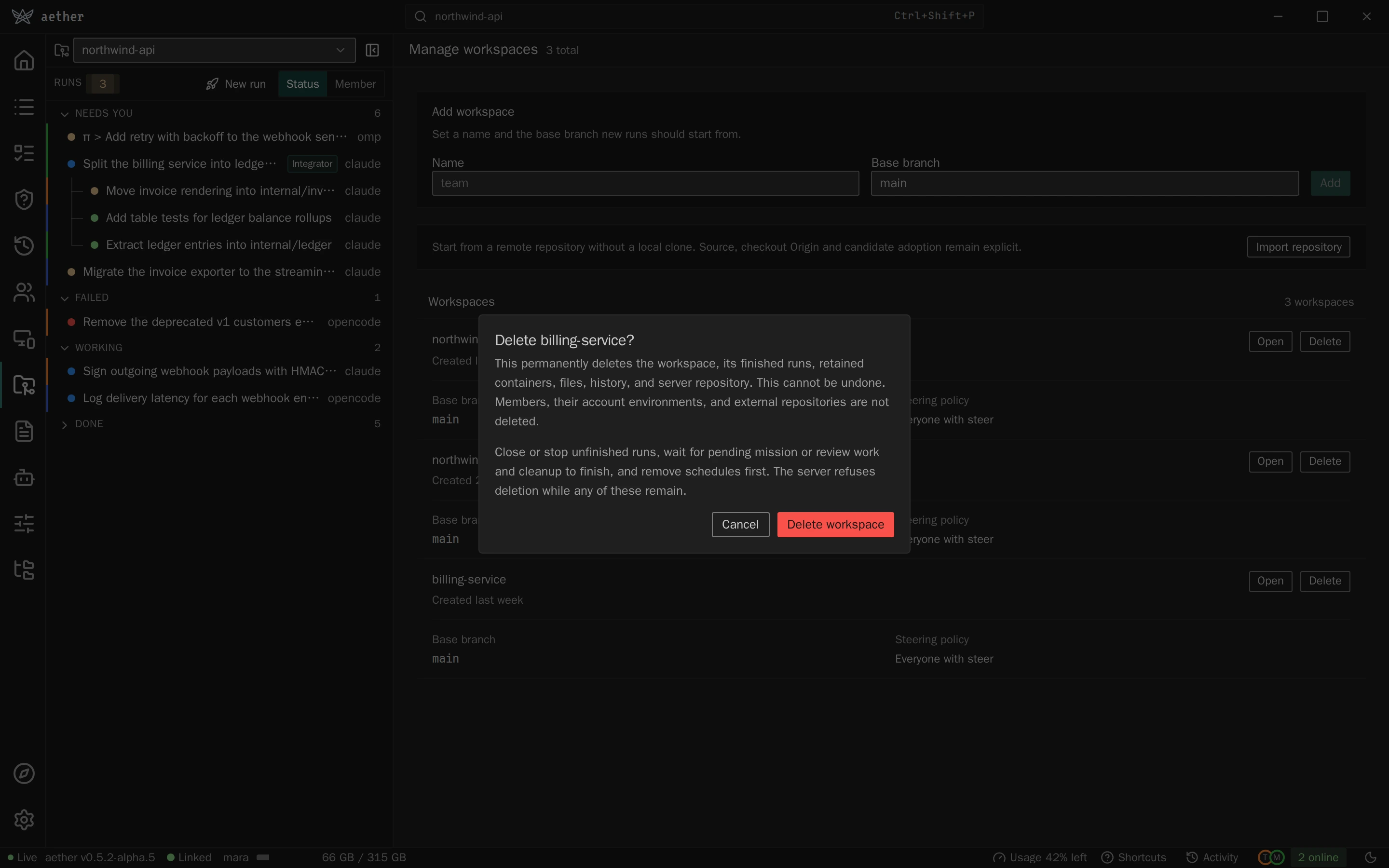
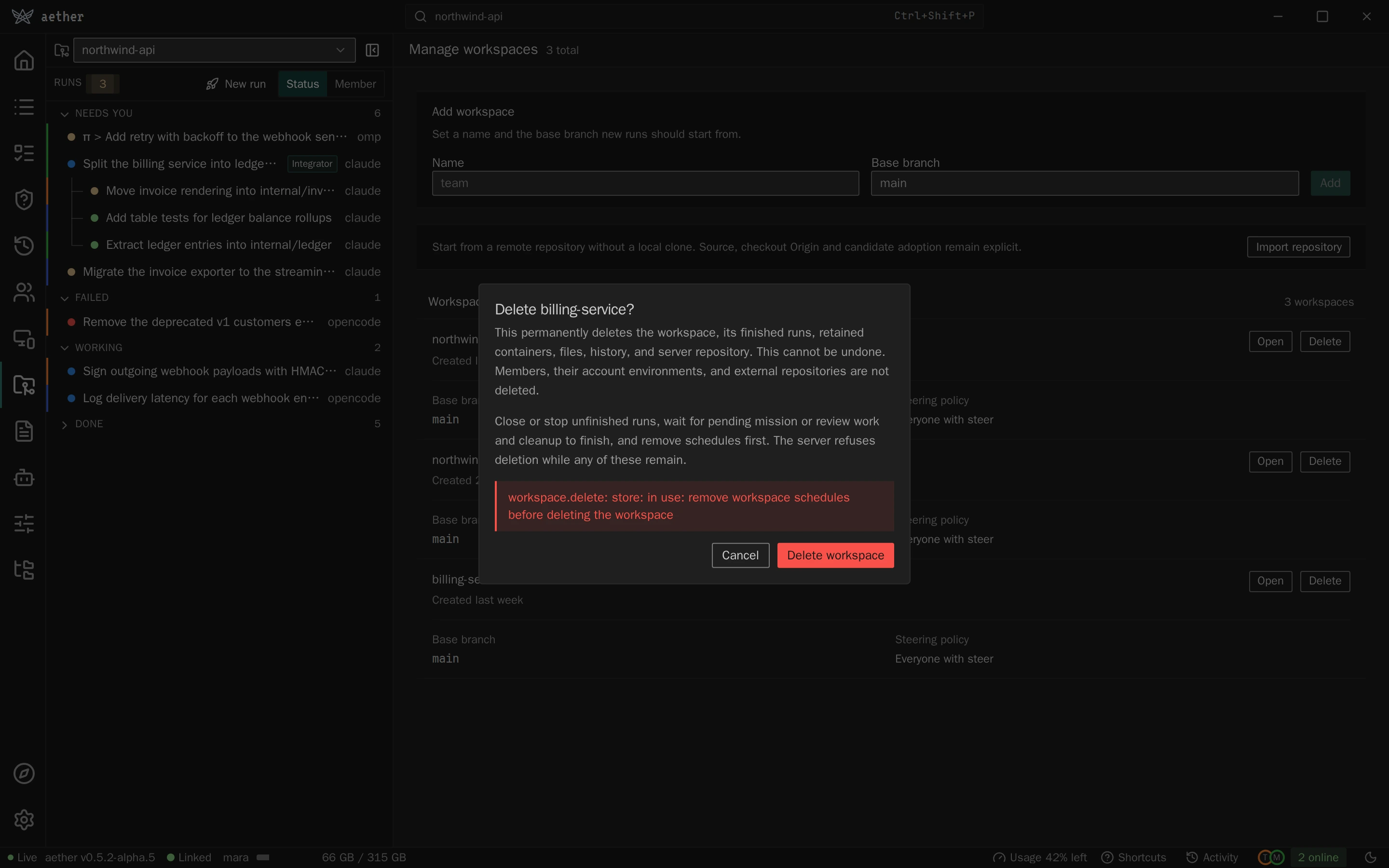
After deletion, the list and workspace switcher update together.
workspace.deleted events reconcile other connected dashboards, including
their selection and any open deleted workspace or run.
Repository page
The workspace switcher's Repository item and the Repository item of
a row's menu in Manage workspaces open routes/workspace.tsx. It is one
workspace in sections: Base branch, read-only because runs have already
forked from it; Source and clone, the shared
components/workspace-repository.tsx (link a local clone, the
server-fetched source with its mirror status and deploy key, the checkout
Origin) with its Advanced part open; Environment, below; and Team,
the budget with Set budget… (budget.set) and who may message others'
runs with Change… (workspace.settings). Each button is gated by its
server-side permission; a member without it reads the same facts. The page
lists no runs: the board does.
Environment (components/workspace-environment.tsx) is the workspace's
setup script and variables (environments.md),
read with workspace.environment.get when the page opens. Opening the page
through an Environment menu item passes section: 'environment', and the
section scrolls into view once it has loaded.
- An admin edits the Setup script in a monospace field and each variable as a row: name, value, a Secret checkbox and Remove. A saved secret shows a fixed row of dots, since the page never holds its value: its name is read-only, Replace swaps the dots for an empty field and Keep current puts them back. Ticking Secret on a plain variable masks the field and saves it as one; a saved secret cannot be made plain, only removed. A value with line breaks, whether loaded, imported or pasted into the one-line field, is edited in a multi-line field that does not wrap. As a secret it shows the dots and Replace instead, since that field cannot mask.
- Import .env… (
components/workspace-environment-import.tsx) takes pastedNAME=VALUElines or a chosen file, parsed bylib/dotenv.ts, the formataether workspace env importreads. It lists each name as New or Replaces the current value, counts the lines it skips, and has Store as secrets ticked. An empty value has nothing to hide and is added plain; over a saved secret it stays a secret with no value, which Save refuses, so the saved one is not removed unnoticed. Add n variables puts them in the list; nothing is sent yet. - Save sends one
workspace.environment.setholding only what changed, so an untouched secret is never named. It is disabled until something differs; Unsaved changes. and Discard show while it does. Beside it the page says what a save reaches: runs launched afterwards, not containers that exist. A row that cannot be saved - no name, a name used twice,=in a name, a secret with no value - is marked on Save, which focuses it and sends nothing. The server's refusal shows verbatim under Not saved, and the edits stay. A result'swarningshows under Saved. - Any other member reads the script, each name and each plain value, with Secret in place of a secret's value and Only an admin can change this. A failed read shows the server's error with Retry.
When the setup script fails a launch, the New run and template launch
dialogs show the server's reason and, under Setup script output, what
the script printed (components/launch/setup-output.tsx, from the error's
setup_output).
The source mirror dialog reports local-only, pending, ready or failure,
including the configured source, branch, accepted SHA and last check time.
Configure source starts from Workspace.Origin and offers public,
deploy-key and github authentication, with source URL and branch fields.
Deploy-key mode alone shows known_hosts, the public key and GitHub deploy-key
installation link; Save source rotates that key, not Verify.
GitHub mode uses the shared connection control and shows the source's numeric
account ID and authorizing member (github_user_id, github_member_id).
An explicit Save source binds it to the current admin's verified account;
reconnecting alone does not silently change an existing binding. These are
non-secret source fields, never a token or member-home path.
Verify (Refresh once the source is ready) reports the server's
result; fetching is not approval, so Adopt candidate and Disable
source require explicit confirmations. A local-only workspace uses its
pushed base.
Settings
src/routes/settings/ is one column of capability-gated sections, available
through either gateway:
- Appearance: Theme (System, Light, Dark; the palette and the
footer menu offer the same), Text size (Default, Large, Larger; it
scales the interface type tokens through
data-text-sizeon the root element and leaves terminal zoom alone), and Single-key shortcuts (see Keyboard and focus). - Notifications: Notify this device when a run needs me, described under Push notifications.
- Assistant, where the assistant is available (
useAssistantAvailable): Let the assistant act without asking reads and setsassistant.settingsauto_approve. Under it, What auto-approval covers lists what runs without a card, what always asks and that the assistant's shell and file tools are unaffected. Turning it on first asks Let the assistant act without asking? with the warning that the assistant will launch runs, message and stop the member's runs and save the environment on its own; turning it off does not ask. A refusal stays in the dialog or under the row. Links from the assistant panel navigate with{section: "assistant"}, which scrolls the section into view. - This computer, only on the local gateway: the linked Server and
Repository (
link.status) with Link another server (Link a server before any), Saved servers (the default link, then named ones) with Switch, which callslink.switchand reloads the dashboard, the Sync daemon (daemon.status), and Mirror run files, which starts and stops a live run's sync overlay (sync.status). Each row says in one sentence what it does and prefills its target read-only: the daemon the linked server and repository, the mirror the newest live run (or the one already mirroring). Change edits the target; Install and Start mirroring are secondary buttons. The server-hosted dashboard omits the section. - GitHub, for admins when the OAuth methods are available: the same
GitHubConnectionand Add repository picker used in onboarding and Manage workspaces, not another importer. Existing native authorization is reused. Successful explicit revision acceptance upserts/selects the workspace and opens its repository page. Nonadmins see neither this section nor its repository-add controls. - Server: the server version and protocol, Check for updates… (named
Check now after a failed check, whose error shows verbatim below it)
and Update… when an update is waiting; data-filesystem used and available space, separate from
Aether's attributed worktrees, transcripts, database, repositories, homes,
managed caches, evidence and other data. Snapshots are included in worktrees, not added
again. Daemon-wide Docker accounting includes non-Aether workloads and has
its own block; filesystem used totals are never added together. Docker's
unused classification is not permission to delete saved environments.
Missing values stay unknown, and partial-measurement warnings and Docker
errors remain visible. Container sizes expands to each run's and
environment's container, largest first, with the bytes it wrote outside its
mounted home, checkout and cache, such as
/tmp. Those files are deleted with the container and are not counted in the categories above. Admins see every container, other members their own. Admins can expand Largest storage owners for up to 50 entries with ownership, bytes, retention deadlines and errors; their bytes overlap category totals and are not extra usage. Cache-pool deadlines are age targets, not guaranteed minimum retention. Free retained containers… opens the same admin confirmation as the board's Finished menu for the active workspace. It prevents reopening those runs but does not delete all run data: checkouts, homes, repositories and history retain their existing lifecycle. Storage accounting adds no manual pruning controls. Run headers, action confirmations and the Finished release dialog show the exact runtime deadline and cleanup failures. Cleanup-only refreshes preserve the completion time; reopening clears the old retention disclosure. - Docker inside runs, a row in Server, for admins when the server
answers
server.sysbox.status(src/lib/use-sysbox.ts). States: On, Off with Install,Unavailable on this hostplus the server's reason,Installing… this takes a minute or two, and Install failed with the reason, Show output (the install log in aCodeBlock) and Try again. Install callsserver.sysbox.install, which returns at once; the row then pollsserver.sysbox.statusevery 2 seconds while the state isinstalling. Reaching On from an install announcesNew runs get it now. Reopen your Environment to use it there.in a polite status region, because an existing Environment keeps its old container. On the board, an admin whose server reportsoffsees a neutral callout,Let agents use Docker in their runs, with Install and Dismiss (src/components/sysbox-nudge.tsx). It stays throughinstallingandfailed, and showsunsupported(with the reason) only after an install the admin started from it; it never shows for a plainonorunsupported. Dismissal is persisted assysboxNudgeDismissed. Non-admins and older servers see neither. Anoffreason is shown verbatim; the not-root reason, which containssudo aether-server sysbox install, hides Install and offers that command with a copy button. - Remote access, when the server answers
server.edge(theedgestore slice, read at hydration): the Edge URL oroff, the copyable Server id, the Access policy, the Owner (<login> (github)ornone) and the Connection:connected,not connected, orthe edge has not recorded this serverwhile the edge reports it unclaimed. For an admin of a server with no owner, a dashboard with the local verbsedge.status,edge.loginandedge.claimshows Connect my GitHub account, followed by(<login>)whenedge.statusreports this machine signed in at the server's edge: it signs in there first if not, showing the sign-in code, callsserver.edge.claimcode, passes the code toedge.claimunless it names another server than the one shown (The gateway now reaches another server; reload and try again.), and readsserver.edgeagain. Atoken-revokedornot-signed-inrefusal from the claim signs in again and repeats it once. Without those verbs it showsaether edge connectto copy (edge.md). - Usage: the subscription usage of your account, or of an account shared with you.
Repository settings, base freshness and the source mirror live on the Repository page on either gateway.
Push notifications
src/routes/settings/notifications.tsx is one row over src/lib/push.ts.
What a notification is sent for, and what the server needs, is in
networking.md; the server side is
internal/push.
readPush gives the row its state, and the checkbox is enabled only for the
first two:
| State | When | The row shows |
|---|---|---|
| on | the browser holds a push subscription and push.status says the server holds it too |
checked, with Send test notification |
| off | no subscription, or one the server has dropped | unchecked |
| blocked | Notification.permission is denied |
how to allow notifications in the browser |
unsupported, desktop |
the Electron shell | that the desktop app notifies by itself |
unsupported, gateway |
any gateway but the server's own | that aether gui cannot be opened by a notification later |
unsupported, home-screen |
no Web Push, on an iPhone or iPad outside a home-screen app | a link to Add it to your home screen |
unsupported, browser |
no Web Push anywhere else, the Android app's WebView included | the same link |
enablePush calls Notification.requestPermission() before anything else is
awaited, because Safari grants the prompt only straight from the tap. It then
registers /sw.js, subscribes with the key push.status returns and hands
the subscription to push.subscribe. A subscription the browser made for
another server key is replaced. disablePush unsubscribes on the server and
then in the browser. A failure of either, or of Send test notification
(push.test), is shown as the error the browser or the server gave.
web/public/sw.js is the whole worker. On push it shows the notification
with the run's ID as its tag, so a newer one for a run replaces the older,
and it shows a fallback for a message it cannot read, because Safari drops a
subscription whose push shows nothing. On notificationclick it focuses a
dashboard window that is already open and posts it
{type: 'aether:open-run', run}, or opens /?run=<id> when none is.
watchPush, started with the connection in src/store/sync.ts, navigates on
that message. It also calls push.active at most every 20 seconds while the
pointer, the keyboard or the wheel is in use, which is what makes the server
hold a member's notifications while they are at a dashboard. A server that
has no such method, or that the member is still pending on, is not asked
again.
The desktop shell does not use Web Push. desktop/notify.js applies push's
rule to each run.status event (see
failure-handling.md): it reads the run
with run.get for its title, paused, mission_role and member_id, and
announces only runs the signed-in member owns, as push does. When run.get
fails it announces nothing. It notifies once per need, keyed on the run's status, state, reason and status_changed_at, and
words it as internal/push/need.go does. An event whose status_seq is not
above the last one seen is ignored. waiting, waiting-* and working
never notify. A need counts toward the dock badge and its notification
closes when the need ends, including on run.outcome_seen for an unseen
failure and on a run.review event that sets later or accepted. A
review ready gets one silent, low-urgency notice per entry into ready,
counted in the badge; an unseen failure of a run that already ended gets
one outside it.
cd desktop && node --test runs desktop/notify.test.js; make test-scripts includes it.
Clicking it pushes ?run=<id> onto the page's history and dispatches
popstate, which bindRouteToUrl follows, so the run opens without the
reload that would discard an unsent message.
Onboarding wizard
src/routes/onboarding/ is the guided first-run path: four steps under one
header, Connect, Repository, Agent and First run. The header is
the view's PaneHeader with the steps as numbered chips in its right-hand
slot; there is no step counter or second header. A local gateway starts at
Connect. A hosted gateway, which has no link.status, starts at Repository:
remote import, server-side agent setup and configuration do not require a
clone or SSH identity on the browser's machine. Only the local clone controls
require local capabilities, and their hosted replacement names the exact
desktop/CLI handoff. Each step's action row holds its filled button, so on a
phone the top bar's New run is an icon throughout onboarding.
Each step is a file: connect-step.tsx (with edge-link.tsx),
repository-step.tsx, agent-step.tsx and first-run-step.tsx, all built on
Step from layout.tsx, which draws the step's <section aria-label>, its
title and lead line, and the sticky action row. Git identity is
git-identity.tsx, a form rather than a step. The shared
workspace-create.tsx and workspace-repository.tsx components keep initial
and later workspace setup on the same paths; local linking is repo-step.tsx.
The Agent step and the Agents page share src/components/agents/.
Navigation is two levels: the step index, and one sub-screen name owned by
whichever step has sub-screens. The Agent step owns all of today's - an
agent's setup, named by the agent, Add agent… (@custom) and the GitHub
connect screen (@github) - and the wizard holds the name, so Back
closes an open sub-screen first and leaves the step only from the step's own
screen. A step with sub-screens takes them as setup and onSetup rather
than keeping them in its own state.
The wizard passes a Back action to each step. While a local clone form is open, its Cancel closes it. Returning from Agent preserves the selected workspace and repository state; changing workspaces never applies the previous workspace's link or Git result.
In the step header, every step the member has already reached carries a check (a dash for a skipped Agent step) and is a button that jumps to it, forwards as well as back, so walking backwards does not strand them on a step they cannot leave. The current step and the ones never reached are inert text. Leaving the wizard keeps its progress, and Settings › Onboarding › Open guide reopens it at the furthest step reached; only finishing First run starts it over.
Git identity is the name and email the member's commits are authored as,
saved on the server with member.git by Save identity. A local gateway
shows it at the bottom of Connect once the server is linked; a hosted one at
the top of Repository. Where the gateway serves git.identity it prefills
them from this machine's own git config, without overwriting a field the
user has typed in; what the member already saved wins over both. Moving on
without saving leaves the server's fallback in place, so it never blocks the
wizard. See teams.md for what the identity does once it is set.
Repository's first line defines the word: a workspace is one repository and
base branch, and the runs started from it. With no workspace chosen it lists
the member's workspaces with Use and, for an admin whose gateway serves
workspace.import or workspace.add, the shared Add a workspace choices.
Add GitHub repository leads when its methods are available on either
gateway; manual remote import and local-clone creation remain alternatives.
After explicit GitHub revision acceptance, onboarding continues to Agent.
A member who cannot add one and finds
none gets Ask an admin to add a workspace and Continue to Agent,
because Agent setup does not depend on a workspace. Once a workspace is chosen
the step shows it as one row with Change, then the Local clone section
and one Advanced disclosure holding the server-fetched source status, the
checkout origin and the mode-specific source authorization details. The source status stays mounted while
collapsed, so a source that is not ready says so above the disclosure.
Link local repository opens the local path form; its path must be
absolute, accepting a leading /, a drive letter or a UNC prefix. The field
offers folders link.status already knows: the current clone and named
profiles as a datalist. In the desktop shell it also gets a Choose
folder button, which opens the native directory dialog through
window.aetherDesktop.chooseFolder, writes the answer into the field and
clears any error the last attempt left; cancelling leaves both alone, a dialog
that fails puts the shell's own error under the form, and the whole path form
waits while a dialog is open, because a chooser that is not modal to the
window leaves it live. On Linux the shell gives up once the window has held
focus for 10s and puts its error under the form; a folder picked after that
fills the field unless it was edited or the step moved on since (see the
bridge paragraph above). On a shell built before that, leaving the step and
coming back is the way out of a chooser that died without answering. Typing
stays the fallback, because a browser tab has no dialog and a shell built by
an older aether gui build has no method.
The step adds the aether remote (link.repo) and then seeds the workspace:
where the local gateway serves repo.push it shows a Push now button.
The gateway compares the clone's base branch with the workspace's copy before
pushing and answers with one of four states, so the second member to join a
workspace reads what happened instead of git's ! [rejected] main -> main (fetch first).
Local-only workspaces retain Push now, Fast-forward my clone, daemon base pushes and direct base writes. A mirrored workspace owns its base on the server and rejects direct base writes; run branches can still be pulled. The dashboard withholds base push controls while an administrator's source status is unresolved or identifies a mirror. Configuring or fetching a source never silently authorizes its candidate.
When link.repo answers an origin, the connected line adds Runs push to <origin>: the upstream a run pushes to, the same one aether link --repo
prints. That push destination is separate from the Source control read source.
A link that recorded none says nothing about one.
pushed names the branch that landed; up-to-date names the commit the
workspace already has. Both keep git's output in a "What git did" panel,
open on arrival because Everything up-to-date and [new branch] are both
success and mean different things, and Continue moves on.
behind means the workspace is ahead. The step names both tips and offers
Fast-forward my clone, which runs repo.fast-forward and then reports
the new tip, whether that branch was the checked-out one, and whether the
working tree is dirty. The panel then shows both outputs in the order git
produced them: the comparison's fetch, then the fast-forward. diverged
means both sides moved on: the step names both tips and offers the fetch,
log, rebase and push commands to resolve it by hand, copyable as one block,
with no fast-forward button, because Aether never force-pushes.
Both states keep Push now, which re-compares - the thing to do after
resolving by hand - and both take away the copyable git push -u aether <branch>: it is the command that produced the rejection this comparison
exists to replace. That command stays only where it is the right one, which
is a clone the workspace has not moved past: before any push, after one that
failed, and after one that landed. A refusal keeps the user on the step with
git's own output in a monospace block. The three outcome panels - behind,
diverged and the fast-forward result - are aria-live="polite", because they
appear without a page change.
The branch is the workspace's base branch, so a workspace created with
--base seeds the branch its runs fork from. When repo.push is unavailable,
the step shows only the copyable command.
Link, push and fast-forward always carry the selected workspace ID. Each
server profile has one current clone, not a clone per workspace. The UI
rechecks link.status on entry, focus and before Git mutations; a remembered
connection for a different current clone must be linked again. The gateway
also checks that the clone's aether remote names the requested workspace.
What the step settled - the clone path, the remote the gateway wrote,
git's push answer, and the fast-forward once one has run - lives on the UI
slice as onboardingRepo, not in the component. Each answer is written onto
the record as it stands in the store rather than the one captured at render,
so a push and a fast-forward started from the same screen cannot lose each
other's result. Each answer also carries the clone it ran against. A member
who re-points while a request is in flight has that answer - and its error -
dropped rather than merged onto the repository that replaced it, and the new
form starts with its own push button rather than the old request's spinner.
A member who picks another workspace keeps the answer on the record it was
issued for, and the step, which shows only the record matching the selected
workspace, never renders it against the workspace that replaced it.
Returning to the step shows that connected
repo with Use a different repository to go back to the form, prefilled
with the old path; a blank form there would ask again for a remote that
already exists.
The UI slice persists the resume point, furthest step reached, selected
workspace, source choice, connected repository and First run draft. Finishing
the wizard or navigating away clears these fields. Steps are stored by name
rather than position, so inserting a step never
relocates someone who is mid-wizard. The persisted state is versioned, and one
migration in web/src/store/index.ts covers every older shape: versions 0
through 2 stored the resume point as an index, so those numbers are read back
as the steps they named; versions 0 and 1 stored a Repository answer this build
cannot use - version 0's predates the comparison states and version 1's carries
no link id - so it is dropped rather than rehydrating a blank panel; and
no version before 4 has a furthest step, so the resume point becomes it, or
the first backward jump would turn every later step inert. Versions before 8
named the six steps of the old wizard; each maps to the step that absorbed it
(Link and Git identity to Connect, Workspace to Repository, Agents to Agent).
Anything it cannot place starts over. Repository without a workspace opens on
the workspace list; Agent never needs one; First run without one says so and
offers Choose a repository.
Hydration reads link.status first for a local gateway. A linked machine with
no in-progress workspace is marked onboarded on initial hydration. An
unlinked local gateway routes here when onboarded is false. Hosted onboarding
also resumes after reload when its saved workspace still exists, even after
the first import. A linked clone must not erase a resumed wizard's workspace
or draft, and a reconnect must not redirect navigation.
Authorized run deep links take precedence. Completing the final step or
navigating elsewhere marks the UI onboarded and clears wizard state.
Connect first offers signing in to an edge
(src/routes/onboarding/edge-link.tsx): it runs the edge's device flow
through the local gateway, which keeps the device token, shows the code
while it polls edge.status, then lists the servers the account reaches,
each with one Link. Signed in to more than one edge, it lists them and
shows nothing to link until one is chosen; the server list, link by id and
claim then pass that edge to the gateway, as --edge does on the command
line. A server picked from the list opens a Confirm server panel with its
id and the host key fingerprint edge.hostkey read, and links only on Link
and pin, because that id comes from the edge. Opened from Settings > This computer > Link another server, the step
starts on this picker with a server already linked; linking an edge server makes it the default and keeps the
previous edge default as a saved server named by its server id. Other ways to
link holds
Server id from your admin, which the edge cannot substitute, and
Claim code or link, which takes the claim link or code aether-server setup printed and refuses a claim link naming another edge than the one
signed in; a join link pasted there opens the Join panel below. Link by
address is a second
disclosure below the sign-in, for a tailnet or SSH server. While no edge is
signed in, below Link by address, Have an invitation or claim link?
takes either link and Open link opens it as a handed-over link, so a
join or claim link can be given before signing in; anything else answers
That is not an invitation or claim link. Connect
distinguishes no configured server from a linked one, shows Continue only
once a server is configured, and refreshes on Retry and when the window
regains focus, so a separate aether link command appears without
restarting the GUI.
A link a shell hands over (URL state) opens
Connect at any step. A claim link fills Claim code or link and opens
its disclosure. A join link replaces the sign-in with a Join panel:
Join <server id> as the invited account? with the account edge.status
reports for the link's edge, signing in to that edge first if needed, and
Join sends the link to edge.join. On a device-pending refusal it
shows Waiting for an admin of <server> to approve this device with the
device label and key fingerprint, or, when the refusal carries an
approval_code because nobody can approve in the app, the refusal's
message with the console command, and calls
edge.join again every 5 seconds until it links or is refused otherwise;
a token-revoked or not-signed-in refusal signs the panel out and offers
Sign in, and a join-wrong refusal, an invitation that names another
account, offers Sign in with another account;
the admin's side is the Needs you card (Run state). A join
or claim that succeeds but could not move the clone's aether remote
shows the gateway's remote_error as an error toast; the link stays. A
gateway without edge.join or edge.claim, such as the Android app's
Tailscale-mode dashboard, shows the link and the aether link command to copy
instead, with Continue.
The Agent step opens with the two Standard and Enhanced cards
(ModeOverview), then the agent list, Add agent… and the extras
described under Agents. Its primary action is Continue once
any agent is installed; before that the first agent's Set up is the
filled button, with Skip for now beside Back. A skipped Agent step shows
a dash in the step list instead of a check. On a phone the setup
sub-screen's Back row scrolls with the page rather than sticking over the
cards. A gateway that cannot
install agents says to run aether agent add from a terminal instead.
First run is the launch form, not a copy of it: RunFields and
useAgentChoice from src/components/launch/run-fields.tsx are what the
New run dialog's run tab renders, so the task, the agent picker and the
Mode control follow the same rules - task optional except for
Background, a mode the agent cannot use disabled with its reason. The persisted
draft's agent wins the first pick, then the most recently remembered launch
default, which the Agent step's Done or Run just set. With nothing
installed the step drops the form, says No agent is installed yet and
offers Set up an agent, which jumps back to Agent. A failed agent.list
shows the server's error with Retry, because a gateway that could not
answer is not the same fact as an account with nothing installed. Launch
sends mode unless it is Standard and records it with rememberLaunch.
Before enabling Launch, the step checks the selected workspace's base
through files.tree where available and reads available mirror status for
every role. A mirrored workspace must have a ready source and an accepted
commit. Missing branches, pending authorization and source errors show as
The base branch is not ready with Check again and Review
repository. Empty workspace creation is not source readiness. The server
rechecks permission and source policy at launch. One line says what happens
between Launch and the first output: the container starts, the image is
pulled the first time the server uses it, then the agent starts, about 5 s
more in Enhanced. The fake agent is documented in
quickstart.md,
not on the step.
Update prompts
The dashboard tracks three update targets: the server, this client
(the aether binary running aether gui) and the desktop shell.
src/store/updates.ts derives each target's state from the store:
up_to_date, checking, check_failed, available, required,
scheduled, applying, restarting, ready_to_restart, failed or
rolled_back. Every surface below renders from those states:
- the sidebar notice row,
- the Updates dialog (
UpdateCenterinsrc/components/update-banner.tsx, mounted byAppShell), - the required-update gate (
src/components/update-gate.tsx, mounted byApp), - Settings › Server.
The client row lives in src/components/cli-update-banner.tsx. The pieces
the rows share are in src/components/update-banner-shared.tsx. Versions
compare with src/lib/version.ts, which follows internal/selfupdate's
semver precedence:
- numeric prerelease identifiers order numerically;
- a
git describetail ranks just above its tag; - an unparseable version (
dev, a bare commit) is never behind.
The server always comes first. It updates before its clients, and a server that runs a newer release than a client refuses that client (install.md).
The reads.
src/components/update-checks.tsxis mounted byApp, so it keeps running behind the gate. It readsupdate.checkfrom the local gateway andserver.update_statusfrom the server at these times:- on mount;
- on a timer of 30 minutes ±10%, so dashboards opened together do not check together;
- on window
focusandvisibilitychange, at most once a minute.
server.update_statusis read again after every reconnect, and wheneverserver.infonames a different version. A reconnect that finds an update in flight (preflight,applying,restarting,verifying) re-reads the status every 3 seconds, up to 20 times, so a server that came back verifying is seen to reachappliedinstead of timing out. The timer and focus reads skip the status while the stream is not live, or while a status read is already out. Nothing is read while the window is hidden, except in a desktop shell that can notify: there the reads run in the background too.The CLI and shell rows come from
update.check, because the dashboard can update only the machine runningaether gui. The server row comes from the server's own background release check. Any member may read the server's status.Reads of each kind are numbered, and only the newest one's answer is written, so a click supersedes reads already out and an older status cannot overwrite a newer one. The periodic read stands down while an install runs, so it cannot rename the release the row names.
A failed read is recorded, not swallowed. The last good answer stays on the store, so an offer already on screen does not vanish. The error shows wherever the target has nothing better to say, even over an older status. The server counts as up to date only when its status names a latest release. When the gateway's release lookup fails,
update.checkanswers withcli_error; that is a failed check too.Check for updates. Check for updates… is always in the sidebar footer menu and in Settings › Server, and Check now is in the dialog footer. The desktop shell's Check for Updates… menu item runs the same check. It:
- clears the dismissals;
- opens the dialog;
- reads
update.checkandserver.update_statuswithrefresh: true.
The server runs its release check there and then, and the gateway skips its cache. The check always answers. With nothing to update, the dialog says You're up to date (vX). Checked HH:MM., and each row says the same for its target; an out-of-date desktop app withholds that line. A check that failed shows the error verbatim:
- Could not check for a new Aether release.
- The server could not check for a new release.
- Could not read the server's update status. when the status read itself failed.
Settings › Server shows the same error under Version, and its button reads Check now.
The notice row. The sidebar shows one line, linked to the dialog by Update. In priority order:
- Server update in progress, terminals reconnect briefly;
- for admins, Server update to X failed or The server update was rolled back;
- Server X is available (members: Server X is available, ask an admin);
- Update to Aether X failed or Aether X is available;
- The desktop app is out of date.
The dialog lists the server first.
Admins get the server's version, the latest release and the release notes link. What else the row offers comes from
server.update_status:- capable: Update now and Update when idle. Update now opens
a confirm dialog. It counts the runs active in this member's own run
list, using the server's definition of busy: a paused run and one
parked at needs-attention do not count. The dialog says what the
restart costs: runs keep going because the server reattaches to
their containers, and attached terminals reconnect on their own. The
confirm calls
server.updatewithwhen: "now". Update when idle sendswhen: "idle", and the row becomes Server X is scheduled. Scheduled by <member>, applies when no run is active., with a Cancel that sendswhen: "cancel". A scheduled row also names what the update is still waiting for (status.waiting), because a live terminal attach holds it back the same way a working run does. - not capable: no buttons. The row shows the server's own reason,
then the commands to run on the server host, each with a copy button.
A server without
server.update_statusfalls back toupdate.check'sserver_behind.
While the server is behind (its row says available, or
update.checkreportsserver_behindbecause the server's own release check failed), the client row adds Update the server first, from its row above or with aether server update; this client updates after it. Whenupdate.checkreportsserver_first,update.applywould refuse, so the client row drops Update now; a member is told to ask an admin to runaether server update.- capable: Update now and Update when idle. Update now opens
a confirm dialog. It counts the runs active in this member's own run
list, using the server's definition of busy: a paused run and one
parked at needs-attention do not count. The dialog says what the
restart costs: runs keep going because the server reattaches to
their containers, and attached terminals reconnect on their own. The
confirm calls
Members see Server X is available. and Ask an admin to run
aether server update; this client updates after it., with no buttons. A failed update shows the server's error and says to ask an admin.
Server phases.
server.updateevents land on theserverslice throughapplyEvent. They arrive once per workspace and once more from the RPC result, so the slice keeps the furthest phase of one update, never the last frame to arrive. The phases render as:- preflight and applying: Updating the server to X…, saying nothing has been replaced yet;
- restarting and verifying: Restarting the server on X…;
- failed: the server's error verbatim, then the manual commands;
- rolled_back: The server update was rolled back; it runs Y again., with the error.
Once one update is
applied,failedorrolled_back, a lateapplying,restartingorverifyingframe for the same version is ignored; Update now and Update when idle clear the settled phase before they ask. A Cancel result ends a schedule at once, ahead of the status read before it that still listspending.server.update_statuscarries the samephase,error,from_versionandto_version. A status still in flight seeds the progress after a reload. A status with a settledphase(applied,failed,rolled_back,idle) ends it, and so does, on an older server, aserver_versionat or past the version the phases were about.failedandrolled_backshow only while the server is still behind the latest release. A server whose phases stop for 10 minutes becomes failed: The server did not finish updating to X within 10 minutes. Last error: …, with the last error the status, the last attempt or the status read reported. Every phase is also a row in the activity feed, filterable as Server updates.The client row is for everyone. It names the new version and the running one, says what updating costs, and offers Update now, the release notes and a dismiss. Updating replaces the
aetherbinary on this machine and restarts the dashboard, which stops attached terminals and any running sync session; the runs keep going on the server.What the button does is decided before the click, from
update.check'sinstall_method(docs/local-gateway.md):- direct: the button and nothing more.
- admin-prompt (macOS with a GUI session and a
cli_pathin a directory only root can write, such as/usr/local/bin/aether): the button, and before the click: macOS will ask for an administrator password: {cli_path} is in a directory this account cannot write to. The dialog is labelled osascript, the tool Aether asks through. Aether never sees your password. - manual: no button. The row shows
sudo aether updatewith a copy button.
When
update.check's top-levelcan_self_updateis nottrue(Windows, a packaged or a development build), there is no button and noaether update. One line namestarget_versionand the platform's way to install it, such as Self-update is not supported on Windows. Close Aether, then rerun install.ps1 to install vX., followed by a link to that tag's GitHub release page. The link appears only when the tag has thevMAJOR.MINOR.PATCH[-PRERELEASE]form.applyClientUpdateinsrc/store/updates.tsruns the click, shared with the gate:- It re-reads
update.checkwithrefresh: true. A fresh answer that finds this machine current installs nothing and says Aether vX is the newest release. Nothing was downloaded. A freshcli_erroris the click's error, except on a gated client whosetarget_versionis set: the server's release was found anyway, so the install goes on. - It calls
update.apply. While a desktop-app rebuild runs, it pollsupdate.statusevery second.
The outcome stays on the store, so the row keeps saying what happened after the re-checks report this machine as current:
- the paths replaced;
- the
restart_commandfor a co-locatedaether-server; - a rebuild still running, or its real error with
aether gui build.
A
403answer means the macOS dialog was cancelled or the password refused: Update cancelled, nothing was changed., muted, with the gateway's words, and the button comes back. Any other refusal is rendered verbatim. A failure or cancel is about one release: a later check that names another one clears it and offers the new release.When the gateway reports the CLI as
packaged(the Android app), the client row and its notice are gone. The dialog says Updates come from the Android app: install its new version to update Aether., followed, when a newer release exists, by Aether <tag> is released; the app's banner says when and where to update. The app's own banner is the notice (install.md).The required-update gate. The gate replaces the whole dashboard while this client is gated:
- after any call answers
-32005or HTTP 426 (onUpgradeRequiredinsrc/lib/api.tshears every one); - after the events stream's subscribe ack does
(
{"ok":false,"code":-32005}); - when
update.checkreportsclient_update_required.
Apprenders the gate ahead ofConnectionError, because a gated client is refused everything exceptserver.infoandserver.update_status. The hydration retry and the event stream stop for good, since every retry would be refused the same way.The gate cannot be dismissed. It is a region labelled by its heading, which takes focus when the gate appears. It shows the server's own message once, which names both versions, and the
min_client_versionthe server accepts. Update now runsapplyClientUpdate. While gated,update.applyinstalls the server's release, named byupdate.check'starget_version, not the latest one. An emptytarget_versionmeans no published release matches the server; the click then installs nothing and shows that error. Progress, the real error and a cancelled administrator prompt share one status live region. The manual command (aether update, orsudo aether updatefor a manual install) is chosen by the dashboard; thecommanda -32005 carries is ignored, so a server cannot choose what a member pastes into a terminal. It is followed by what makes it take effect: Then restartaether guiand reload this page., or in the desktop shell Then quit and reopen the desktop app., because the running gateway keeps the binary it started with. A client that cannot update itself gets neither button nor command, only the line and release link the client row shows; a packaged one (the Android app) reads Updates come from the Android app: install its vX release to update Aether. What follows a finished update depends on the gateway:- under the desktop shell, the gateway relaunches and the page comes back on the new version;
- in a browser tab, the gate says Aether X is installed., says to
restart
aether gui, and offers Reload.
A later
update.checkthat reached the server (server_versionset, noserver_error) and reportsclient_update_required: falseends the gate with one reload, since the stopped stream restarts only on a reload. It reloads once per client version per tab session (aether.update-gate-reloadedinsessionStorage), so a server that keeps refusing leaves the gate up rather than looping.The way out is always there:
- Copy details copies the versions, the message, the manual command and the last error;
- Reload;
- Switch to <name> for every other server saved with
aether link --name, throughlink.switch.
A dashboard served by the server itself is never gated. It reloads instead when the server comes back on a different version, since its pages are that server's build.
- after any call answers
Dismissal is per version and it persists.
dismissedUpdateson theuislice records which version was dismissed for each target. It rides the persisted preferences, so a dismissal survives a reload, and the next release shows the prompt again. A dismissal hides only an offer. A scheduled, applying, failed or rolled-back server update still shows.Desktop notifications. In the desktop shell, a newly available release raises one OS notification per target and version, through
desktop/notify.js. It names the server release for an admin whose server is behind, and the client release otherwise. It fires only while no app window is focused; in front, the notice row is the notice. The shell owns the record of what it announced, keyedserver:<tag>orcli:<tag>, inannounced-updates.jsonunder Electron'suserDatadirectory: the gateway listens on a new port every launch, so the page's own storage would start empty each time. Clicking the notification opens the dialog and runs a check.The desktop shell has a prompt of its own. The SPA ships inside the CLI, but the Electron shell around it is whatever
aether gui buildlast produced. That build records the complete CLI version and its executable path beside the shell's npm-validpackage.jsonversion.desktop/main.jsstarts the recorded binary ahead ofPATH(unlessAETHER_BINoverrides it) and hands the build version to the renderer.desktop/preload.jsexposes it aswindow.aetherDesktop.shellVersion. On a local gateway, a shell whose version differs from the capabilities version by release precedence raises The desktop app is out of date. withaether gui build. Two builds of one tag do not count as different. A browser tab and a server-hosted dashboard have no local shell to compare. The prompt is independent ofupdate_available: the CLI is usually current after an update that left the shell old.The bridge also carries
onCheckForUpdates(the menu item) andnotifyUpdate. On Windows and Linux,controls.showMenuopens the title-bar menu. All three are optional, because a shell built by an olderaether gui buildlacks them.
Keyboard and focus
Everything the dashboard can do is reachable without a mouse, and every control a keyboard reaches draws the same focus indicator.
One focus indicator. focusRing in src/lib/utils.ts is the shared
outline utility. Every focusable primitive composes it, including
SelectTrigger, SelectItem, Checkbox and CollapsibleTrigger. Raw
buttons, links, menu items, dialog close controls and resize handles use it
too. Controls that fill a scroll container use the inset variant so the
outline is not clipped. Keyboard outlines appear immediately, without a
colour transition, and focus remains on a real control when a row or pane
changes. Verify focus, keyboard and accessibility as observable behavior, not
CSS class or source-string contracts.
Only after Tab. Browsers match :focus-visible after any key press
followed by a scripted focus move - Enter sending a message, a shortcut, a
dialog returning focus - so a control nobody tabbed to could wear an outline.
index.css redefines the focus-visible: variant to also need
data-tabbing on the root, which an effect in App.tsx sets on Tab and
clears on the next pointer press, and removes the browser's own
ring outside that state. Text fields keep the native rule, so a clicked field
still shows its outline.
It is an outline rather than a ring, for two reasons. Windows High Contrast
(forced-colors: active) discards box shadows, which is what Tailwind's
ring-* compiles to, and would leave the app with no focus indicator at all.
And ring-* already means "selected" on the member colour swatches, where a
focus ring in the same property could not be told apart from the selection.
The outline sits 2px outside the control, except where the control has no
room outside it: a row that fills its scroll container - a sidebar run, a run
list entry, a changed-file row, a board card - and a menu item, which sits flush
against its neighbours. There it is drawn 2px inside instead. An outline
outside a full-bleed row is clipped at both edges by the scroller, and padding
the container would inset the dividers that are meant to run edge to edge. The
inset has to carry the same variant as the token
(focus-visible:-outline-offset-2): a bare -outline-offset-2 is one
pseudo-class less specific and loses at the moment the outline is drawn.
MenuContent and DialogContent suppress the outline on themselves:
each takes focus programmatically when it opens and has nothing to show for
it. Their contents are not the same case. A MenuItem takes real DOM
focus under Radix's roving tabindex, so it wears the outline like any other
control, keeping its focus: background as well. A SelectItem is that case
again: Radix moves DOM focus onto the highlighted option, so it wears the
outline inset like a menu item, and SelectContent suppresses its own for the
reason the other two containers do. A CommandItem suppresses the outline
too, and that one is deliberate: cmdk never moves focus to it at all, leaving
it on the input and tracking the highlighted row with aria-activedescendant,
so a background is all it has, and all it needs. It is the one row the focus
sweep is told to skip.
One keybinding table. src/lib/keybindings.ts lists every shortcut as { id, keys, scope, label, when? }, with keys in
tinykeys syntax ($mod is Cmd on
Apple platforms and Ctrl elsewhere; a space separates the two presses of a
sequence). The table drives the handlers, the tooltips (shortcutLabel(id))
and the shortcuts dialog (?, or Keyboard shortcuts in the sidebar footer
menu), which groups it by scope and adds the keys a focused tab strip,
splitter, Changes line or terminal owns itself. keybindings.test.ts fails when two
bindings in overlapping scopes share keys, or one begins the other's sequence.
| Key | Scope | What it does |
|---|---|---|
⌘K / Ctrl+K |
global | Open the command palette |
⌘Shift+P / Ctrl+Shift+P |
global | Open the command palette |
⌘B / Ctrl+B |
global | Show or hide the sidebar |
⌘Shift+Space / Ctrl+Shift+Space |
global | Open or close the assistant, from a field, an editor or a terminal too |
? |
global | Open the shortcuts dialog |
n |
global | New run |
u |
global | Open the next run that needs you |
j / k |
global | Focus the next or previous run in the sidebar |
g then b, l, s, a, f, g, e, , |
global | Go to the board, all workspaces, swarms, activity, files, agents, environment, settings |
[ / ] |
run | Show the previous or next run view |
⌘. / Ctrl+. |
run | Show or hide run details |
c |
run | Message the agent (focuses the Session composer) |
Esc |
run | Leave a run for the board |
⌘L / Ctrl+L |
browser | Focus the Browser's address bar, from anywhere in the run |
⌘R / Ctrl+R |
browser | Reload the page |
⌘[ / Alt+← |
browser | Go back |
⌘] / Alt+→ |
browser | Go forward |
⌘Shift+C / Ctrl+Shift+C |
browser | Annotate the page for the agent |
Enter |
composer | Send the message, or steer the running turn |
⌘Shift+Enter / Ctrl+Shift+Enter |
composer | Queue the message for after this turn |
1 to 4 |
request | Pick that option of the focused Session request |
A component answers its bindings with useKeybindings(scope, handlers), which
pushes the scope onto the stack in src/lib/key-scope.ts while it is mounted.
The scopes are global, run, browser, card, request and composer;
card is the board's a/r/o on the focused card, request the option
digits on a focused Session request, composer the send keys while the
Session composer has focus and browser the keys of a run's Browser
while it is on screen. Esc is the run's, to leave it, and the table gives a
key to one binding; while a page is being annotated the Browser answers
Esc itself first and stops annotating instead. When a key matches in two live scopes, the
innermost wins. A binding without a handler does
nothing and is left out of the dialog: n is offered only to a member who
may launch, and a g destination only when the gateway serves it. A run's
keys are listed even from the board, where no run scope is on screen.
A dialog a shortcut opens has no trigger to return to, so useReturnFocus in
src/lib/hooks.ts records what had focus when it opened and puts focus back
there on close: New run (n), the shortcuts dialog (?) and every dialog the
palette opens. A palette command that opens a dialog hands the palette's own
invoker over (handOverFocus), so closing New run after ⌘K returns to
where ⌘K was pressed, not to the vanished palette input.
Two window listeners serve every scope. Chords (a modifier beyond Shift) are matched while the event is capturing, so a terminal's own handler never turns them into input. Single keys are matched while it bubbles, after Radix and any component that acts on the key first have had their chance to mark it handled.
The single keys stand down whenever something else has the keyboard:
keyboardBusy and inModal in src/lib/keys.ts cover a text field or a
select, a live terminal or its focused history surface, an open menu or list
box, or an open dialog. A stray n typed at an agent has to reach the agent;
in history it does nothing. In a menu it is that menu's typeahead, and on a
select it jumps to the option that starts with it. The guard finds a select by
its combobox role, since the control is a button. Settings > Appearance >
Single-key shortcuts (on by default, persisted with the other view
preferences) turns off every character key: n, ?, u, j, k, the g
sequences and the board card's a, r and o. Escape and the chords stay
live. The g prefix waits 1.5s for the key that completes it, and any key
that goes somewhere else ends the wait.
A chord's own handler or its when decides where it stands down. The palette
chords cannot be mistaken for typing, and with the terminal holding the focus
and swallowing Tab they are the way out of a run. They stand down for a modal
rather than for anything that has the keyboard, through inModal and the
store flag that names the form the shell is hosting. They take the key from
the browser either way, so a stand-down cannot land the reader in the address
bar. Mod+B stands down like a single key, so a terminal keeps Ctrl+B for
tmux.
The Browser's chords are the host browser's own, taken from it only where
they are about the page. Mod+L answers anywhere in the run except inside a
terminal, a menu or a dialog, so Ctrl+L still clears a shell; the run frame
registers it, so it works before the Browser is on screen. Reload, back
and forward answer only while focus is inside the Browser (its page, its
address field or its toolbar); anywhere else the host browser or the desktop
shell keeps them. History uses the platform's keys, ⌘[ and ⌘] on macOS
and Alt+← and Alt+→ elsewhere, because Alt and an arrow moves a caret by
a word on macOS. Each handler prevents the default and stops the event while
it is still capturing, so neither the host browser nor the remote page, which
is sent every other key, acts on it.
That guard reads the event target rather than the document. Radix dismisses an
overlay from a capturing document listener without stopping the event, and
React commits the close in a microtask that runs before a window listener is
reached: asking the DOM what is open would find the dialog already gone and
let Escape both close the dialog and leave the run. The shell also stands down
on defaultPrevented, which is how Radix marks the Escape it just acted on.
The document is asked in one case only, by both guards: a key that landed on
body, where focus falls when an overlay removes the control that was holding
it, or merely disables it - Radix's focus scope watches for removals and does
not take the keyboard back from a button that disabled itself mid-flight.
There is no target left to read, so the fallback asks whether a dialog or a
menu is open, and a dialog playing its exit animation does not count. It does
not ask about terminals: focus on body with a terminal on screen is
ordinary, and closing a shell hands the keyboard to the next running shell or,
when there is none, to the selected terminal tab or + Shell rather than
orphaning it.
An open tooltip is the one overlay that neither guard names, and it does not
need to: a tooltip owns no keys, and its trigger is an ordinary control.
Escape is the exception. Radix closes the tooltip and marks that press
handled, so the shell ignores it: on a run, the first Escape closes the
tooltip and the second leaves. Every other key reaches the shell as usual, and a
tooltip closes on the first of them whatever it is, so a pending g is
untouched.
Blocking a control with aria-disabled rather than disabled keeps it in the
tab order, which is the point; the Styleguide rule below says why. The run's
More trigger, the shell button and the Run mode toggle keep their tab stops
while their verbs are unavailable, and each guards its own handler rather
than relying on the browser.
The modifier is named after the reader's keyboard. $mod is Cmd on Apple
platforms and Ctrl elsewhere, read from navigator.platform as tinykeys does,
and formatKeys in src/lib/keybindings.ts prints the same side: the palette
badge reads ⌘K on macOS and Ctrl+K elsewhere. Terminal zoom belongs to
xterm, not the table, and accepts Ctrl and Meta alike. Terminal copy, paste and
find are Ctrl on every platform, because that is what xterm binds; see
terminal.md.
Tab strips behave as tab lists. The run view switch is a Radix Tabs
(TabsList look="segmented") whose panels are the run's views, so Radix wires
aria-controls and the tabpanels. The terminal strip in the run toolbar
(TerminalTabs in routes/run/shells.tsx, named "Terminals") and the
Environment dock (components/dock.tsx) carry role="tablist",
aria-selected, a single tab stop that follows focus, and Left/Right/Home/End
through onTabListKeyDown in src/lib/keys.ts. The terminal strip's Agent
tab controls the agent pane and each shell tab the shell pane, both
tabpanels while a shell is open; with only the agent there is one terminal
and no tab list. A removable dock tab and a shell tab advertise unmodified
Delete and Backspace through aria-keyshortcuts.
Those keys move focus and nothing else. Selection does not follow focus here, which the ARIA tab list pattern reserves for panels that are cheap to swap: behind these tabs are websocket attaches, a patch fetch and xterm hosts, so arrowing must not open the tab it lands on. Enter or Space opens the focused tab, and a click opens the tab it landed on. Delete or Backspace closes the focused removable dock tab. A close repairs focus to the next surviving tab, the previous one when closing the last tab, or Add terminal tab when the dock becomes empty. On a shell tab the same keys open its close choices, or close a shell that has ended.
Resize handles are window splitters. The sidebar's, the assistant's and the
docks' separator handles take Tab, name the pane they size with aria-controls,
report aria-valuenow against their available bounds, move 16px per arrow
press, snap to those bounds on Home and End, and collapse the pane on Enter,
handing focus to the control that restores it. Pointer dragging stays within
the available space and follows the same bounds. Both handles set
touch-action: none, without which the browser claims the drag as a pan and
cancels the pointer stream the drag listens to. The sidebar's is a drag a
finger makes: it grows to a 24px hit area centred on its edge under
coarse:, without changing what it paints, and carries a z-index so the
half of it that overhangs the pane beside it is not covered by that pane.
The docks' is not - dragging a horizontal edge to size a terminal on a phone
is not something a finger does well - so that handle is not drawn on a
coarse pointer at all and the dock offers collapsed, half and full instead
(see Environment).
Styleguide
- Tokens only. See styles.md for the palette, interaction
tokens,
--state-*tokens, geometry, radii, fonts and the one inline-colour exception for member attributes. Components use semantic token classes rather than route-specific colour literals. - Dark, light, system. Settings > Appearance and explicit palette commands
set the stored preference;
systemfollowsprefers-color-schemelive. There is no additional theme mode or cycling status icon. - Typography and density. DM Sans at 13px with 12px supporting copy, on the type scale in styles.md. JetBrainsMono NFM is the terminal's alone; code uses the system monospace stack. Use the 28px control and row, 24px small control, 44px view header and 56px run header, and avoid promotional titles or oversized cards.
- Flat shell and palette host. One 220-400px sidebar beside the content
view; under 768px a 48px top bar and the sidebar as a side sheet. Mount the
command palette, the shortcuts dialog and the updates dialog once in
AppShell. - Agent and state are separate. The agent glyph says who is running;
the state mark says what state.
StatusDot(src/components/ui/status-dot.tsx) is the only run-state mark: one shape and colour per state (filled circle Working, clock Waiting for, dashed ring Waiting, amber ring Needs you, filled accent check Ready for review, check Completed, ring with a bar Closed, cross Failed, ring with an exclamation mark Interrupted, broken ring Disconnected, bars Paused), named by the state word where it stands alone.StateLinepairs it with the reason, as on board cards. The states are described under Run state. - Lists stay still. Sidebar rows, board cards, the palette and All
workspaces draw a static dot. Only the run header's dot and the Session
view's live row pulse while Working (
state-pulse, an opacity step). - Motion is optional. The controlling terminal's 1px teal outline is
always static. The state pulse, the Session live row's shimmer, spinners and
skeletons stop moving under
prefers-reduced-motion: reduce. There is no startup scene or reveal-flash animation. - Primitives first.
src/components/ui/holds the house primitives on Radix:Button(primary,secondary,ghost,danger,linkand the mutedquietlink),Input,Textarea,Label,FormField,Select,Checkbox,Radio,Collapsible,Dialog,AlertDialog,Menu,Popover,Tooltip,Tabs,Command,Card,Callout,Badge,ListRow,PaneHeader,EmptyState,RequestCard,StatusDot,Skeletonand the Sessiontimelineandsession-blocksrows. They are tuned to the shared scale andfocusRing, and preserve props, events, refs and accessibility contracts. Use them instead of raw form elements. Fields and buttons are 28px, small buttons 24px, all 44px on a coarse pointer; adjoining panes and rows are square, and controls use the 4px--radius-control.Input,TextareaandSelectTriggercompose the sharedfieldstyle with contrast-tuned--control-borderborders, readable placeholders and explicit disabled/read-only states. SharedLabelcaptions are block-level; stacked caption-to-field gaps must measure 4px, including wrapped inputs, rather than relying on inline margins. - The empty string belongs to the Select placeholder. Use a named, non-empty sentinel for an empty API or filter value, then map it back at that boundary. The Select wrapper ignores the empty report Radix can send through its hidden native select while options arrive.
- Name the Select trigger. Pair the caption's
htmlForwith the trigger'sid, so the control announces its purpose rather than only its current option. - Disclosures normally unmount closed content.
CollapsibleTriggersupplies the marker. - Status and metadata pills are
Badge. It takes a run-statetoneor stays neutral. ABadgetakes notitleof its own, so a pill whose text can be clipped wears one on the span around it. Run and dock tab strips retain their custom manual tab semantics. - A hint a reader needs is a
Tooltip, not atitle. Atitleis drawn by the pointer and by nothing else, so on a control a keyboard can land on it is information that reader can never get at. A Tooltip opens on focus and hover, with a 300ms hover delay, and points the control'saria-describedbyat itself. It is a description rather than the name: an icon-onlyButtontakeslabel, which sets both. Atitlestays only on what a keyboard cannot land on - a truncated path, a timestamp, a breakdown - since a tooltip needs a focusable trigger, and a hint on a mark would buy a tab stop per feed row or per card. A mark that names itself needsrole="img"first: a bare<span>isgeneric, and ARIA givesgenericno name. - A yes-or-no confirm is an
AlertDialog, not aDialog. The role interrupts rather than announcing a form, it takes the close X away, and an outside click no longer dismisses it. A dialog that asks which of several outcomes to record - closing a run as merged or abandoned - is a choice rather than a confirm, and stays aDialog.AlertDialogActionis destructive unless the caller says otherwise. A confirm that reports its own failure prevents the default on that click and closes on the answer instead, or the refusal would be unmounted with the dialog. - A control a reader still needs is
aria-disabled, notdisabled. Adisabledbutton takes neither focus nor a pointer, so anything it had to say - the full verb behind a shortened label, why a row cannot be opened - goes with it. Those keep their place in the tab order, guard their own handler, and drop the hover the enabled state paints. - One focus indicator, one source:
focusRing; see Keyboard and focus. - Member colour attributes, it does not fill. The avatar rings itself in the member's colour and keeps its initials in the foreground token, because the colour is arbitrary server data with no contrast guarantee in either theme.
- Loading feedback matches duration. Skeletons appear only after ~200ms
(
useDelayed), so a fast response never flashes.
Tests
The dashboard tests use Vitest, jsdom and Testing Library for observable client behavior, with fixtures and stub API/WebSocket transports where a server is not required. Store slices, selectors, token bootstrap, stream lifecycle, terminal attach/reconnect behavior, permissions and error paths remain covered as state transitions. Component tests should assert labels, accessible names, focus handoff, keyboard actions, navigation, loading and empty states, server errors, capability gates and mutation results.
Session component fixtures unmount before restoring timers or browser globals. Await the stream-disposal batch, then reset the root store to cancel its held notification frame and fallback timer.
Run actions cover the retained-run contract: Close chooses merged or abandoned,
while Reopen run appears only for eligible retained Standard runs. Free
container is also offered for finished retained swarm workers; its
confirmation and error path do not hide or delete history. Expired or
unavailable runs offer no Free container. Sidebar tests cover group
disclosure: every group starts expanded and closes when its header is pressed.
They also cover an unopened finish: the row and a nested worker keep the text
colour and say so in their names until finish_unopened clears. They also
cover a run row's age, owner mark, people stack and details box.
src/lib/needs-you.test.ts has one case per Needs you condition, and the
device cards an admin and a member see.
src/a11y.test.tsx exercises the run tab strip, dock tabs and sidebar
splitter with keyboard events: arrow navigation, Enter and Space activation,
Delete and Backspace close, focus handoff, clamped resizing and collapse.
src/components/shell/nav-shortcuts.test.tsx covers the shell shortcut
precedence across fields, dialogs, menus, lists and selects, and the
Single-key shortcuts setting; src/lib/keybindings.test.ts fails on two
bindings sharing keys in overlapping scopes.
src/components/ui/controls.test.tsx and primitives.test.tsx check the
primitives: button and field sizes per pointer, tooltips and names,
aria-disabled tab stops, form-field labels and Select behavior. These are
behavior assertions against rendered controls; source scans, literal class
assertions and CSS text checks are not behavior coverage.
Route and shared-header tests cover the board, global overview, terminal, Browser, diff, files, workspace, onboarding, team, members, settings, agents, templates, palette and update surfaces. Keep assertions on what a member can observe: a route or control appears or disappears under its capability and role, a focus or navigation action lands in the expected view, a loading or error message is shown, or the API receives the mutation only after the relevant confirmation. Preserve verbatim gateway errors in assertions when they are part of the contract.
web/e2e/ is the layout and browser-behavior layer. Playwright drives a real
browser against the local aether gui gateway and the server it proxies,
while the same static bundle is also usable through the server-hosted
gateway. keyboard-focus checks Escape ordering across an open dialog, the
footer menu and a run view, confirms that a focused control paints the app
outline, and drags the sidebar resizer. window-sizing exercises the updates
dialog at the smallest desktop window and below it. run-deep-link checks
that the address follows navigation, survives a reload and agrees with back
and Escape. run-session streams an Enhanced run, answers a permission,
sends a message and stops it with Interrupt.
The touch shell is driven by the mobile project, which
testing.md describes: shell-drawer.mobile.spec.ts opens the
phone drawer, taps a run and finds the drawer gone with the run on screen and
focus on its heading; dialog-anchor.mobile.spec.ts checks that a short
dialog sits at the top rather than the middle, and that the launch form keeps
its footer on screen on a viewport as short as a keyboard leaves;
toast-clearance.mobile.spec.ts checks that a toast comes to rest 8px clear
of the bottom edge; home-screen.mobile.spec.ts checks the manifest, icons
and that the top bar clears a phone status bar; run-views.mobile.spec.ts
protects a run from More and reads its changes; swarm.mobile.spec.ts reads
and answers a swarm; and files-browser.mobile.spec.ts opens a second file
from the tree sheet. sidebar-drawer.spec.ts stays on the desktop project
because its keyboard contract - Mod+B closing the drawer and the palette
coming back once it is gone - needs a narrow window with a keyboard rather
than a phone. sign-ins-merge.spec.ts gets a merge code
as one member and previews it as another at phone width; both harness
members have an SSH key, so it checks the server's refusal verbatim, and
src/routes/members/sign-ins.test.tsx covers choosing, proposing and
accepting. board-card, run-switch, run-attach-retry,
run-provisioning, terminal-tools and the onboarding scenarios cover the
corresponding real UI transitions, gateway responses and terminal behavior.
Run the full browser workflow with make test-e2e; its scenario inventory and
setup details live in testing.md.
run-room.spec.ts and run-room.mobile.spec.ts cover shared notes,
moderated messages, explicit control transfer, the phone Details sheet and
Captures on a phone; run-evidence.spec.ts and run-evidence.mobile.spec.ts
cover retained captures. src/routes/run/frame.test.tsx covers the view
switch, header actions, Details sections and composer gating;
shells.test.tsx covers the shell tabs, closing, the limit and shell
control; terminal.test.tsx covers the agent
attach, presence and occupied-lease fencing; src/store/sessions.test.ts
covers the Session rows; src/store/session-rows.test.ts,
acp-sessions.test.ts, src/lib/acp-stream.test.ts,
src/routes/run/composer-state.test.ts and session.test.tsx cover the
Enhanced rows, store, stream client, composer and requests, and
src/store/session-perf.test.tsx (RUN_PERF=1) streams 5,000 items and
opens 2,000. src/routes/browser/index.test.tsx covers the first page,
silent acquisition, takeover, release on blur and on focus elsewhere, the
address field and its queue, shortcuts, fit-to-pane and presets, the page
strip, close/reset identity fencing and raw refusals; surface.test.tsx
covers input queued across acquiring a lease, watching, wheel input, stream
reconnection and its failure; address.test.ts covers the
scheme rules; ports.test.tsx covers the port list in the empty pane, the
toolbar and the address field, its polling, and opening a port on this
computer or showing the command for it; and src/routes/run/frame.test.tsx
covers when Browser and Files are offered, the docked layout and run-local
terminal links.
src/routes/files/home.test.tsx covers the Home tree: each row's menu,
naming in place, delete, upload from the picker and from a drop, and moving
a dragged row.
src/routes/files/run-files.test.tsx covers the run's Files view and path
links in the Session view, paths.test.ts what reads as a path, and
src/routes/run/terminal-links.test.tsx a path link in a terminal.
src/routes/settings/settings.test.tsx covers Appearance without local RPCs.
src/routes/settings/notifications.test.tsx covers every state of the
Notifications row, src/lib/push.test.ts the browser side behind it
(permission before anything else, the server key, the activity report), and
src/sw.test.ts runs public/sw.js against a stand-in for the worker scope.
src/components/workspace-environment.test.tsx covers the workspace
Environment section: the change a save sends, replacing a secret, the .env
preview, rows that cannot be saved, the server's refusal and the read-only
view.
Use the browser workflow for real computed geometry, top bar and sidebar behavior, responsive overflow, keyboard focus and gateway-backed transitions. Exercise both themes and narrow and desktop widths against the actual surface; do not pin CSS classes, source strings, token declarations or component plumbing. When changing a visible contract, update the assertion at the layer that can observe it. Use a component test for state, text, role, focus and navigation behavior, and Playwright for computed layout, actual browser focus outlines, responsive overflow, Escape ordering and gateway-backed flows.
Testing on a real phone
The browser suite exercises the local gateway path; the server-hosted gateway and a real touch device are checked by hand. Give the server a dashboard port and restart it:
sudo aether-server config set web-port 443
sudo systemctl restart aether-server
Then open https://<the server's MagicDNS name>/ on a phone joined to the
same tailnet. Expect hosted onboarding for a member who has not completed
setup, even when other members have created workspaces; completed members
start on the board. WhoIs already identifies the member. The machine-local
Link step, update notice, pull, forward and sync controls are absent
because the descriptor carries no local verbs. Repository linking instead
shows a local-client/CLI handoff. Settings remains available for Appearance.
Files and configuration editing also remain available through the
server-hosted gateway.
The installed app is a manual check too, because no browser lets a test
emulate the display-mode: standalone a real install gives. On Android,
Chrome's ⋮ menu should offer Install app; on iPhone, Safari's Share >
Add to Home Screen. The icon that lands on the home screen should be the
Aether mark on a dark tile, and opening it should give a full-screen dashboard
with the shell's own top bar, safe-area padding intact under
the notch, and the soft keyboard still shortening the layout rather than
covering it. Watch what the server saw with:
journalctl -u aether-server -fPrerequisites and the refusals a bad tailnet setup produces are in networking.md.
The Android app is the same page in a WebView, served by the server in Tailscale mode and by a local gateway in Edge mode, so the same expectations hold there. It is worth checking separately for two things the browser does not exercise: whether the top bar and the content clear the system bars, which depends on the WebView forwarding safe-area insets, and whether the soft keyboard shortens the layout rather than covering it.
make android-debug
adb install -r dist/aether-android-debug.apk
A debug APK allows chrome://inspect from a computer on the same USB
connection, which is how to read the page's console and its computed
env(safe-area-inset-*) values on the device. A release APK does not. The
shell falls back to padding for the system bars itself on a WebView older
than Chromium 140, so check chrome://version on the phone before
concluding the page is wrong.